

User manual (e-Manual)
Find your Samsung TV's manual: open the e-Manual built into the TV, or download the e-Manual and quick guide from Samsung's support site with your model code.
Topic
Your Samsung TV's model code tells you its year, size, series and region. The year letter sits in the series: T = 2020, A = 2021, B = 2022, C = 2023, D = 2024, F = 2025, H = 2026. Decode your code with the tool below, then open its model year for the lineup, regional versions and the models the app developer has tested.
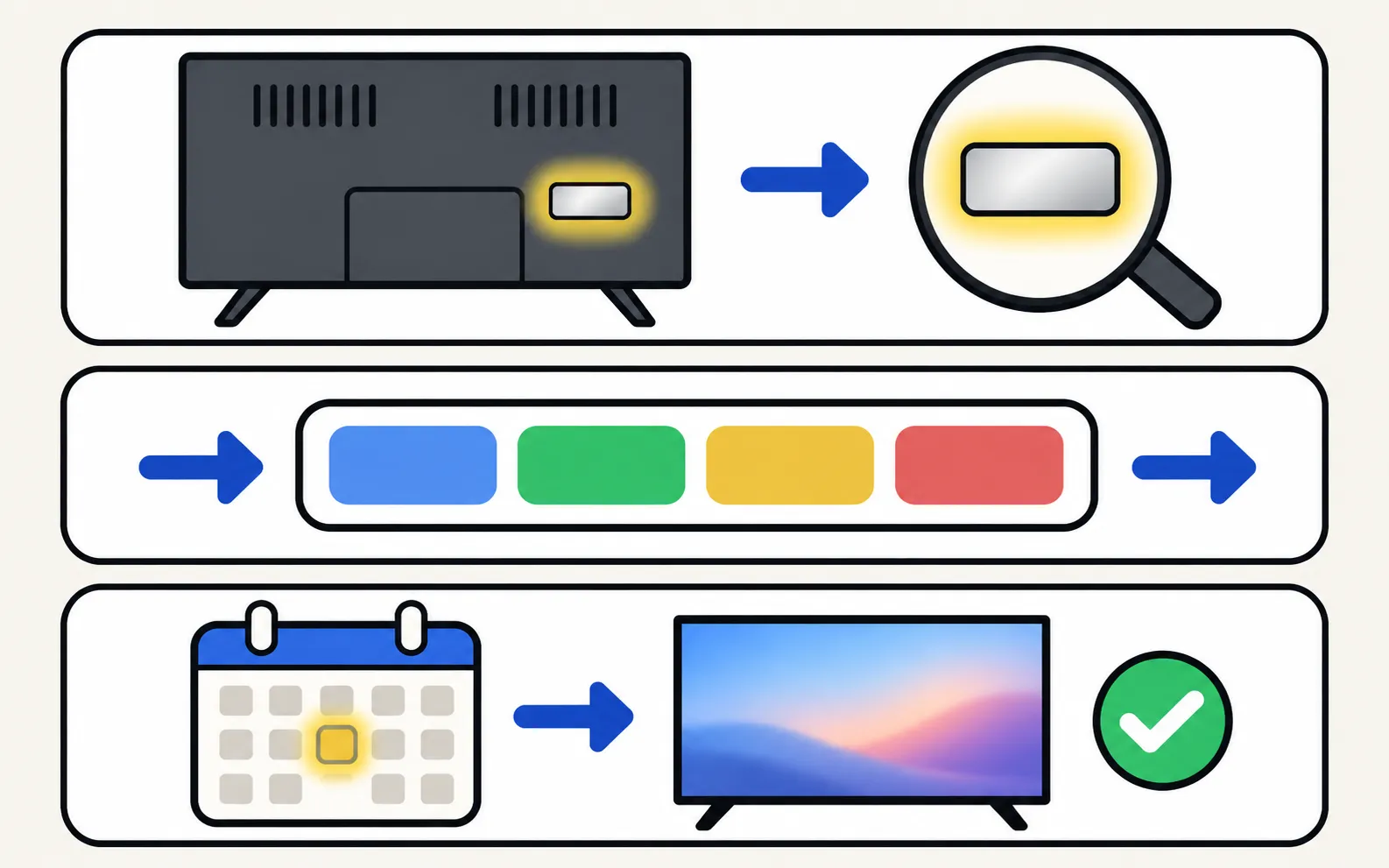
Find the model code
On the back label or in .Decode it
Type it into the decoder above or the full model number decoder: you get the year, size, series, family and region.Open its year
The year pages below list the series, regional versions and which exact models the app developer has tested.| Period | What changed |
|---|---|
| 2010–2015 | Early Smart TVs (2010–2016 model codes). Samsung moved its Smart TVs to Tizen in 2015. Network control from phones differed (Allow prompt to 2013, PIN pairing in 2014–2015). |
| 2016–2019 | UHD (4K) becomes mainstream; series names start with the year letter (KU, MU, NU, RU). QLED arrives in 2017; The Frame in 2017. AirPlay arrives on 2018 and newer models. |
| 2020–2024 | “Crystal UHD” replaces “UHD” (TU, AU, BU, CU, DU). Neo QLED (Samsung’s Mini LED range) arrives in 2021, QD-OLED in 2022 (S95B). Menus reorganise in 2022 around Connection and General & Privacy. |
| 2025 | New naming: the year letter moves to the end for every family (U8000F, Q7F, QN90F, S90F); HD/Full HD models become F6000 and H5000F. |
| 2026 | H year letter (U8000H, QN70H, S90H); a new M series (M60H–M90H). |
Details and examples: Samsung TV types explained.
From entry to premium, Samsung’s families roughly stack like this: HD / Full HD → Crystal UHD → QLED → Neo QLED and OLED (with The Frame as a design choice). Within a family, the series number tells the tier. For measured picture performance per model, independent labs such as RTINGS are the best reference.
The model year — not the screen type — decides which phone features work, which menu layout you see and which apps are offered. For the Samsung TV Remote app, the compatibility page shows what each generation supports and lists the developer-tested models.
Find your Samsung TV's manual: open the e-Manual built into the TV, or download the e-Manual and quick guide from Samsung's support site with your model code.

What Crystal UHD, QLED, Neo QLED, OLED, The Frame and the 2026 M series mean on a Samsung TV, how the picture technology differs and how to tell from the code.

What Samsung Vision AI does: Click to Search, Live Translate, Generative Wallpaper, AI picture and sound, Vision AI Companion — and which TVs get it.
Which Tizen version your Samsung TV runs, how to check its software, how long Samsung updates TVs (the 2024 seven-year promise) and what One UI Tizen is.

How big is a 55-inch Samsung TV? Samsung's reference width and height for 32–115-inch screens, viewing distances, and where to find your model's exact size.

Type your Samsung TV model code to see its model year, size, series, region and what the Samsung TV Remote app can do on it. Covers 2010–2026 codes.
Check which Samsung TV years support AirPlay, Google Cast, Bluetooth audio, eARC, 4K 120 Hz/VRR and Power On with Mobile — every cell sourced, unknowns marked.
On the label on the back of the TV, and on newer models in Settings, Support, About This TV (About TV).
They mark the version, tuner and region — for example FXZA for the US or UXZG for Germany. The same TV can have different tails in different countries or retailers.
Within a year and family, a higher series number is a higher tier (QN90 above QN85, S95 above S90). Across families, Neo QLED and OLED sit above QLED, which sits above Crystal UHD.
Samsung doesn't publish a lifespan figure. The clearest limit is software: in August 2024 Samsung announced seven years of Tizen OS upgrades for supported TVs, reported as 2024 models and some 2023 models; older TVs had shorter update periods, and apps can drop support for old models over time.