
Explainer
Samsung Mobile Remote on 2025–2026 TVs: the QR code explained
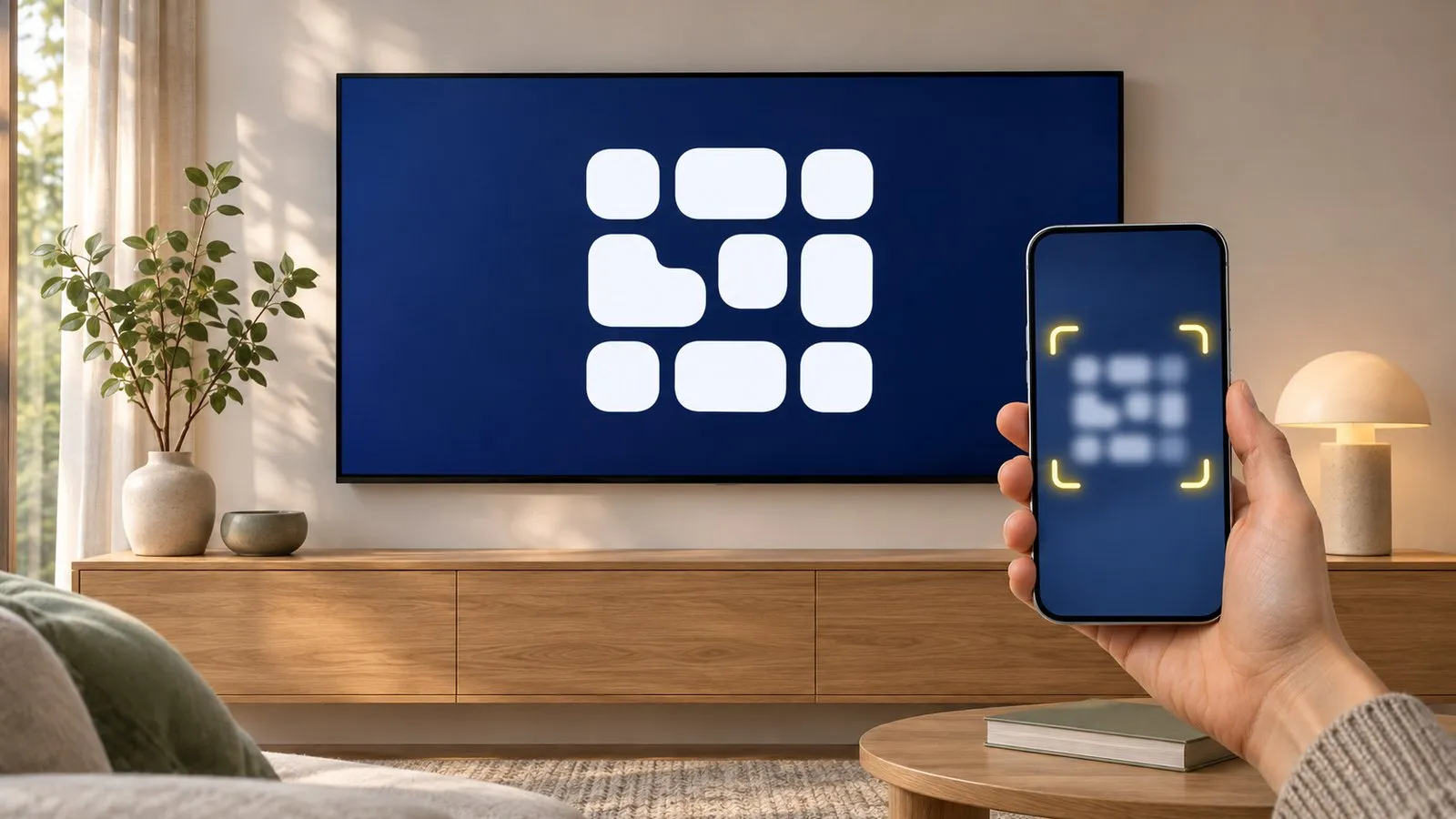
Pressed the button under your new Samsung TV and got a QR code? That's Mobile Remote — Samsung's quick way to turn your phone into a remote through the SmartThings app.
Quick answer
Mobile Remote is a Samsung feature on 2025 TVs from the U8000F series upward. Press the TV's own power button to move to the Mobile Remote icon, hold it to select, and the TV shows a QR code. Scanning it with an Android 11+ or iOS 16+ phone opens SmartThings (or its download page), where a Mobile Remote card appears in the Devices tab.
What the QR code does
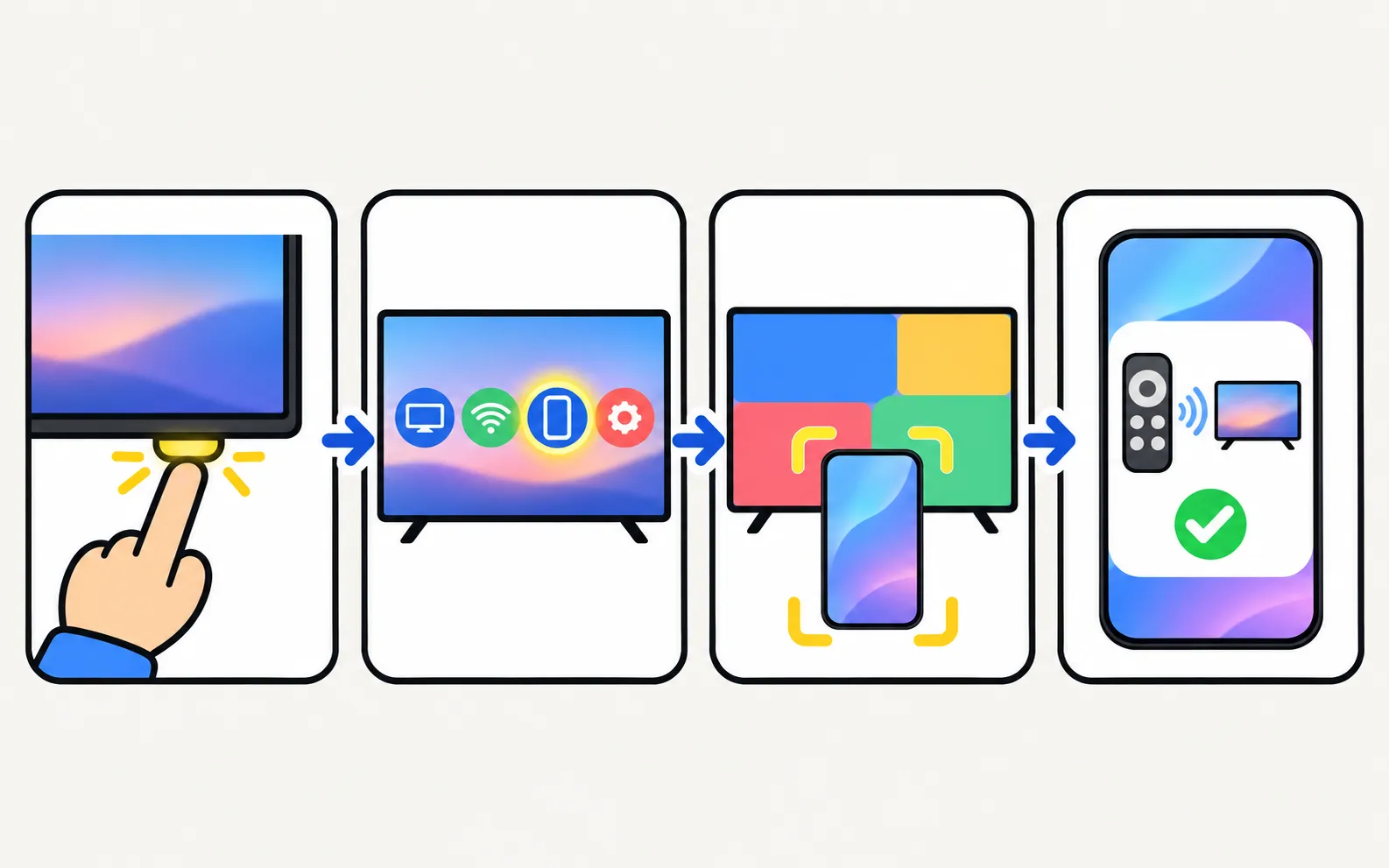
On 2025 Samsung TVs, the small control button under the screen opens a short menu. One of its icons is Mobile Remote. Selecting it makes the TV show a QR code that links your phone to the TV’s remote in Samsung’s SmartThings app. If SmartThings isn’t on the phone, the code leads to the download page first. That’s all the code does — it isn’t a sign of a fault, and you don’t need to scan it to use the TV.
Who can use it
| Samsung’s requirement | |
|---|---|
| TVs | 2025 TVs from the U8000F series upward |
| Other devices | 2025 Smart Monitors M90SF, M80F, M70F, M50F; 2025 The Premiere projectors |
| Phone | Android 11 or later, or iOS 16 or later |
| App | SmartThings, updated (versions from January 2025 onward) |
Samsung’s page doesn’t list a separate account or network requirement, but SmartThings itself normally asks you to sign in with a Samsung account.
Set it up
-
Press the TV's control button
On TVs it’s on the bottom edge of the screen. If the TV is off, a press turns it on and shows the QR code. -
Select Mobile Remote
Each short press moves to the next icon; press and hold to select the highlighted one. -
Scan the QR code
Use the phone’s camera. Install SmartThings if asked, then scan again. -
Open the Devices tab
The Mobile Remote card appears automatically in SmartThings. -
Control the TV
Change channels, adjust the volume and navigate the menus from the phone.
Quick Remote: the remote on your lock screen
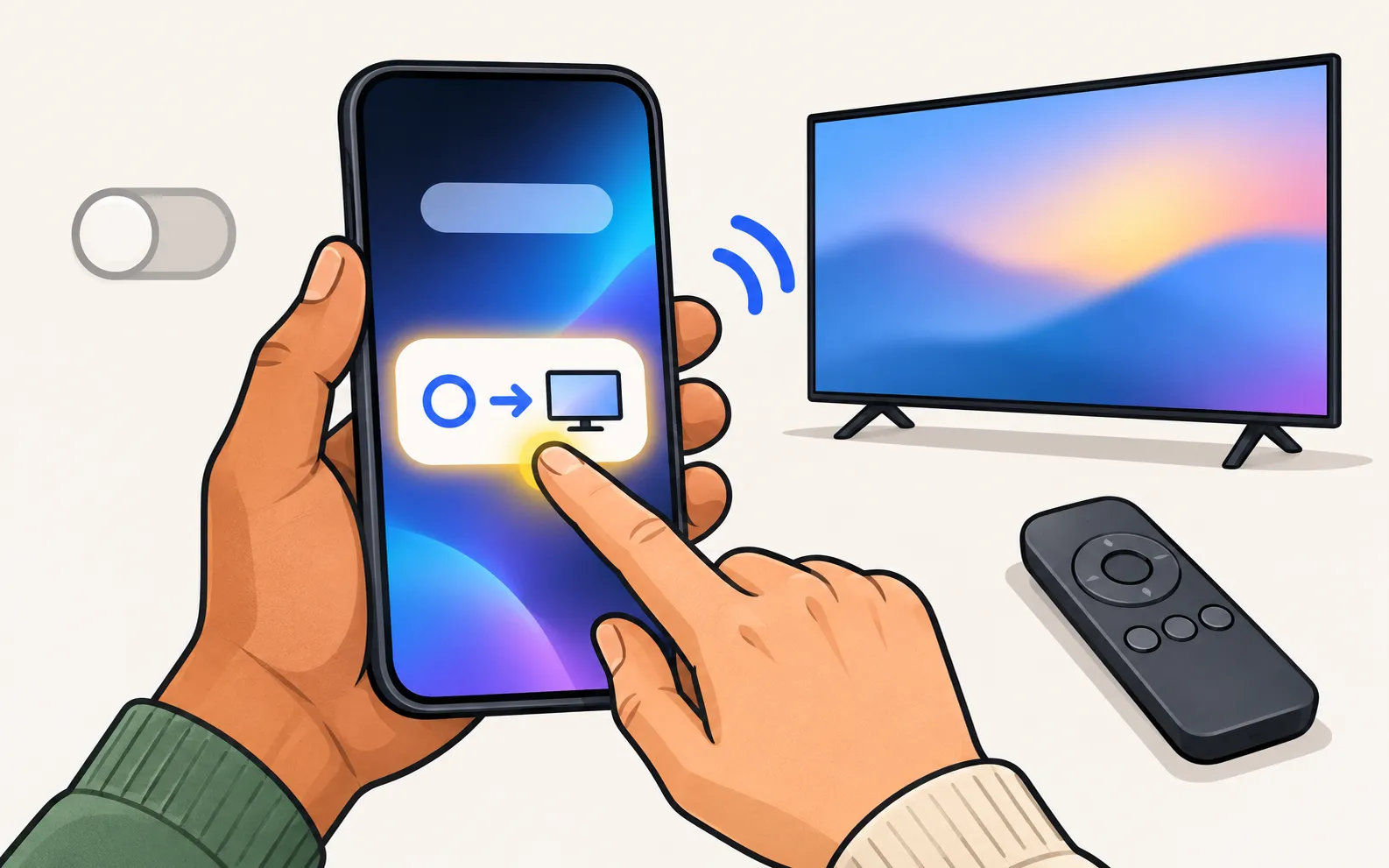
Once set up, SmartThings can surface the remote without opening the app:
- Galaxy phones: Mobile Remote may appear on the lock screen or as a Quick Panel notification when you’re near the TV. Dismiss it and it stays away for up to 8 hours. If only the SmartThings icon shows, set the notification pop-up style to Detailed in the phone’s settings.
- iPhone: it can appear as a Live Activity on the lock screen or in the Dynamic Island.
To turn it off on either phone: and set it to Off.
When Mobile Remote is the right choice — and when it isn’t
Mobile Remote is a good rescue when the remote is lost and your TV is a 2025 model in Samsung’s list, and it’s the obvious option on an iPhone. It doesn’t help on older TVs, which have no QR button menu, and it ties you to SmartThings.
There is no iPhone version.
Other ways to use your phone: phone as a Samsung TV remote, SmartThings setup and remote apps compared. If the physical remote has stopped working, start with remote not working.
Frequently asked questions
Which Samsung TVs have Mobile Remote?
Samsung's UK page lists 2025 TVs from the U8000F upward, the 2025 Smart Monitors M90SF, M80F, M70F and M50F, and 2025 The Premiere projectors. Newer TVs may add it; check your TV's control-button menu.
Do I need the SmartThings app?
Yes. Mobile Remote runs inside SmartThings. If the app isn't installed, scanning the QR code takes you to its download page.
Why does a remote keep popping up on my phone's lock screen?
That's Quick Remote in SmartThings: on Galaxy phones it appears as a notification near the TV, on iPhone as a Live Activity. Turn it off under SmartThings › Menu › Settings › Advanced feature › Quick Remote.
Is Mobile Remote the same as the SmartThings remote on older TVs?
Both live in SmartThings. Mobile Remote's difference is the QR shortcut on the TV, so you can start without searching for the TV in the app first.
Sources
- Samsung UK support: use Mobile Remote on your 2025 Samsung Smart TV — Samsung UK · Samsung · checked November 10, 2026
- Samsung TV Remote product documentation (developer-supplied facts) — Smart App Craft · Developer · checked November 10, 2026
Related guides
Guide
Phone as a remote
Control a Samsung TV from your phone: Android remote apps, SmartThings, Samsung's 2025 Mobile Remote, IR-blaster phones and iPhone — what each needs and does.
How-to
Add a TV to SmartThings
What SmartThings does for a Samsung TV, what you need, how to add the TV automatically or with the PIN, and fixes when SmartThings can't find it.
Comparison
Remote apps compared
How Samsung TV remote apps for Android differ: SmartThings, Mobile Remote, IR apps and Wi-Fi remotes, compared on ads, accounts, keyboard, power-on and privacy.
Troubleshooting
Remote not working
Samsung TV remote not working? Reset it, do the 10-second phone-camera test, change or charge the battery, re-pair a Smart Remote and clear the TV's sensor.
Model year
Samsung TVs 2025
Samsung 2025 TV model codes explained: the year letter F moves to the end (U8000F, Q7F, QN90F, S90F), the Q7F naming clash with 2017 and tested 2025 models.