
How-to
Samsung TV remote batteries: which type and how to replace them
Samsung uses three battery setups across its remotes. Here is how to tell yours apart and swap the batteries without breaking the cover.
Quick answer
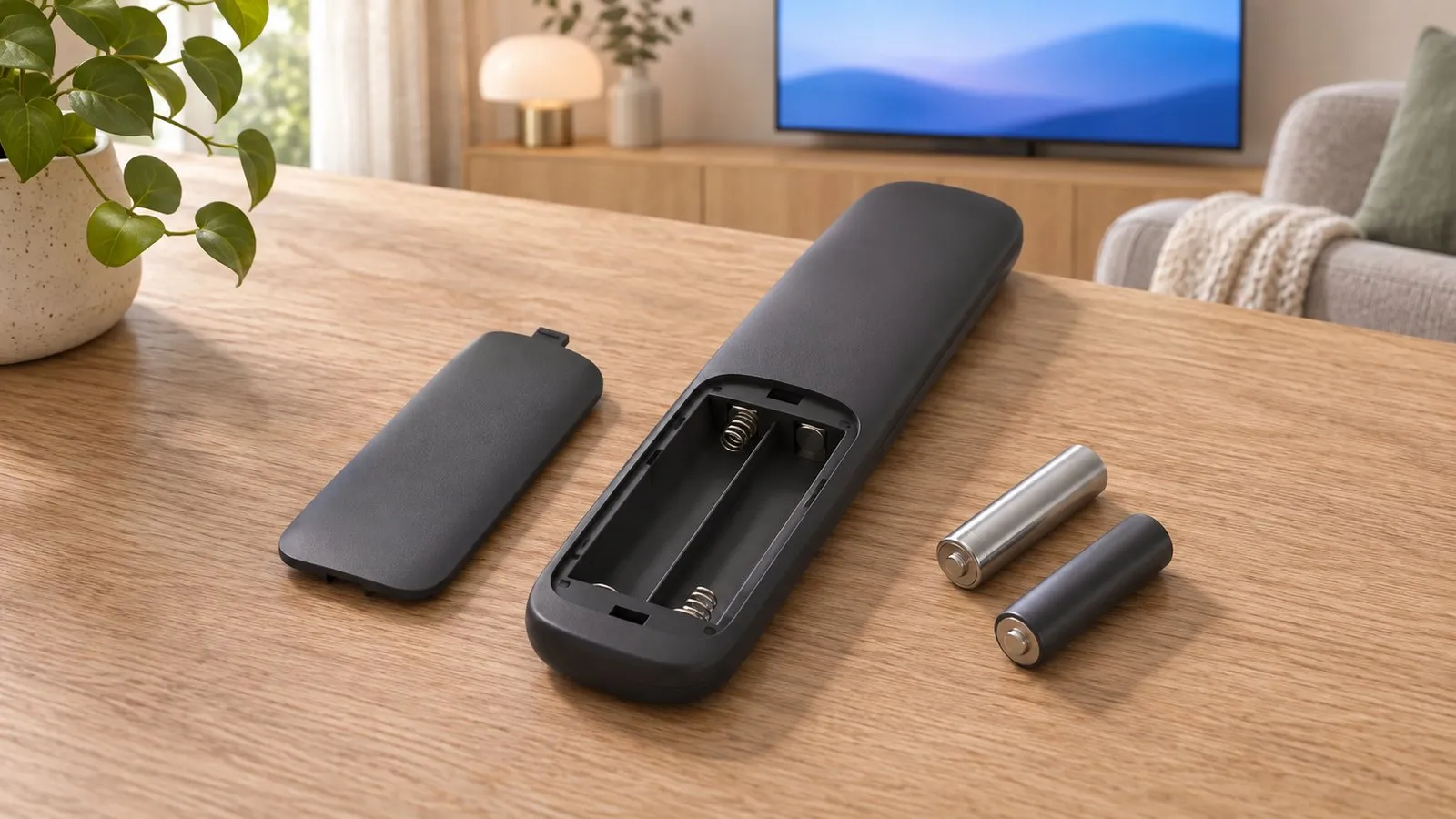
Samsung's standard remotes take two AAA batteries. Smart Remotes come in two designs: one takes two AA batteries and the other two AAA batteries — check the marking inside the compartment. SolarCell remotes have a built-in rechargeable battery charged by light or USB-C, so there's nothing to replace. Samsung recommends alkaline batteries for longer life.
Which batteries does your remote take?
| Remote | Batteries | How it opens |
|---|---|---|
| Standard remote (number keys) | 2 × AAA | Pull the battery cover’s notch gently and lift it off |
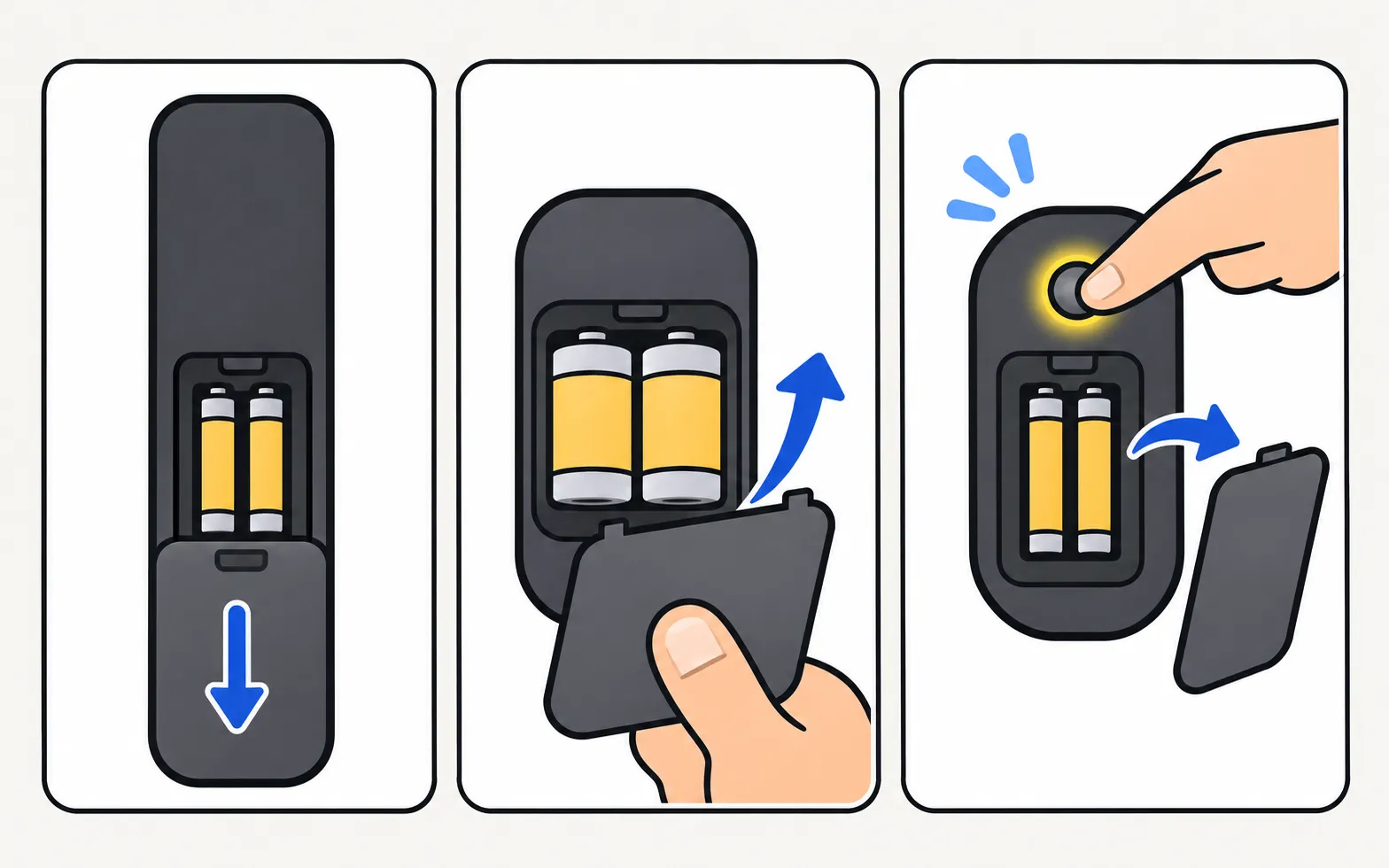
| Smart Remote, type 1 | 2 × AA (1.5 V) | Hold with both hands and push the rear cover in the direction of the arrow at the bottom |
| Smart Remote, type 2 | 2 × AAA (1.5 V) | Press the arrow (eject) button at the top rear so the body pops out, turn it over and slide the body up |
| SolarCell remote | None to replace — built-in rechargeable battery | Charge by light or USB-C (SolarCell charging) |
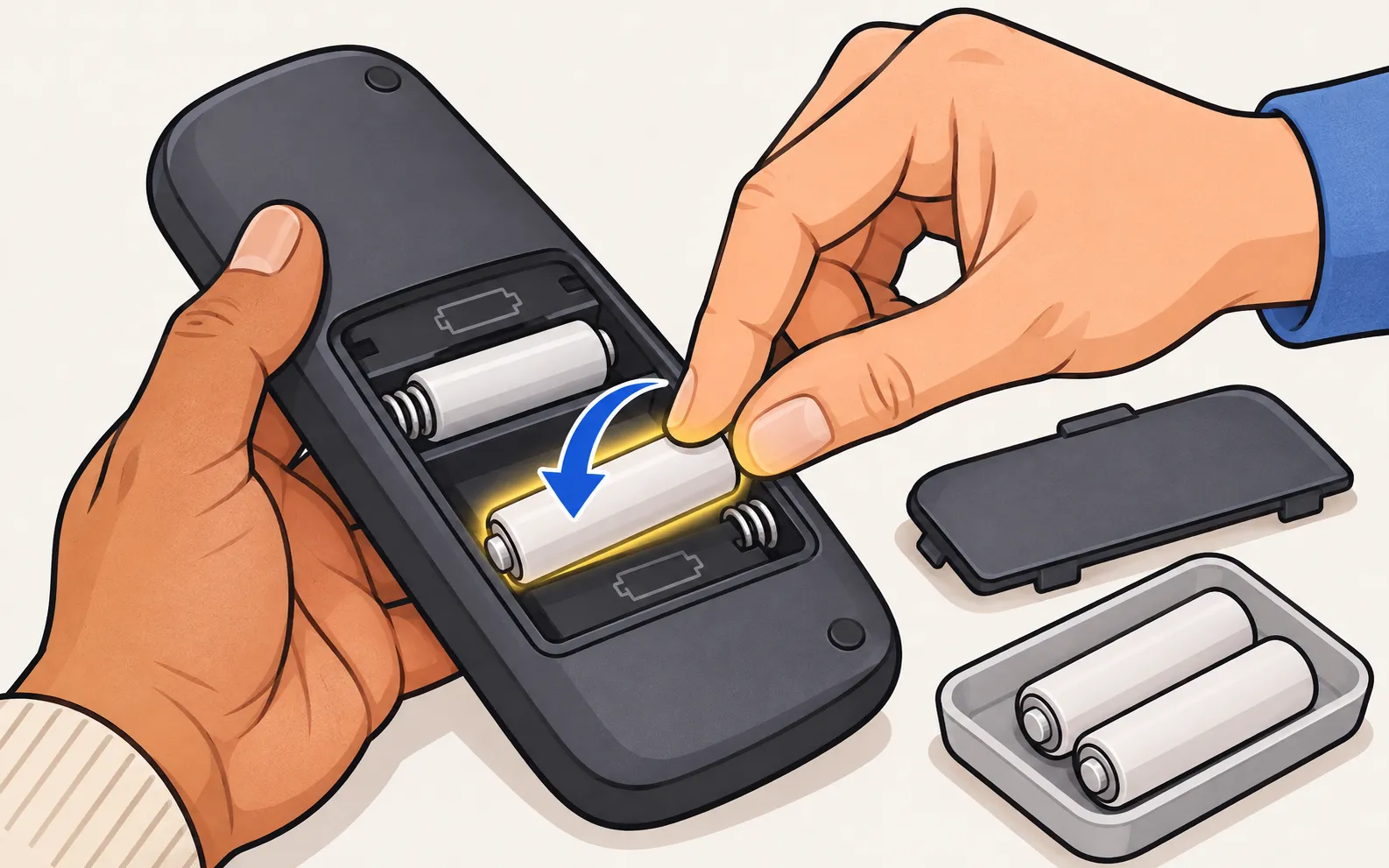
The marking inside the compartment is the final word. Match the + and − symbols when inserting new cells.
Replace the batteries
-
Open the compartment
As described for your remote above. Don’t force it — Smart Remote covers slide, they don’t pry. -
Insert fresh alkaline batteries
Samsung recommends alkaline batteries for longer life. Replace both at once. -
Close and test
Press volume. If nothing happens, check polarity.
Still not working with new batteries?
-
Reset the remote
Remove the batteries, hold Power for about 8 seconds, put them back. -
Camera test
Point the remote at a phone camera and press Power — a flashing light means it’s sending. -
Pair a Smart Remote
Hold Return and Play/Pause together for 3–5 seconds near the TV (pair a Smart Remote).
Full troubleshooting: Samsung TV remote not working.
No batteries in the house?
Use the TV’s own control button for now (other ways to control it without a remote), or a phone if the TV is a Smart TV on your Wi-Fi:
Frequently asked questions
My remote has no battery cover. Where do the batteries go?
If it has a solar panel on the back and a USB-C port, it's a SolarCell remote with a built-in battery — charge it instead. Some Smart Remotes open by pressing an eject button at the top rear and sliding the body.
Can I use rechargeable AA or AAA batteries?
Samsung's guide recommends alkaline batteries for longer battery life. Rechargeable cells have a slightly lower voltage, which can shorten range or trigger low-battery warnings sooner.
New batteries, still not working?
Reset the remote (remove the batteries and hold Power for about 8 seconds), check polarity, then do the phone-camera test. A Smart Remote may also need pairing again.
How long do batteries last?
It depends on use and remote type. A remote that needs to be closer to the TV than before, or misses presses, usually needs fresh batteries.
Sources
- How to replace the remote control batteries of your TV — Samsung UK · Samsung · checked November 11, 2026
- How to charge and use the Samsung SolarCell Remote — Samsung UK · Samsung · checked November 11, 2026
- Samsung US troubleshooting: remote is not working (TSG10002214) — Samsung US · Samsung · checked November 10, 2026
Related guides
Troubleshooting
Remote not working
Samsung TV remote not working? Reset it, do the 10-second phone-camera test, change or charge the battery, re-pair a Smart Remote and clear the TV's sensor.
How-to
SolarCell remote charging
Charge a Samsung SolarCell remote with light or USB-C, check its battery level on the TV, and fix a remote that won't charge, locks up or drains quickly.
Troubleshooting
Remote light blinking
Samsung remote light blinks twice, stays on or flashes when you press Power? What each pattern means (low battery, lost pairing, charging) and how to fix it.
How-to
Pair a Smart Remote
Pair or re-pair a Samsung Smart Remote or SolarCell remote: hold Return and Play/Pause near the TV. How to reset it first, and what to do when pairing fails.
Reference
Remote buttons explained
What every button on the Samsung Smart Remote does: 123/colour, Ambient, microphone, Return, Play/Pause, VOL and CH, plus the press-and-hold tricks most miss.