
How-to
Samsung TV in the wrong language? Change it back, plus region and time
Whether the TV came from abroad or a child changed the language, here's how to get back to English — by year, and by counting menu positions if you can't read them.
Quick answer
On 2017 and newer Samsung TVs, open Settings, General (General & Privacy on 2022+ TVs), System Manager, Language. On 2016 TVs it's Settings, System, Expert Settings, Language; on 2013–2015 TVs Menu, System, Menu Language. The clock is under System Manager, Time — set it to automatic. Audio and subtitle languages are separate settings, and available menu languages depend on the region where the TV was bought.
Change the menu language
The path depends on the model year — find your TV’s year from its model code if you don’t know it.
TVs from 2022 and newer
From 2022 Samsung renamed General to General & Privacy under All Settings; the System Manager › Language part is unchanged.
TVs from 2017–2021
TVs from 2016
TVs from 2013–2015
Samsung notes that on 2013 (F series) TVs Menu Language is the second option in System.
Can’t read the menus?
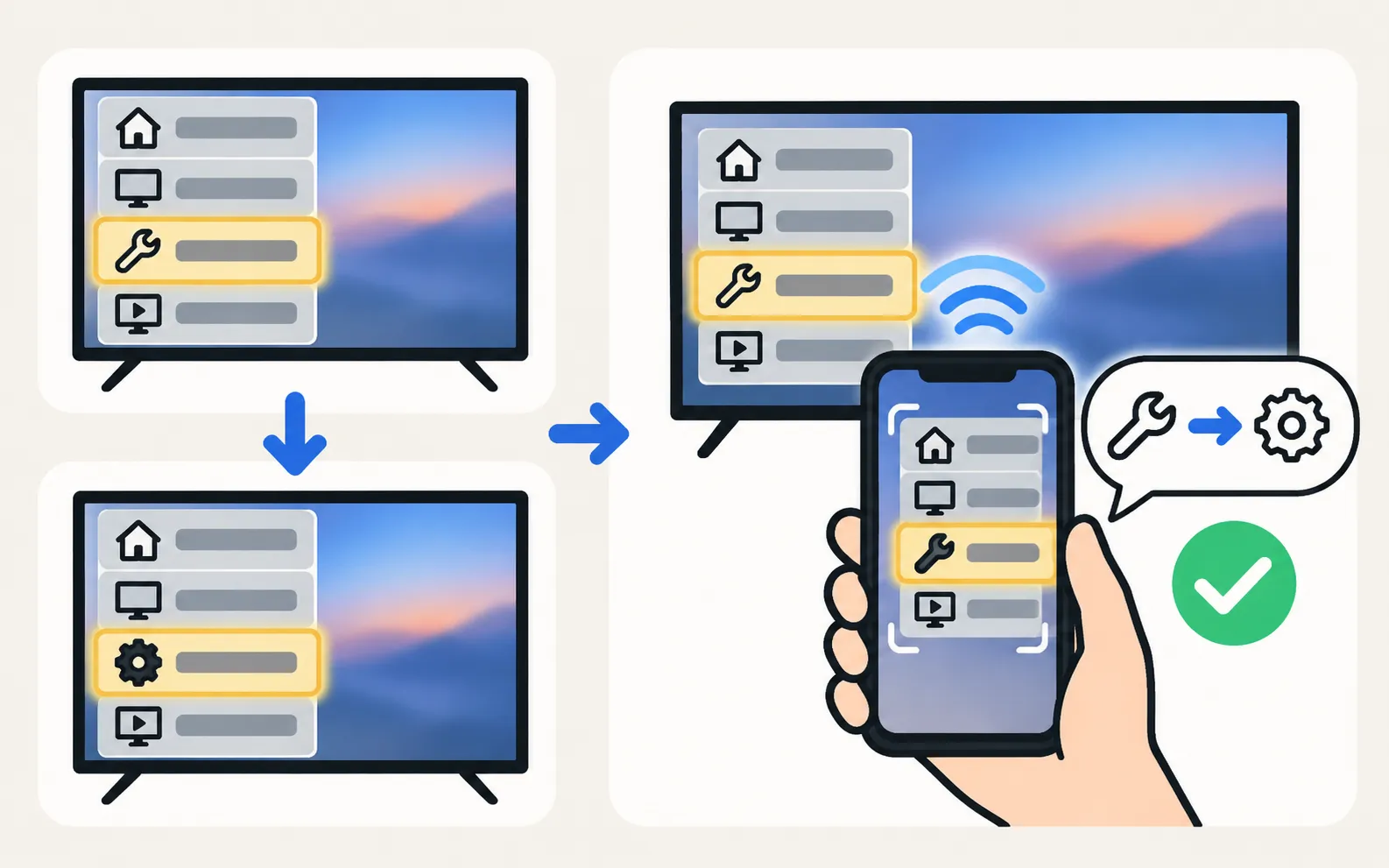
Use the icons: General has a spanner icon on 2017+ menus; System has a cog or screwdriver-and-spanner icon on older ones, per Samsung’s guide. A phone camera’s live translate feature can also read the screen for you.
Set the time
The clock lives in System Manager › Time — Samsung’s guides use this location for the Sleep Timer too. Set Clock Mode to Auto so the TV takes the time from the broadcast or internet, and pick the right time zone if offered.
Audio and subtitle language
- Broadcast TV: set the preferred audio language in the TV’s sound or broadcasting settings.
- Streaming apps: choose audio and subtitles inside each app.
- Subtitles: see turn subtitles on or off.
Region
Samsung TVs are configured for the region where they’re sold: tuner standards, available apps and menu languages follow it. Changing region-related settings isn’t a supported way to get apps from another country; a streaming device is the practical alternative (app not available).
Frequently asked questions
My language isn't in the list. Why?
Samsung says the menu languages available depend on the region where the model was bought.
This changed the menus but the programme is still in another language. Why?
Menu language and audio language are separate. Change the audio track in the programme or app, or the TV's audio language setting for broadcasts.
Why does the wrong time break apps?
Secure connections check the date and time; a clock far off can make streaming apps fail. Set the time to automatic.
Can I change the TV's region?
Region settings affect tuners, apps and services and aren't meant to unlock content. Changing them can remove channels or apps.
Sources
- How do I change the menu language on my Samsung TV? (paths 2013–2017+) — Samsung Ireland · Samsung · checked November 11, 2026
- How to reset your Samsung TV (ANS10005248) — Samsung US · Samsung · checked November 11, 2026
- Samsung UAE support: a TV that keeps powering on and off — Samsung UAE · Samsung · checked November 10, 2026
Related guides

How-to
Subtitles and captions
Turn subtitles or closed captions on or off on a Samsung TV: Caption Settings, the accessibility shortcut, and why apps and set-top boxes have their own.

How-to
Sleep timer and auto power off
Set a sleep timer on a Samsung TV, change or turn off Auto Power Off / Auto Power Saving, and understand the screen saver — with Samsung's menu paths.

Troubleshooting
App not available
Can't find an app in your Samsung TV's store? Why apps depend on your country and TV year, what you can safely change, and workarounds that actually work.

Troubleshooting
Connected but no internet
Samsung TV connected but apps say no internet? Run Network Status, set DNS to 8.8.8.8 in IP Settings, check date and time, restart the router, update the TV.
Topic
Settings
Find and fix Samsung TV settings: software updates, factory reset, PIN, Voice Guide, subtitles, language, sleep timer, parental controls and menu paths by year.