
Explainer
IPTV, Plex, Kodi and Jellyfin on a Samsung TV
Samsung TVs can play your home media library and legitimate IPTV services — through the right apps. Here's what's available on Tizen and what isn't.
Quick answer
On a Samsung Smart TV, use media-server apps from Samsung's app store (such as Plex, where available) to stream your own library, or the TV's built-in DLNA/media sharing to play files from a PC or NAS. Kodi has no Tizen version, and Android IPTV apps don't install on Samsung TVs. For apps missing from the Samsung store, a streaming stick on HDMI is the practical route. Only use IPTV services you're licensed to watch.
Your options at a glance
| Goal | On the Samsung TV | Alternative |
|---|---|---|
| Stream your own film and music library | Media-server app from Samsung’s store (Plex and others, where offered) | Streaming stick with the same app |
| Play files from a PC or NAS | Built-in media sharing (DLNA), listed in Samsung spec sheets | — |
| Play files from a USB drive | Built-in media player (USB playback) | — |
| Kodi | Not available on Tizen | Streaming device or mini PC |
| Licensed IPTV service | The provider’s Tizen app, if published | The provider’s app on a streaming device |
Media-server apps
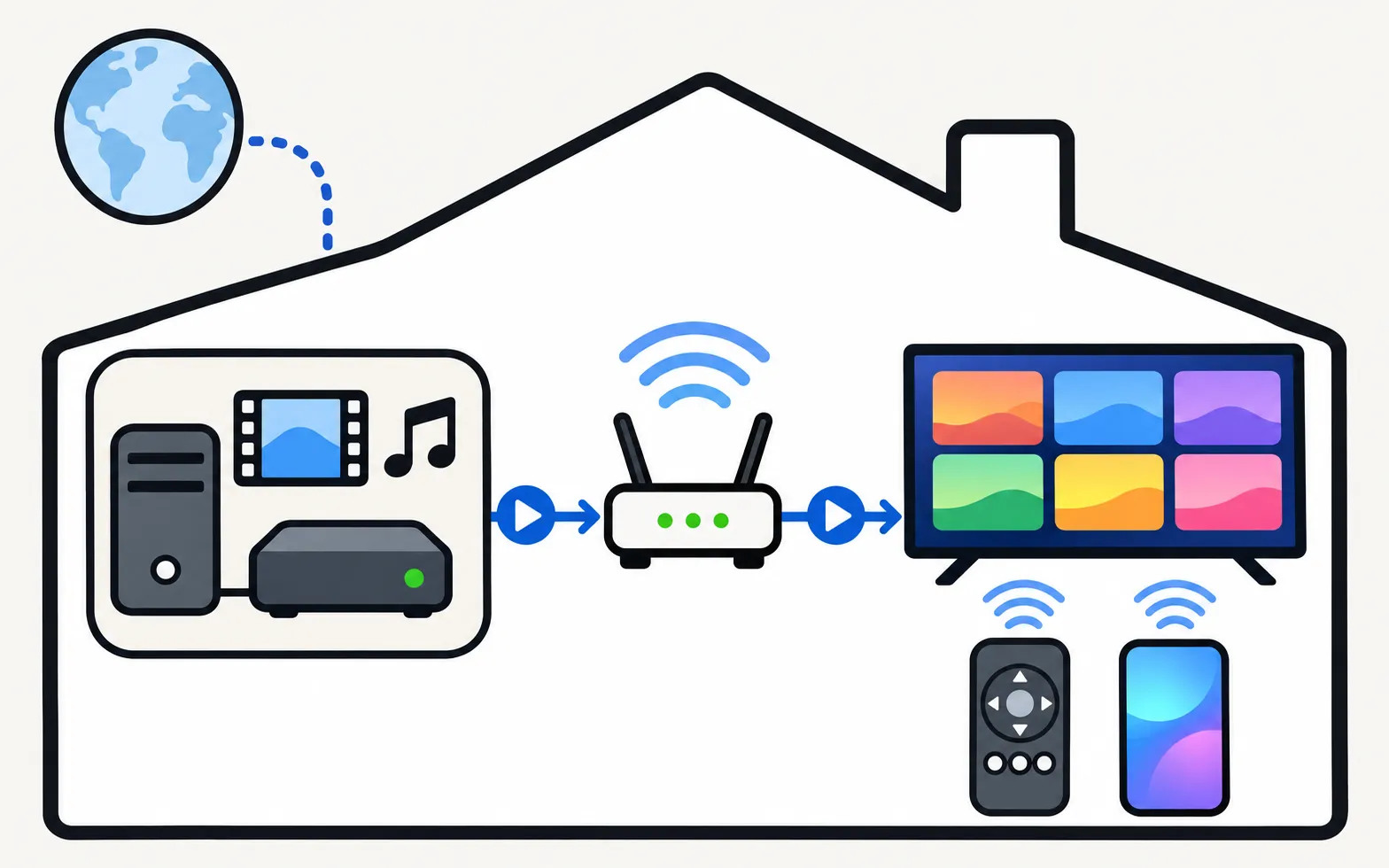
Media servers such as Plex and Jellyfin run on a computer or NAS and stream your library to client apps. On Samsung TVs:
- Check Samsung’s app store (Apps → search) for the client app; availability varies by country and TV year.
- If a client isn’t offered for your TV, use it on a streaming stick, or play through DLNA.
- Large files and unusual formats play more reliably when the server transcodes them for the TV.
DLNA and media sharing
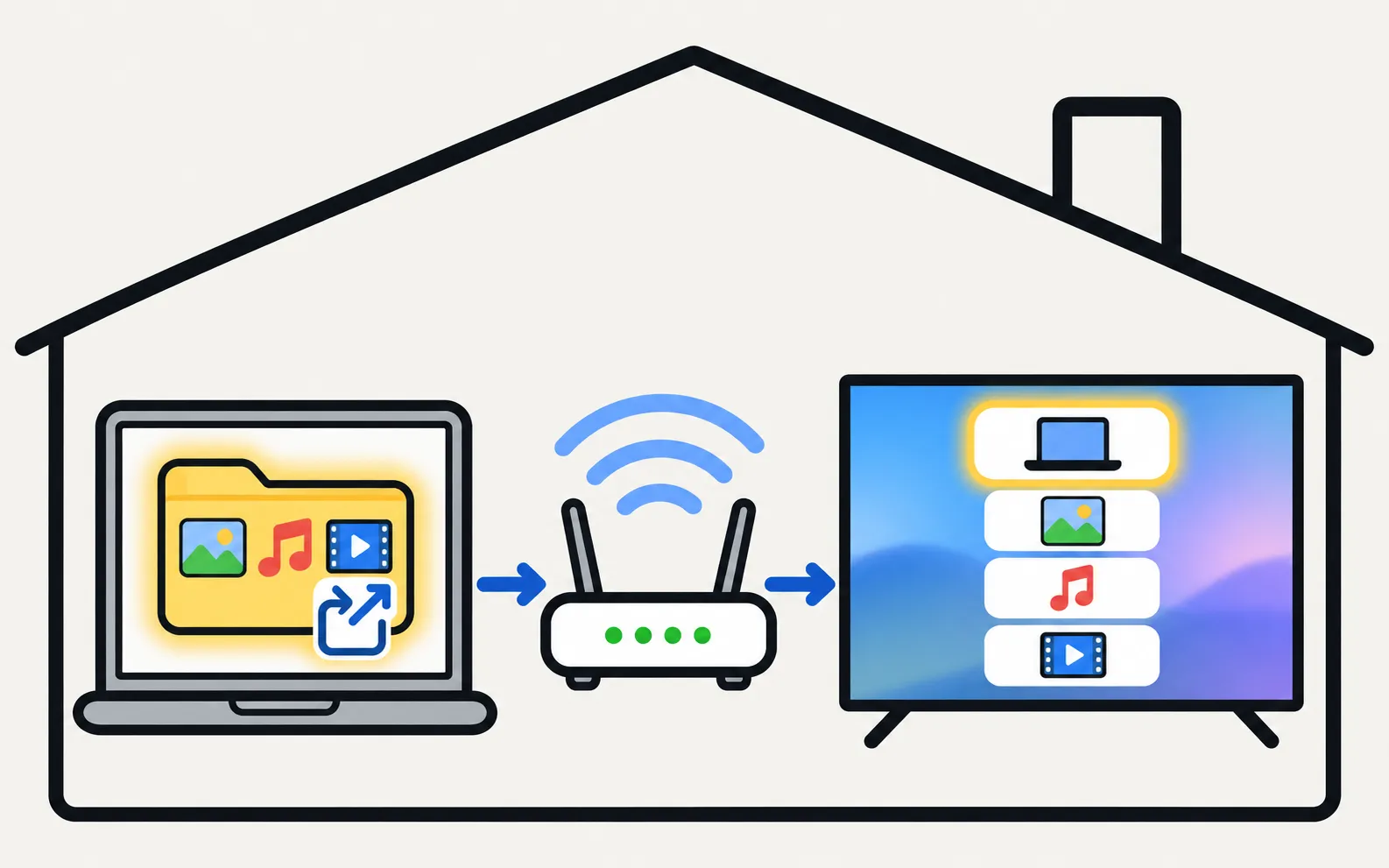
Samsung’s spec sheets list DLNA among their smart features. Share a folder from Windows Media sharing, a NAS or a DLNA server app; the TV then lists it as a source, and you can browse and play from the TV.
IPTV: stay legal
Use apps from licensed broadcasters and services. Unlicensed “IPTV boxes” and playlists that rebroadcast paid channels are illegal in many countries and often carry security risks. Android IPTV apps and APK files don’t install on Samsung TVs (why APKs don’t work).
When a streaming stick is the better answer
If you need Kodi, a specific player app, or broader codec support, a streaming device on HDMI is simpler than any workaround (connect a streaming device).
Frequently asked questions
Can I install Kodi on a Samsung TV?
Not directly — Kodi doesn't offer a Tizen version, and Samsung TVs can't install Android APKs. Run Kodi on a streaming device or a small PC on HDMI.
Is IPTV legal?
IPTV is just TV delivered over the internet; many legal services use it. Services that rebroadcast paid channels without rights are illegal in most countries. Only subscribe to licensed providers.
Does my Samsung TV support DLNA?
Samsung's spec sheets list DLNA under mobile-to-TV and media features for many models, which lets the TV play media shared from a PC, phone or NAS on your network.
Which is better for a big library: the TV app or a streaming stick?
TV apps are convenient, but a streaming stick often supports more file formats, codecs and apps, and gets app updates for longer.
Sources
- Samsung launches its SUHD and UHD line-up (Tizen on 2015 Smart TVs) — Samsung Newsroom · Samsung · checked November 10, 2026
- 55-inch Crystal UHD 4K AU7000 (UN55AU7000PXPA) specifications — Samsung Caribbean · Samsung · checked November 11, 2026
Related guides
Explainer
APKs and Google Play
No: Samsung Smart TVs run Tizen, not Android, so APK files and Google Play won't install. Why sideloading guides mislead, and safe ways to get Android apps.
Troubleshooting
App not available
Can't find an app in your Samsung TV's store? Why apps depend on your country and TV year, what you can safely change, and workarounds that actually work.
How-to
USB playback
Play videos, photos and music from USB on a Samsung TV: how to open the drive, formats that work, why files won't play and the 4 GB FAT32 limit.
How-to
Streaming devices
Plug a Fire TV, Roku, Apple TV or Chromecast into a Samsung TV: right HDMI port and power, input, one-remote control via Anynet+, 4K HDR and soundbar audio.
Reference
Streaming apps
Get Disney+, Apple TV, Max, Prime Video or Crunchyroll on a Samsung TV: how to install them, which TV years each supports, and what to do if an app is missing.