
How-to
Mirror a phone to a Samsung TV without Wi-Fi
Most wireless mirroring needs a shared network. Without one, a cable is the dependable answer — with a couple of wireless exceptions.
Quick answer
The reliable way to mirror a phone to a Samsung TV without Wi-Fi is a cable: a USB-C to HDMI adapter for Android phones that support video output, or Apple's Lightning or USB-C digital AV adapter for iPhones. Wireless options without a router are limited: some phones and Samsung TVs can connect directly (Wi-Fi Direct/Miracast), and a phone hotspot can create a shared network for apps that need one.
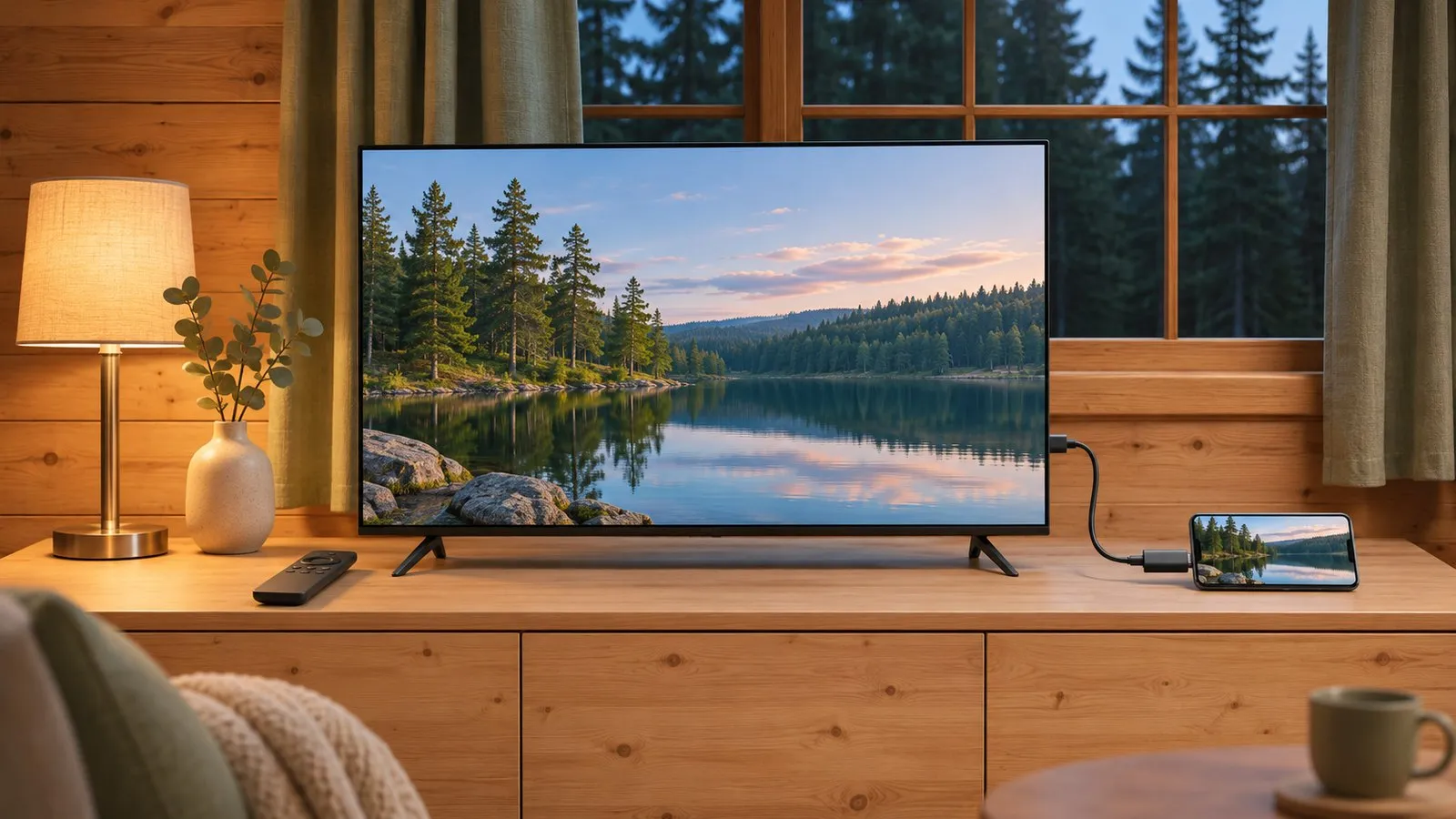
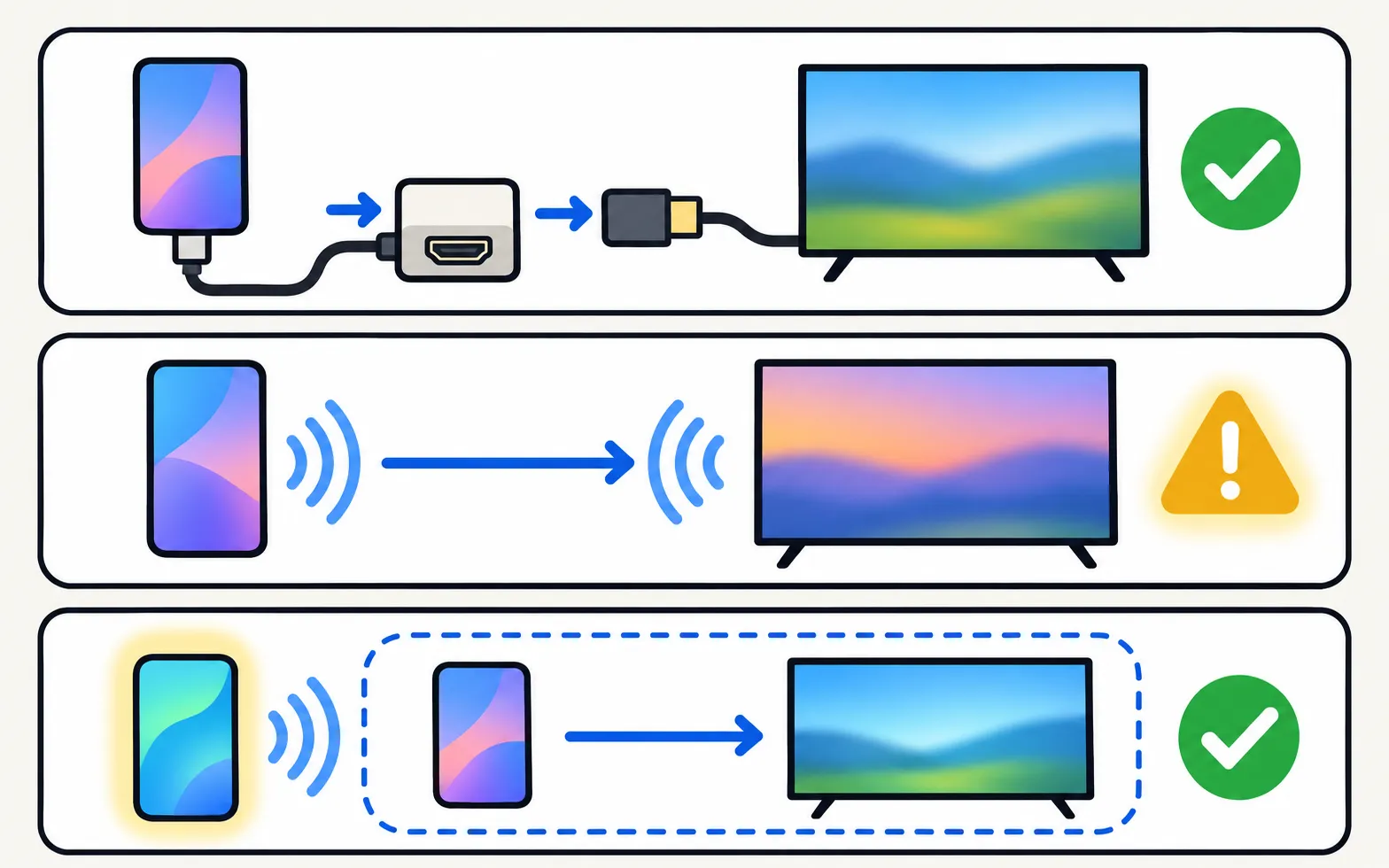
Option 1: a cable (most reliable)
| Phone | You need | Notes |
|---|---|---|
| Android with USB-C video output | USB-C to HDMI adapter + HDMI cable | Check the phone supports video out (DisplayPort Alt Mode) |
| iPhone with Lightning | Apple Lightning Digital AV Adapter + HDMI cable | Copy-protected apps may refuse output |
| iPhone with USB-C | USB-C to HDMI adapter + HDMI cable | Works like a laptop display |
Plug the cable into a TV HDMI port and select that input (change the input). No signal? See HDMI no signal.
Option 2: direct wireless (where supported)
Some Android phones and Samsung TVs can mirror directly over Wi-Fi Direct, the basis of Miracast, without a router. Samsung’s spec sheets list Wi-Fi Direct for many TVs. Whether it works depends on your phone’s screen-sharing option — try the phone’s Cast / Screen cast / Smart View feature with the TV on.
Option 3: make a network with a hotspot
Turn on your phone’s hotspot, connect the TV to it (with the TV’s button or a USB keyboard) and then use the mirroring method that needs a shared network. Keep in mind:
- The TV may start using your mobile data for updates and apps.
- Performance depends on the phone — mirroring and hosting a hotspot at once is demanding.
What doesn’t work
- Bluetooth — audio only.
- Phone remote apps and app-based mirroring that need a home network — they need the phone and TV on the same network (remote apps without Wi-Fi).
With Wi-Fi available, the standard methods are in mirror Android and mirror an iPhone.
Frequently asked questions
Can I mirror with Bluetooth?
No. Bluetooth doesn't carry video at the bandwidth mirroring needs. It can only send audio.
Does my Android phone support HDMI output over USB-C?
Many recent flagship phones do (look for 'DisplayPort Alt Mode' or 'video output' in the specifications); many budget phones don't.
Will a phone hotspot work?
Connecting the TV to your phone's hotspot creates a shared network. Some mirroring methods then work, but streaming apps on the TV will use your mobile data.
Sources
- How to fix Smart View connection and casting issues — Samsung UAE · Samsung · checked November 11, 2026
- My TV doesn't detect a device connected via HDMI — Samsung UK · Samsung · checked November 11, 2026
- 32-inch LED HD T4300 (UN32T4300APXPA) specifications — Samsung Caribbean · Samsung · checked November 11, 2026
- 55-inch Crystal UHD 4K AU7000 (UN55AU7000PXPA) specifications — Samsung Caribbean · Samsung · checked November 11, 2026
Related guides
How-to
Mirror Android
Mirror an Android phone to a Samsung TV: Smart View on Galaxy, Cast or Wireless display on other brands, a mirroring app with sound, or a USB-C to HDMI cable.
How-to
Mirror an iPhone
Mirror or stream an iPhone or iPad to a Samsung TV with AirPlay: which TVs support it, how to turn it on, the on-screen code, and what to do on older TVs.
Explainer
Remote apps without Wi-Fi
Can a phone control a Samsung TV without Wi-Fi? Only with an infrared (IR) blaster — here's why Wi-Fi remotes can't, which phones have IR, and the alternatives.

Topic
Mirroring and casting
Show your phone, tablet or computer on a Samsung TV: Android, Galaxy Smart View, iPhone AirPlay, Windows and Mac — and when casting beats mirroring.
Troubleshooting
HDMI no signal
Samsung TV says No Signal or won't detect HDMI? Wake the device, pick the right source, reconnect in Samsung's order, run HDMI Troubleshooting, check 4K 120 Hz.