
Troubleshooting
Samsung TV turns off by itself (or right after turning on): fixes
If your TV switches off after a while, a setting is usually doing its job. If it dies seconds after starting, the cause is more likely power or hardware.
Quick answer
A Samsung TV that turns off after some time is usually obeying a setting: Auto Power Saving (off after inactivity), the Sleep Timer, or an HDMI device switching it off through Anynet+. Turn those off, update the software and plug the TV straight into a wall outlet. A TV that shuts down seconds after turning on, again and again, points to a power or hardware fault that needs service.
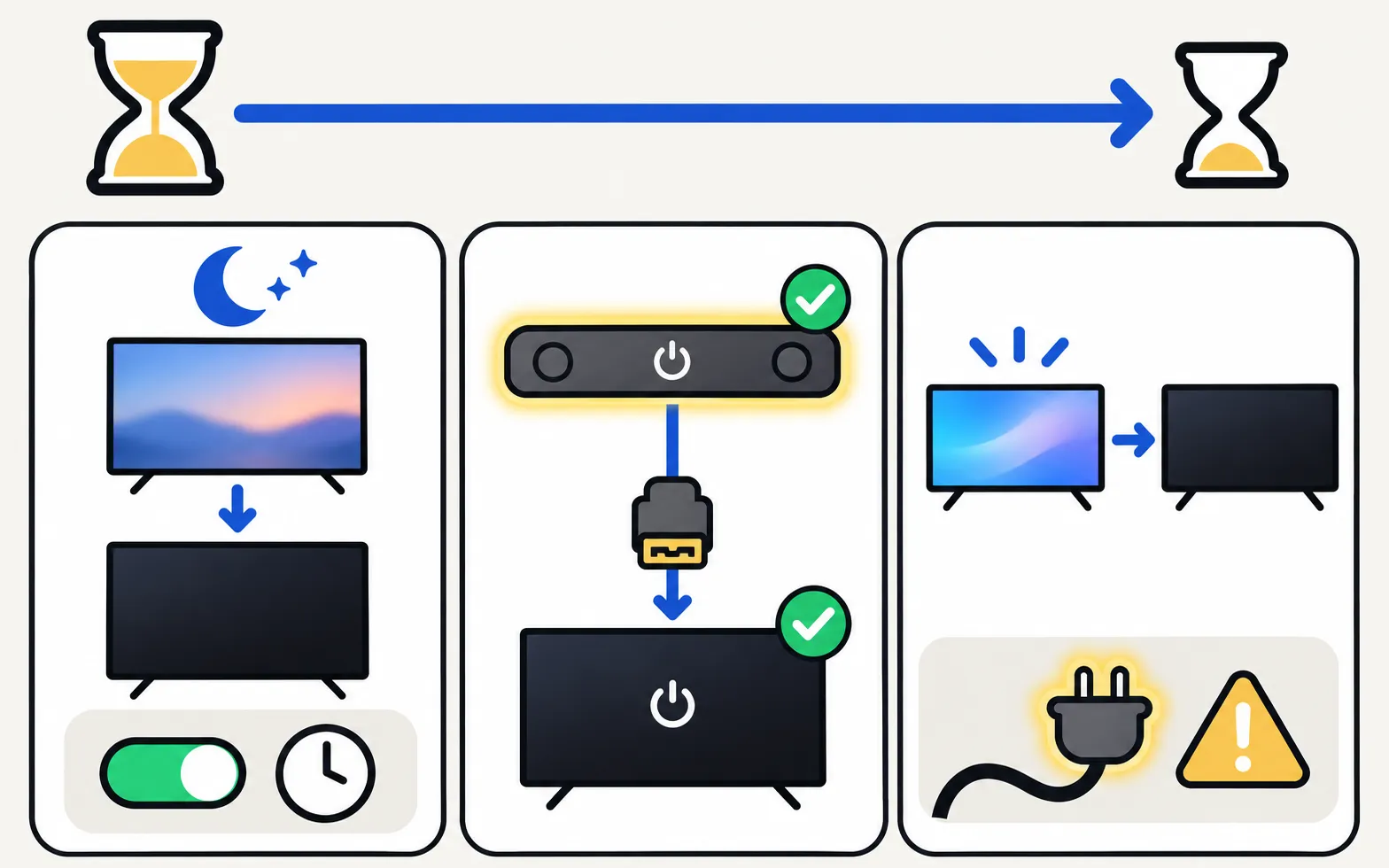
When does it switch off?
| It switches off… | Most likely cause | Start with |
|---|---|---|
| After a few hours without remote use | Auto Power Saving / Auto Power Off | Settings |
| At the same time every night | Sleep Timer or a scheduled off-timer | Settings |
| When a console, soundbar or box turns off | Anynet+ (HDMI-CEC) | Connected devices |
| Randomly, sometimes with a click | Power supply, cable, outlet or software | Power and software |
| Seconds after starting, over and over | Power or hardware fault | Restarting or dying right after start |
1. Check the power-saving timers
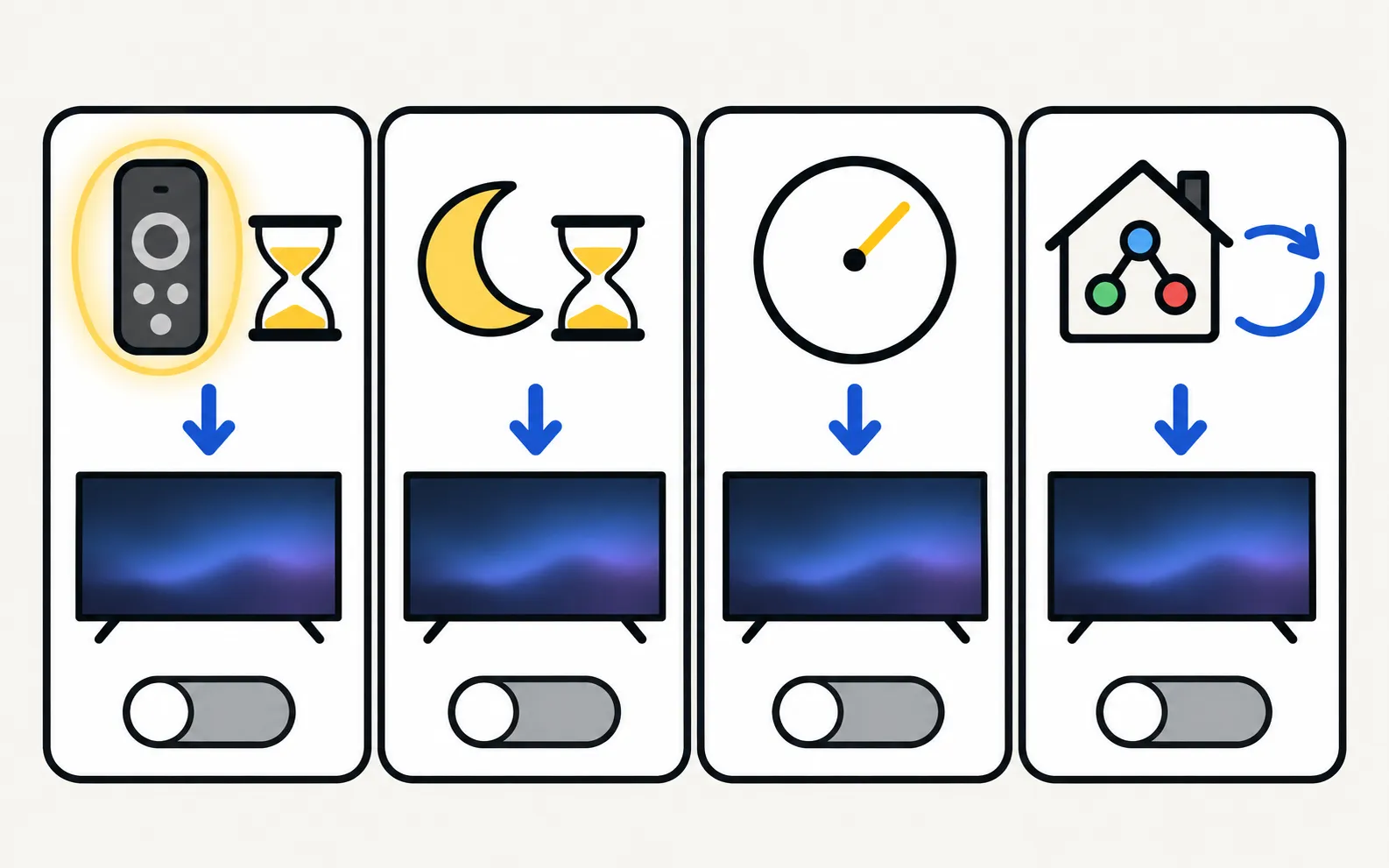
Samsung’s UAE support guide gives these paths for recent models:
- Auto Power Saving (switches the TV off after inactivity): . On older menus it is called Auto Power Off and sits under General or Eco Solution.
- Sleep Timer: . Set it to Off.
Also check for an off-timer in the same Time menu, and for smart-home routines (SmartThings, Alexa, Google Home) that switch the TV off at night. More about all timers: sleep timer, auto power off and screen saver.
2. Check connected devices
- Anynet+ (HDMI-CEC): when a device on HDMI switches off, it can take the TV with it. Turn it off under External Device Manager — Samsung places it under General & Privacy on 2025–2026 and 2022 TVs, under Connection on 2023–2024 TVs and under General on 2017–2021 TVs (paths in Anynet+ explained), or switch off CEC on the device. See Anynet+ explained.
- Conflicting signals: Samsung suggests unplugging every connected device (set-top boxes, consoles, PCs), waiting 30 seconds and plugging them back in.
- HDMI cables: Samsung lists uncertified HDMI cables as a cause. Disconnect all HDMI cables to test, then reconnect with good-quality cables.
- Wrong input: Samsung’s guide also mentions selecting the right source; a TV on an input with no signal may switch itself off after a while to save energy.
3. Power cable, outlet and software
-
Inspect the power cord
Unplug the TV and look for damage. Samsung recommends a certified replacement if it’s damaged. -
Plug straight into a wall outlet
Samsung advises against surge protectors for troubleshooting; they can wear out. -
Update the software
A software fault can cause random shutdowns. See update a Samsung TV. -
Rule out the remote
Take the remote’s batteries out for a while and use the TV’s own button. A stuck power key can switch the TV off. -
Check the Event Log (2019+)
Under Support, then About TV, recent TVs log power events. It can show whether a device, app or the TV itself switched it off.
4. It dies right after starting
A TV that shows a picture for a few seconds and then shuts down — or clicks on and off repeatedly — usually isn’t a settings problem:
- Do the clean power test: unplug for 30 seconds, plug directly into a working wall outlet, disconnect all HDMI devices, try again.
- With a One Connect box, reseat the One Connect cable at both ends.
- If it keeps shutting down, Samsung advises requesting service. Don’t open the TV.
If the TV reboots to the logo instead of switching off, see Samsung TV keeps restarting. If it turns on by itself too, see turns on by itself.
Frequently asked questions
My TV turns off after about four hours. Why?
That's typically an energy-saving feature that switches the TV off when it receives no remote input for a set time. Samsung calls it Auto Power Saving on recent models (older menus: Auto Power Off). Turn it off, or press a remote button now and then.
The TV turns off when I turn off my soundbar or console. Why?
Anynet+ (HDMI-CEC) links power between HDMI devices. Turn off Anynet+ on the TV, or the CEC option on that device.
Can a bad HDMI cable make the TV switch off?
Samsung lists uncertified HDMI cables among the causes of power cycling. Try disconnecting all HDMI devices; if the problem stops, reconnect them one by one with good cables.
Should I do a factory reset?
Only as a late step, after the settings, power and software checks. It erases your settings, apps and sign-ins.
Sources
- What is eARC and how to set on Samsung Smart TV (incl. Anynet+ paths 2014–2026) — Samsung Australia · Samsung · checked November 11, 2026
- Samsung UAE support: a TV that keeps powering on and off — Samsung UAE · Samsung · checked November 10, 2026
- Samsung TV or projector powers on or off by itself (TSG10002365) — Samsung US · Samsung · checked November 11, 2026
- How to troubleshoot the Samsung TV that keeps turning on by itself (Event Log, power-on reason) — Samsung South Africa · Samsung · checked November 11, 2026
- Samsung TV will not turn on (troubleshooting by standby light, TSG10002218) — Samsung US · Samsung · checked November 11, 2026
Related guides

Troubleshooting
TV turns on by itself
Samsung TV switching itself on at night or in the morning? Read the Event Log's power-on reason, then turn off Anynet+, Power On with Mobile or the trigger.

Troubleshooting
TV keeps restarting
Samsung TV stuck restarting or rebooting to the logo? Isolate power, HDMI and USB devices, check Anynet+, update or reset safely, and spot a board fault.
How-to
Sleep timer and auto power off
Set a sleep timer on a Samsung TV, change or turn off Auto Power Off / Auto Power Saving, and understand the screen saver — with Samsung's menu paths.
Explainer
Anynet+ (HDMI-CEC)
Anynet+ is Samsung's HDMI-CEC: one remote for TV, soundbar and console — and why TVs switch on by themselves. Where to find it by year and when to turn it off.
Troubleshooting
TV won't turn on
Samsung TV won't turn on? Read the standby light first — steady, off or blinking each point to a different cause — then follow the fixes for your case.
How-to
Software update
Update a Samsung Smart TV: Auto Update, Update Now, or USB with the right file format and folder — plus fixes when the update is greyed out or fails.