
Troubleshooting
Samsung TV won't turn on: step-by-step fixes
The small red light under the screen tells you where the problem is. Read it, then follow the matching fix — most cases are solved in ten minutes.
Quick answer
Check the red standby light under the screen. If it's on, press the TV's own power button: if the TV starts, the remote is the problem. If the light is off, press Home or any TV button to check for a black screen, then unplug the TV for 30 seconds and plug it into a wall outlet you know works. If the light blinks and a clean power cycle doesn't help, the TV needs service.
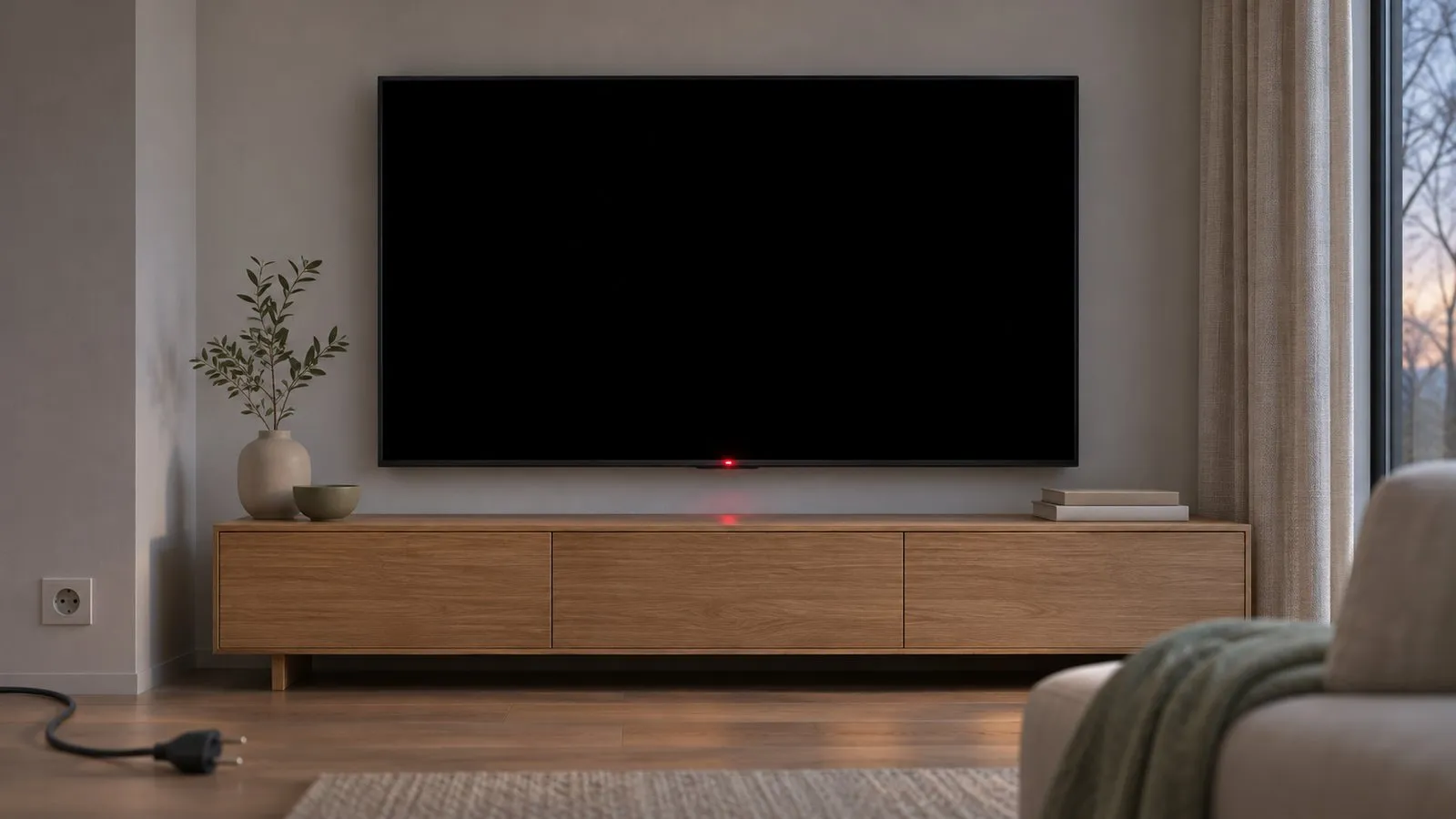
Why won't my Samsung TV turn on?
The TV has power. Find out whether the remote or the TV is the problem.
- Press Power on the remote. If nothing happens, press the power button on the TV itself (usually under the bottom edge or at the back).
- If the TV starts with its own button, the remote is the problem.
Check the power supply.
- Make sure the power cable is firmly connected at the TV (or One Connect box) and the wall.
- Unplug the TV (and One Connect box) for 30 seconds, then plug it into a wall outlet you know works — test it with a lamp. Avoid a surge protector or power strip for this test.
- With a One Connect box, disconnect and reconnect the thin cable between the box and the TV.
A blinking light can point to a fault. Try a clean power supply first.
- Unplug the TV (and One Connect box) for 30 seconds.
- Plug it directly into a working wall outlet, not a surge protector or power strip.
- Wait a moment, then turn the TV on with its own button. If the light now stays steady, the TV will probably start.
Next step
The TV is fine — the remote isn't working. Reset or re-pair the remote, or use the TV's button or a phone meanwhile.
Samsung TV Remote — Free · No ads · No account. Phone and TV must be on the same home network (not a guest network). The phone uses Wi-Fi; the TV can use Wi-Fi or Ethernet. No internet is needed, and mobile data can't be used.
Next step
The TV is on but shows no picture. That's a black-screen problem, not a power problem.
Solved
Fixed: the outlet, the cable or a worn surge protector was the problem. Samsung recommends replacing old surge protectors, which can stop supplying the right voltage.
Get help
The TV gets power but still won't start, or the light keeps blinking. Samsung treats this as a fault that needs service — contact Samsung support for your country, with your model code and what the light does.
Don't open the TV's back cover: parts inside can hold a dangerous charge even when unplugged.
Read the standby light first
Samsung’s own troubleshooting branches on the small red light at the bottom of the TV:
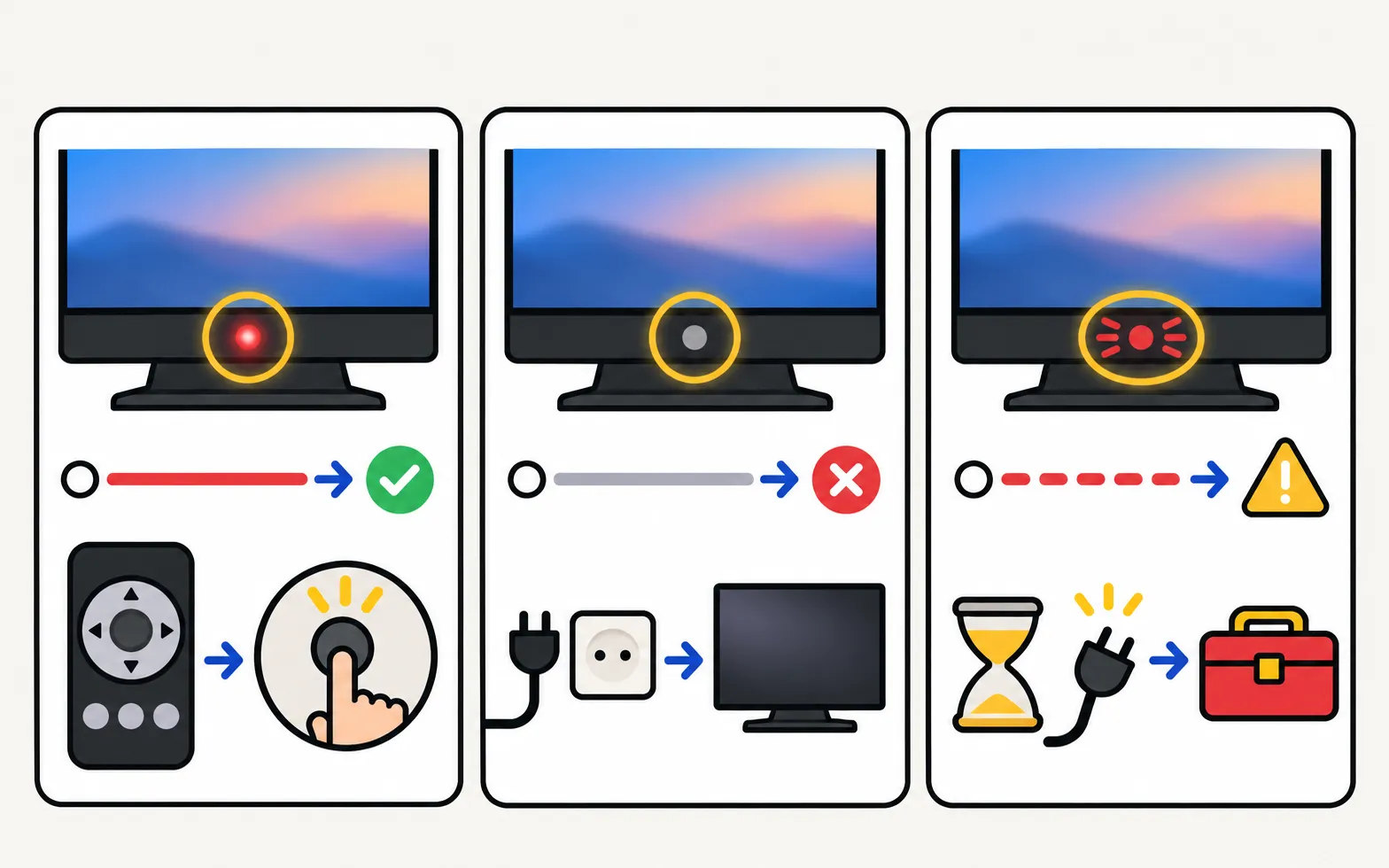
| The standby light is… | What it tells you | Go to |
|---|---|---|
| On (steady) | The TV has power and is in standby | Light on |
| Off | No power reaches the TV — or the TV is already on with a black screen | Light off |
| Blinking or flashing | Something may be wrong with the TV or its power supply | Light blinking |
The step-by-step troubleshooter above walks through the same checks.
Light on (steady)
The TV has power, so the question is whether it receives the “on” command.
-
Press Power on the remote
Point it at the bottom of the TV. -
Press the power button on the TV itself
It’s usually under the bottom edge near the centre, or a joystick on the back at the lower right (where is the power button). -
If the TV starts with its own button
The remote is the problem. Re-pair a Smart Remote by holding Return and Play/Pause for 3 seconds or more while pointing at the TV, or see remote not working. -
If neither works
Samsung advises contacting support when the light is on but the TV won’t start with the remote or its own button.
Light off
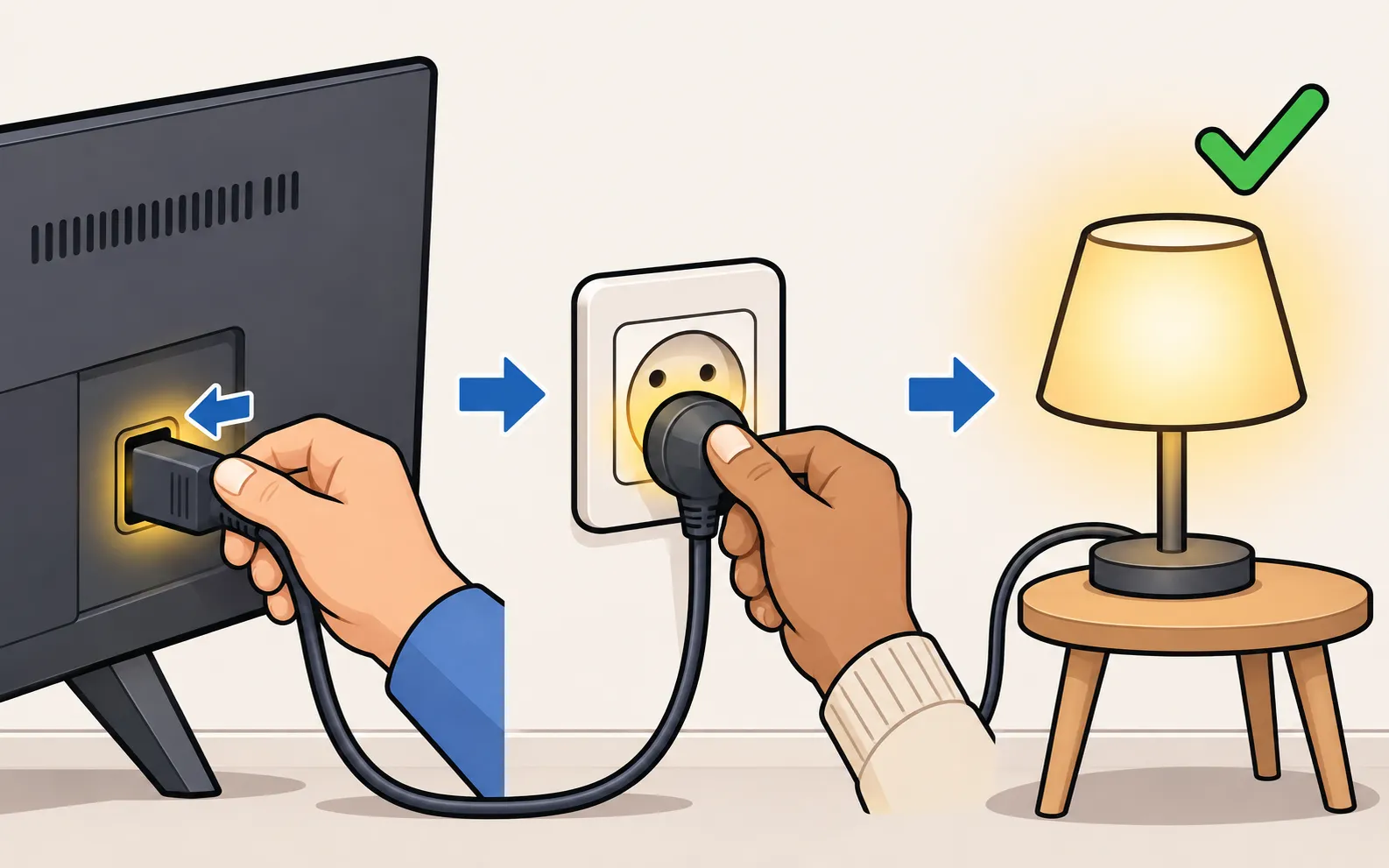
A dark standby light means either no power — or a TV that is already on but shows nothing.
-
Check for a black screen
Press any button on the TV except Power, or Home on the remote. If a menu or message appears, the TV is on: follow Samsung TV black screen. -
Check the cable
Make sure the power cable sits firmly in the TV (or in the One Connect box) and in the wall. -
Power cycle
Unplug the TV — and the One Connect box, if you have one — for 30 seconds. -
Use a known-good wall outlet
Test the outlet with a lamp, then plug the TV straight into it, not into a surge protector or power strip. -
One Connect owners
Disconnect and firmly reconnect the thin One Connect cable at both ends; replace it if it’s kinked or pinched (One Connect box problems).
If the light now comes on, the original outlet or surge protector was the problem — Samsung recommends replacing old surge protectors. If the light never comes on from a working outlet, contact Samsung support.
Light blinking
-
Unplug for 30 seconds
Include the One Connect box if your TV has one. -
Plug straight into a working wall outlet
Samsung specifically advises against surge protectors here, because worn ones can stop supplying the right voltage. -
Watch the light
If it stays steady, the TV will probably turn on — try the TV’s own button.
If the light keeps blinking and the TV won’t start, Samsung treats it as a TV fault that needs service. Before you call, note how the light behaves (fast or slow, how many blinks in a row) — see what the standby light tells you.
Other things worth checking
- Did it come on and go off again? A TV that starts and shuts down again has different causes — see Samsung TV turns off by itself and keeps restarting.
- After a storm or power cut: surges can damage the TV’s power supply. Try the clean power cycle above; if it still won’t start, contact Samsung support and your home insurance.
- Sleep and energy timers can switch a TV off, but they don’t stop it from turning on again. If the TV turns off on a schedule, see sleep timer and auto power off.
- 2019 and newer TVs keep an Event Log (under Support, then About TV) that records why the TV powered on or off — useful once the TV starts again, especially if it switches itself on or off.
When it’s a repair
Samsung’s guidance for a TV that won’t start from a working outlet, or keeps blinking, is to request service. Check whether the TV is still under warranty first: Samsung TV warranty. Whether a repair is worth it depends on the fault and the TV’s age — see is a Samsung TV worth repairing?.
Other stand-ins for a dead remote — the TV’s button, a USB keyboard, HDMI-CEC — are in control a Samsung TV without a remote; every phone option is compared in use your phone as a Samsung TV remote.
Frequently asked questions
My Samsung TV won't turn on but the red light is on. What does that mean?
The TV is getting power and is in standby. Try the button on the TV itself. If the TV starts, the remote needs fresh batteries, charging or pairing; if it doesn't, Samsung advises contacting support.
Why does Samsung say not to use a surge protector?
Samsung notes that surge protectors can wear out over time and stop supplying the voltage the TV needs. For testing, plug the TV straight into a wall outlet.
My TV turns on, but the screen stays black. Is that this problem?
No — if you hear sound or the standby light goes off when you press power, the TV is on. That's a black-screen problem with a different set of fixes.
Is it worth repairing a TV that won't turn on?
It depends on the fault, the TV's age and the warranty. A power-board fault is often repairable; check the warranty first, then compare a repair quote with the TV's value.
Can a phone turn the TV on if the remote is broken?
Yes, if the TV is a 2016 or newer Smart TV with Power On with Mobile enabled and it stays plugged in. Otherwise use the TV's own button.
Sources
- Samsung TV will not turn on (troubleshooting by standby light, TSG10002218) — Samsung US · Samsung · checked November 11, 2026
- What to do if your Samsung TV won't turn on — Samsung UAE · Samsung · checked November 11, 2026
- Samsung TV has no picture or shows a black screen (TSG10002233) — Samsung US · Samsung · checked November 11, 2026
- Pair your Samsung Smart Remote to your Samsung TV — Samsung Canada · Samsung · checked November 11, 2026
- How to troubleshoot the Samsung TV that keeps turning on by itself (Event Log, power-on reason) — Samsung South Africa · Samsung · checked November 11, 2026
Related guides
Troubleshooting
Standby light blinking
Why the red standby light on a Samsung TV blinks, what Samsung says each state means (steady, off, blinking), how to rule out the outlet and when it's a repair.
Troubleshooting
Black screen
Samsung TV on but the screen is black? Check if the menu appears, the input and cable, energy-saving and screen-off settings, then do the torch test.
Troubleshooting
Remote not working
Samsung TV remote not working? Reset it, do the 10-second phone-camera test, change or charge the battery, re-pair a Smart Remote and clear the TV's sensor.

Troubleshooting
TV keeps restarting
Samsung TV stuck restarting or rebooting to the logo? Isolate power, HDMI and USB devices, check Anynet+, update or reset safely, and spot a board fault.
How-to
Power button location
Can't find the power button on your Samsung TV? Check under the bottom centre, the back lower right and the front edge, and learn its short and long presses.
How-to
Warranty
Check a Samsung TV warranty: find the model and serial number, use Samsung's checker for your country, request service, and what Care+ and retailer plans add.