
Troubleshooting
Samsung TV red light blinking: what it means and what to do
A blinking red light under the screen usually means the TV is trying — and failing — to start. Here is how to tell a power-supply hiccup from a real fault.
Quick answer
A steady red standby light is normal: the TV is plugged in and off. A blinking or flashing light usually means the TV can't start properly. Unplug the TV (and any One Connect box) for 30 seconds, then plug it straight into a working wall outlet — not a surge protector. If the light then stays steady, the TV should turn on; if it keeps blinking, Samsung says the TV needs service.
Why won't my Samsung TV turn on?
The TV has power. Find out whether the remote or the TV is the problem.
- Press Power on the remote. If nothing happens, press the power button on the TV itself (usually under the bottom edge or at the back).
- If the TV starts with its own button, the remote is the problem.
Check the power supply.
- Make sure the power cable is firmly connected at the TV (or One Connect box) and the wall.
- Unplug the TV (and One Connect box) for 30 seconds, then plug it into a wall outlet you know works — test it with a lamp. Avoid a surge protector or power strip for this test.
- With a One Connect box, disconnect and reconnect the thin cable between the box and the TV.
A blinking light can point to a fault. Try a clean power supply first.
- Unplug the TV (and One Connect box) for 30 seconds.
- Plug it directly into a working wall outlet, not a surge protector or power strip.
- Wait a moment, then turn the TV on with its own button. If the light now stays steady, the TV will probably start.
Next step
The TV is fine — the remote isn't working. Reset or re-pair the remote, or use the TV's button or a phone meanwhile.
Next step
The TV is on but shows no picture. That's a black-screen problem, not a power problem.
Solved
Fixed: the outlet, the cable or a worn surge protector was the problem. Samsung recommends replacing old surge protectors, which can stop supplying the right voltage.
Get help
The TV gets power but still won't start, or the light keeps blinking. Samsung treats this as a fault that needs service — contact Samsung support for your country, with your model code and what the light does.
Don't open the TV's back cover: parts inside can hold a dangerous charge even when unplugged.
Is the blinking light on the remote rather than the TV? That’s the remote’s status light. Remote light blinking
What the standby light normally does
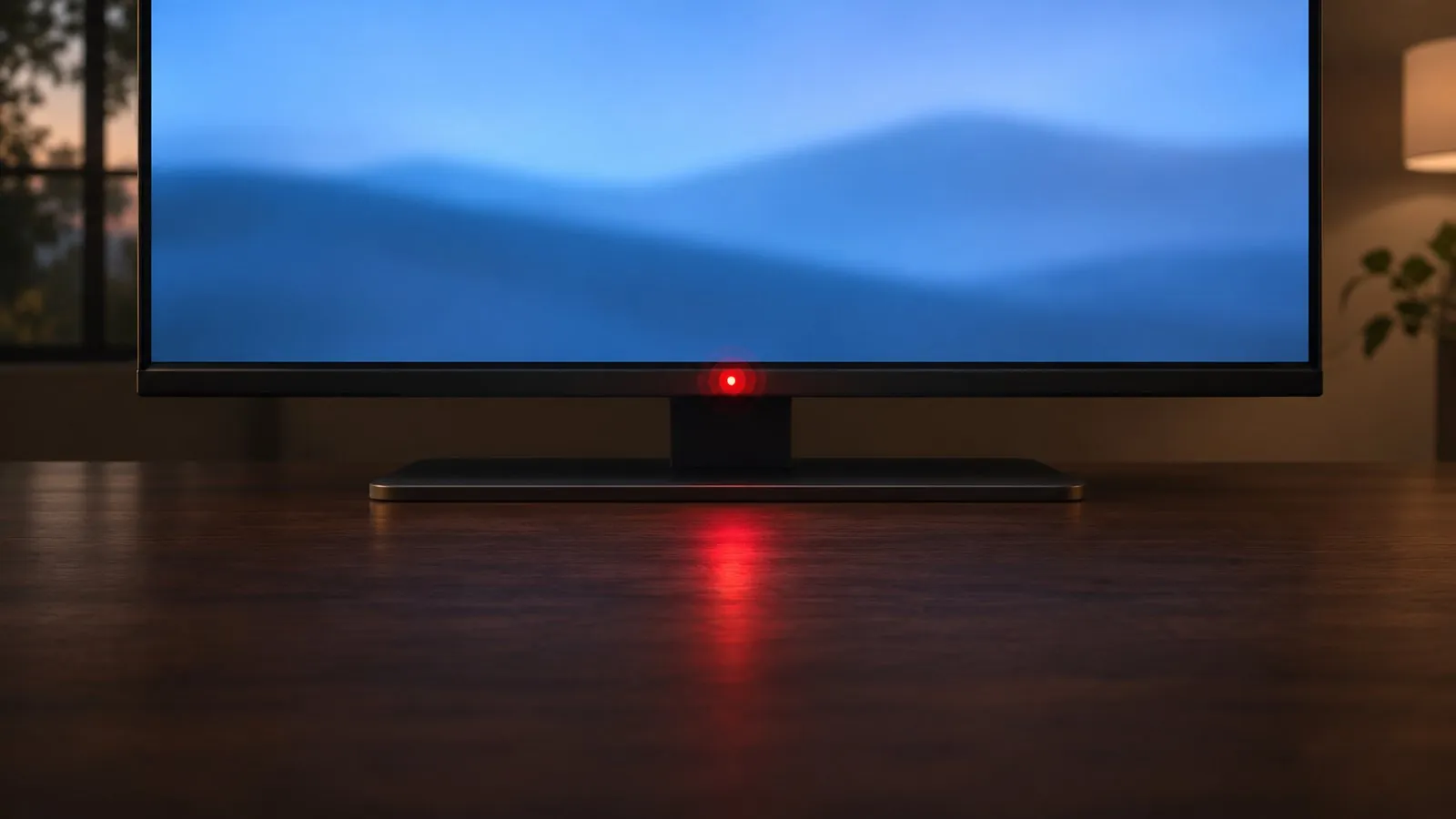
On most Samsung TVs a small red light sits at the bottom edge of the screen:
| Light | Normal meaning |
|---|---|
| Steady red | The TV is plugged in and switched off (standby). It goes out when the TV turns on. |
| Off | Either no power reaches the TV, or the TV is on (some models show a dark screen). |
| Brief blinks | On many models the light blinks briefly when the TV receives a remote command or is starting up. |
| Continuous blinking or flashing, TV won’t start | Something is wrong — the power supply, or a component inside the TV. Samsung says a light that keeps blinking means something is wrong with the TV. |
Step 1: give it a clean power supply
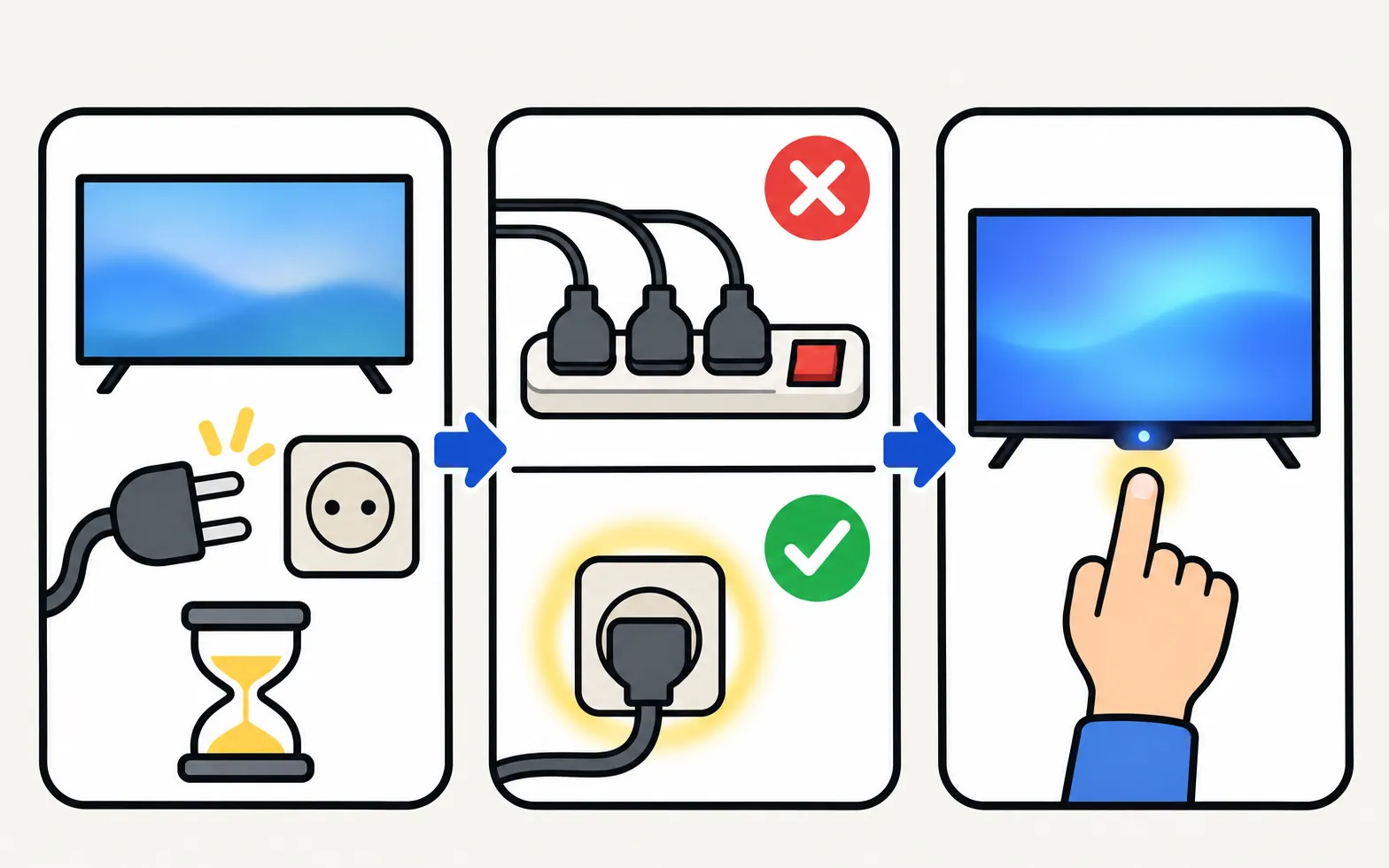
Samsung’s first step for a blinking light is the same in its US and UAE guides:
-
Unplug for 30 seconds
Unplug the TV — and the One Connect box if your TV has one. -
Plug straight into a wall outlet
Use an outlet you’ve tested with a lamp. Samsung advises against surge protectors, which can wear out and stop supplying the voltage the TV needs. -
Turn the TV on
Use the TV’s own button if the remote doesn’t work (where the button is, and other no-remote options).
If the light now stays steady and the TV starts, the old outlet or surge protector was to blame.
Step 2: rule out the usual triggers
- A software update in progress: a TV may restart a few times while updating. If you just saw an update message, wait before unplugging.
- A storm or power cut: a surge can damage the power supply. If the TV blinks and won’t start after one, it’s a service case — and possibly an insurance claim.
- One Connect box: reseat the thin One Connect cable at both ends; a loose cable can cause power faults. Samsung’s South African guide also mentions a poor connection between TV and box as a cause of the TV switching on and off.
- The TV keeps restarting instead: if it shows the logo and reboots in a loop, see Samsung TV keeps restarting.
Step 3: if it keeps blinking
Samsung’s guidance is clear: if the TV still won’t turn on and the light keeps blinking after a clean power test, request service.
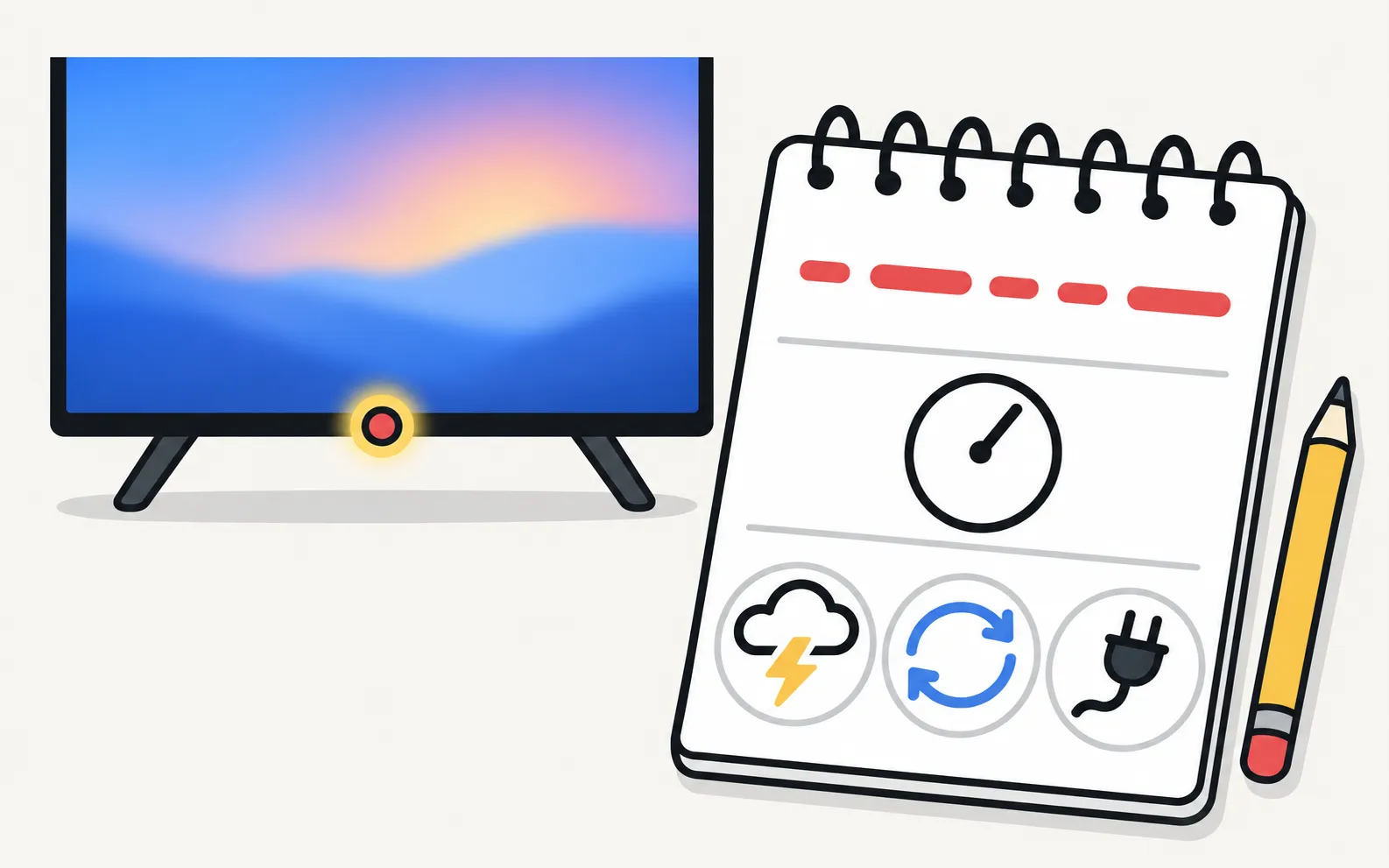
Before you contact Samsung or a repairer:
- Count the blinks: how many, how fast, and whether there’s a pause between groups.
- Note when it started and what happened just before (update, storm, moving the TV).
- Have the full model code and serial number ready — on the back label.
- Check the warranty: Samsung TV warranty.
We don’t translate blink patterns into specific faults: Samsung doesn’t publish a table for this, and online lists disagree. A technician can read the pattern together with the TV’s service information. If you’re curious about what typically fails, power board, main board or T-Con explains the common symptoms — and why these repairs aren’t DIY jobs.
Related problems
- The TV won’t turn on and the light is steady or off: Samsung TV won’t turn on
- The TV turns itself off: Samsung TV turns off by itself
Frequently asked questions
Does the number of blinks mean a specific fault?
Samsung doesn't publish a blink-code table for its TVs in its public support pages, and patterns differ between models, so we don't list meanings that can't be verified. Note the pattern anyway — it helps the service technician.
Is a blinking light while the TV starts normal?
Some Samsung TVs blink the light briefly while starting up or receiving a remote command. Worry only if it keeps blinking and the TV doesn't start.
My remote's light is blinking, not the TV's. Is this the right guide?
No — the remote's own light has different meanings (lost pairing, low battery, charging). See the guide to the remote's light.
Can a software update cause a blinking light?
A TV can restart several times while installing an update. Leave it plugged in for a while; never unplug a TV in the middle of an update unless it has clearly stopped.
Sources
- Samsung TV will not turn on (troubleshooting by standby light, TSG10002218) — Samsung US · Samsung · checked November 11, 2026
- What to do if your Samsung TV won't turn on — Samsung UAE · Samsung · checked November 11, 2026
- How to troubleshoot the Samsung TV that keeps turning on by itself (Event Log, power-on reason) — Samsung South Africa · Samsung · checked November 11, 2026
Related guides
Troubleshooting
TV won't turn on
Samsung TV won't turn on? Read the standby light first — steady, off or blinking each point to a different cause — then follow the fixes for your case.
Troubleshooting
Remote light blinking
Samsung remote light blinks twice, stays on or flashes when you press Power? What each pattern means (low battery, lost pairing, charging) and how to fix it.
Troubleshooting
TV keeps restarting
Samsung TV stuck restarting or rebooting to the logo? Isolate power, HDMI and USB devices, check Anynet+, update or reset safely, and spot a board fault.
Troubleshooting
TV turns off by itself
Samsung TV switching off on its own? Check Auto Power Saving, the sleep timer, Anynet+, devices, the power cable and software, and why it may shut off at start.
Explainer
Board and panel symptoms
What a Samsung TV's power board, main board, T-Con board and panel do, which symptoms point where, safe outside checks, and why repairs need a technician.
How-to
Warranty
Check a Samsung TV warranty: find the model and serial number, use Samsung's checker for your country, request service, and what Care+ and retailer plans add.