
How-to
How to connect a soundbar to a Samsung TV: HDMI, optical, Bluetooth
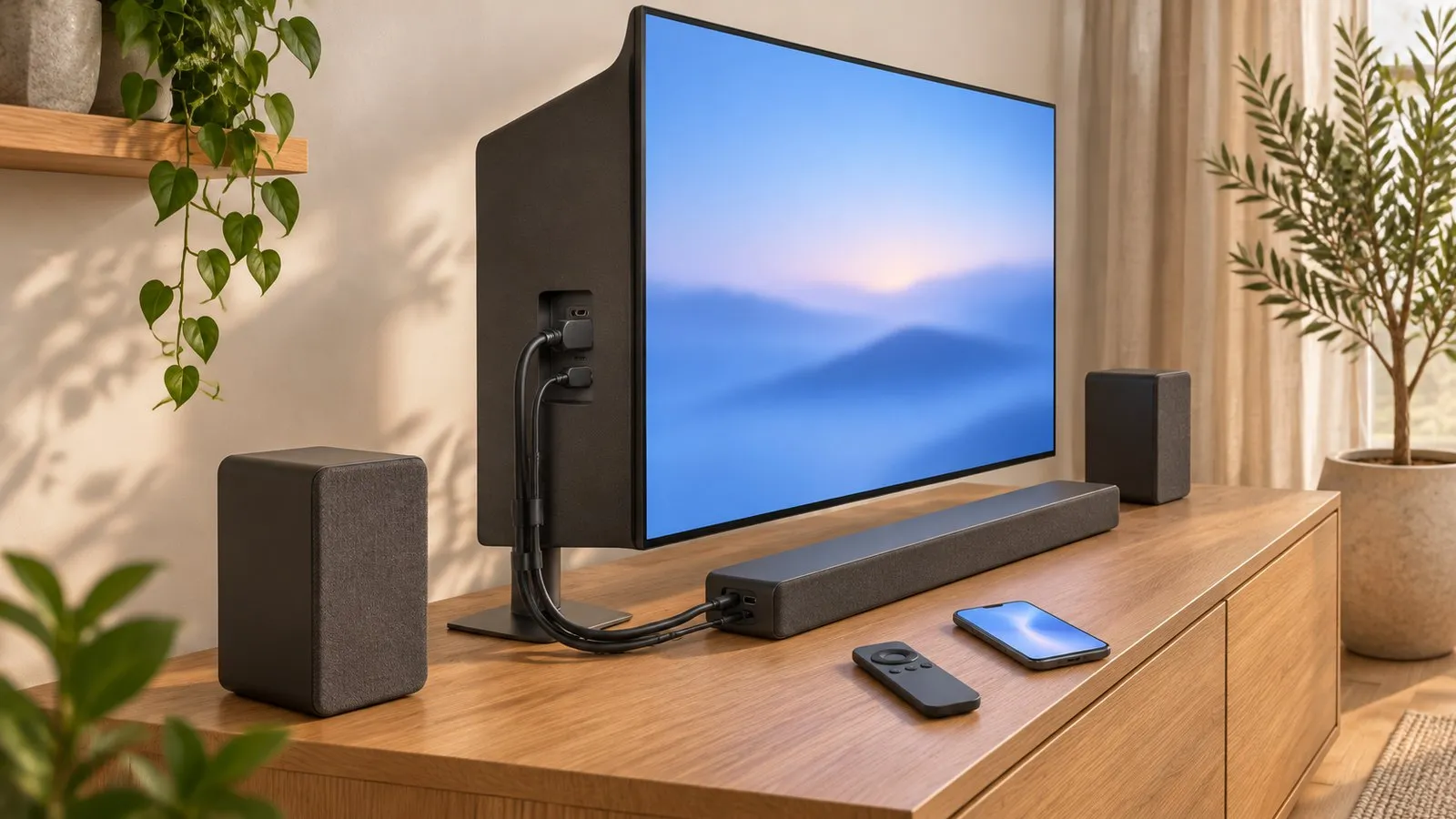
HDMI ARC is the best all-rounder, optical the simplest fallback, Bluetooth the most convenient. Here's how each works with a Samsung TV.
Quick answer
Use HDMI ARC or eARC if both devices have it: connect the TV's ARC/eARC port to the soundbar's HDMI OUT (TV-ARC), turn on Anynet+ and pick the soundbar in Sound Output — you get one-remote control and, with eARC, Dolby Atmos. Optical is a simple, reliable fallback. Bluetooth needs no cable but adds delay. Wi-Fi works with compatible speakers and apps.
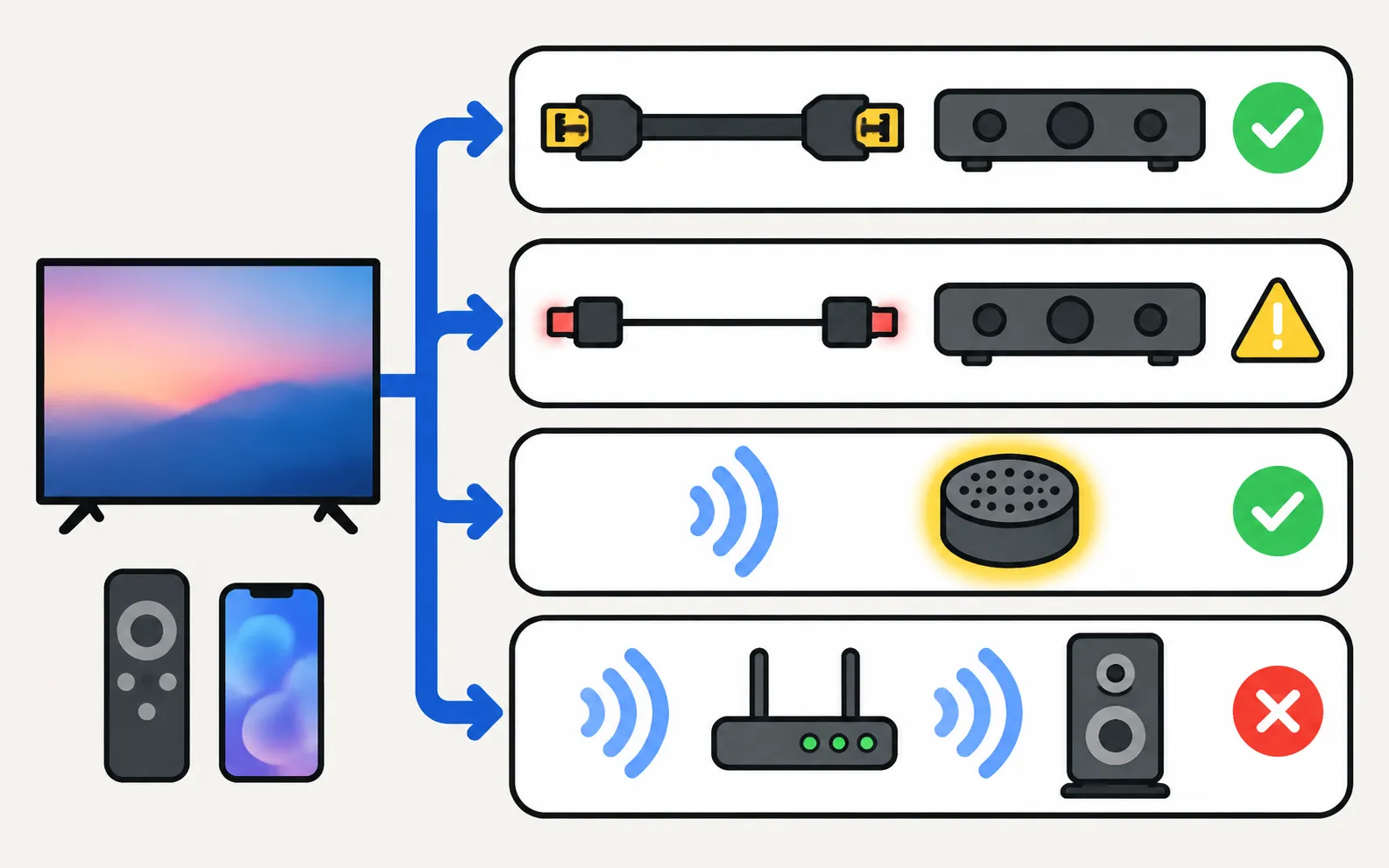
Compare the options
| Connection | Formats | Remote control of volume | Delay | Notes |
|---|---|---|---|---|
| HDMI eARC | Full-resolution, incl. Dolby Atmos (Samsung: selected TVs from 2020) | Yes, with Anynet+ | Low, adjustable | Needs eARC on both and an HEAC/HEC cable |
| HDMI ARC | Compressed surround (Dolby Digital) | Yes, with Anynet+ | Low, adjustable | Most TVs and soundbars |
| Optical (SPDIF) | Stereo PCM, Dolby Digital | Usually soundbar remote | Low, adjustable | Simple, very reliable |
| Bluetooth | Compressed stereo | Usually yes | Noticeable; Samsung says no setting fixes it | No cables; check the TV has Bluetooth audio |
| Wi-Fi | Depends on system | Depends on system | Varies | Compatible speakers and apps only |
HDMI ARC / eARC
-
Connect
TV port labelled ARC or eARC → soundbar HDMI OUT (TV-ARC). -
Turn on Anynet+
Path by year in soundbar and HDMI ARC. -
Choose the output
Sound Output → the soundbar or receiver. -
eARC only
In Sound, Expert Settings, set HDMI-eARC Mode to Auto and Digital Output Audio Format to Auto.
Optical
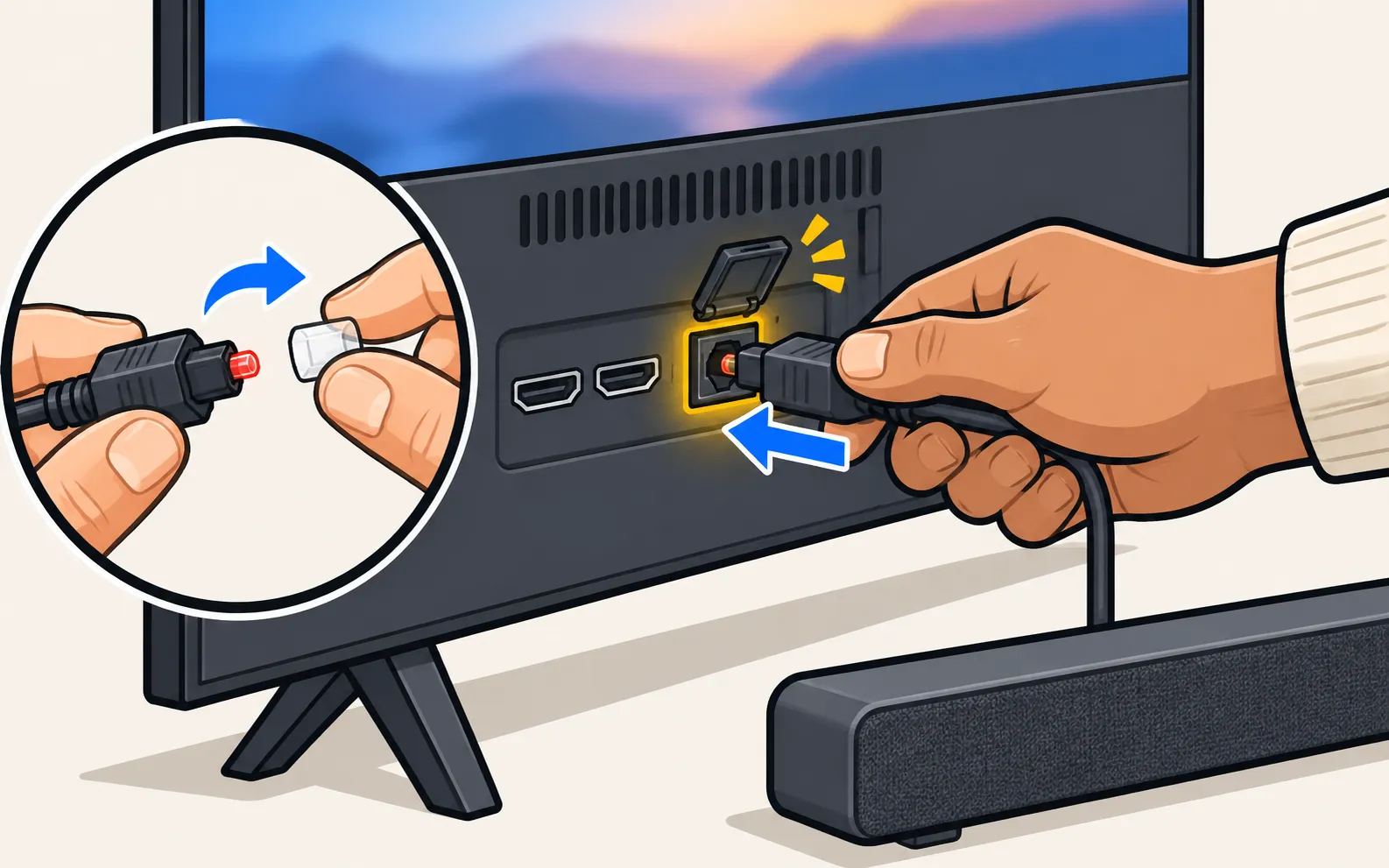
Connect the TV’s Digital Audio Out (Optical) to the soundbar’s optical input, select the soundbar or optical output in Sound Output, and set the soundbar’s input to optical (often labelled D.IN). Volume is usually controlled with the soundbar’s remote.
Bluetooth
Put the speaker or soundbar in pairing mode and select it from the Bluetooth Speaker List under Sound Output (paths by year in Bluetooth headphones). Expect some delay — fine for music, less ideal for dialogue.
Wi-Fi and Samsung extras
- Q-Symphony: on supporting Samsung TVs and soundbars, the TV speakers and soundbar play together (listed in Samsung spec sheets, for example on the 2021 AU7000).
- Wi-Fi speakers: compatible systems connect through apps or casting; follow the speaker maker’s guide.
After connecting
- Lip-sync off? See audio out of sync.
- No sound? See no sound and soundbar not working.
- The soundbar turns the TV on or off? That’s Anynet+ (turns on by itself).
Frequently asked questions
HDMI ARC or optical — which is better?
HDMI ARC/eARC: it carries more audio formats, and with Anynet+ the TV remote controls the soundbar's volume. Optical is simpler and reliable but carries fewer formats.
Can I connect old wired speakers or an amplifier?
Through optical or a headphone/audio out (if the TV has one), or via an AV receiver with HDMI ARC. Speakers need an amplifier; they can't plug straight into the TV.
Can I use TV speakers and a soundbar together?
Normally sound goes to one output. Samsung's Q-Symphony feature plays through the TV speakers and a compatible Samsung soundbar together on supporting models.
Why is the soundbar out of sync?
Adjust Digital Output Audio Delay on the TV (HDMI eARC or optical) or the soundbar's own sync setting.
Sources
- What is eARC and how to set on Samsung Smart TV (incl. Anynet+ paths 2014–2026) — Samsung Australia · Samsung · checked November 11, 2026
- Connect Bluetooth Headphones to your Samsung TV (menu paths 2015–2026) — Samsung Australia · Samsung · checked November 11, 2026
- 55-inch Crystal UHD 4K AU7000 (UN55AU7000PXPA) specifications — Samsung Caribbean · Samsung · checked November 11, 2026
- Audio Delays on your TV — Samsung Australia · Samsung · checked November 11, 2026
Related guides

Troubleshooting
Soundbar and HDMI ARC
No sound from a soundbar on HDMI ARC or eARC? Use the ARC port, turn on Anynet+, set Sound Output and Digital Output Audio Format, enable eARC and fix dropouts.

How-to
Bluetooth headphones
Pair Bluetooth headphones, earbuds or AirPods with a Samsung TV: pairing mode, the Bluetooth Speaker List path by year since 2015, two at once, lip-sync fixes.

Troubleshooting
Audio delay
Voices out of sync on a Samsung TV? Find out if the source, a soundbar or Bluetooth causes it, then use Audio Delay, the soundbar's sync setting or a cable.

Explainer
Anynet+ (HDMI-CEC)
Anynet+ is Samsung's HDMI-CEC: one remote for TV, soundbar and console — and why TVs switch on by themselves. Where to find it by year and when to turn it off.

Topic
Sound
Fix Samsung TV sound problems and connect audio gear: no sound, volume changes, lip-sync delay, soundbars over HDMI ARC/eARC, optical and Bluetooth headphones.