
Troubleshooting
Samsung TV audio out of sync (lip-sync delay): fixes
Lip-sync problems come from where the sound goes: TV speakers, a soundbar on HDMI or optical, or Bluetooth. Each has a different fix.
Quick answer
First check whether the delay also happens in a built-in app like YouTube or Netflix; if not, the problem is the source. With a soundbar or receiver on HDMI eARC or optical, adjust Digital Output Audio Delay (Settings, All Settings, Sound, Expert Settings) — move the slider right if sound is ahead of the picture — or use the soundbar's own sync setting. Samsung says no setting fixes Bluetooth or wireless speaker delay.
Step 1: find the source of the delay
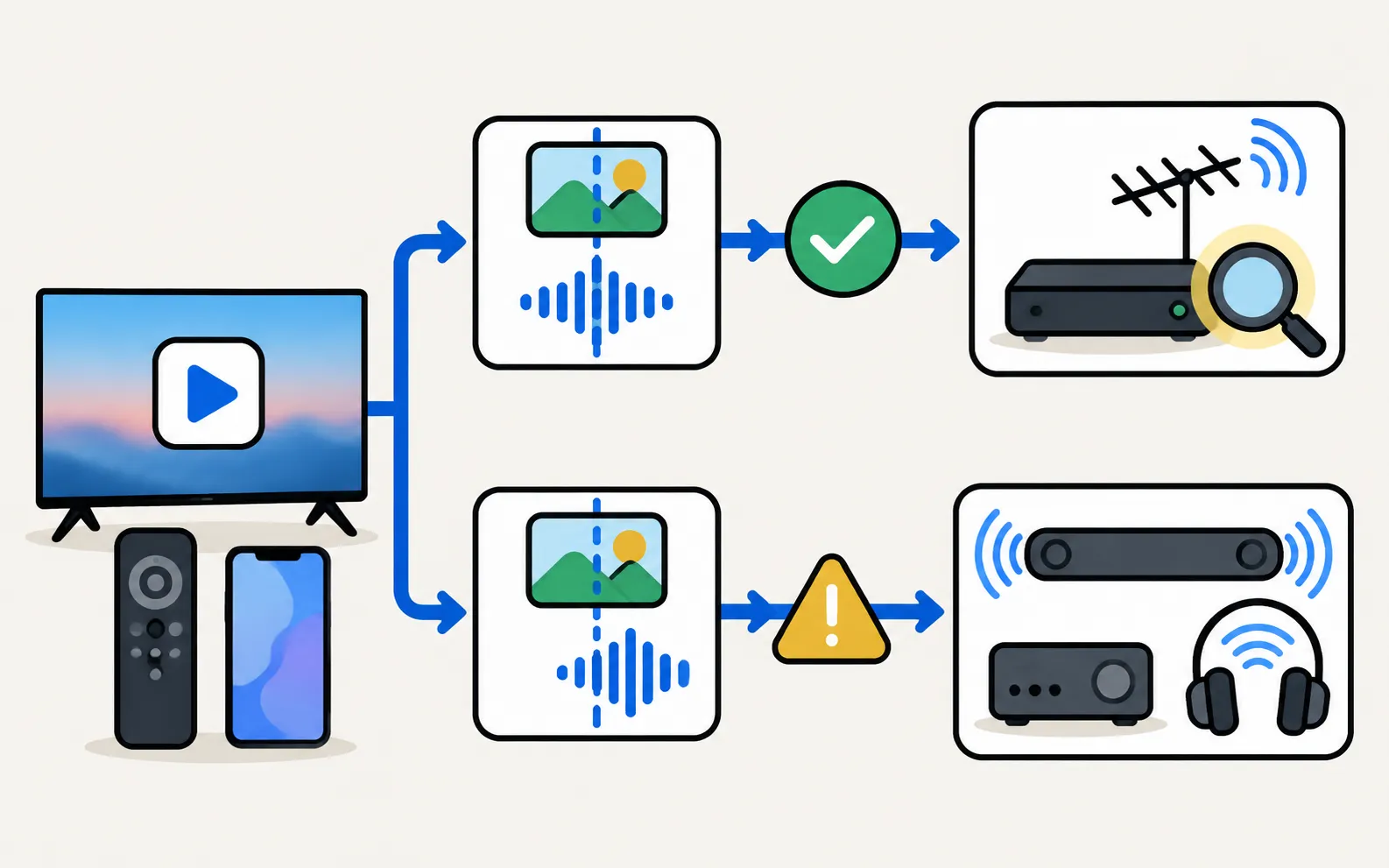
Samsung’s first check: does the delay also happen in a pre-installed app such as YouTube or Netflix?
| Result | Cause | Fix |
|---|---|---|
| Built-in apps are in sync | The source (broadcast, set-top box, stream) | Check the device’s audio settings; try another cable; restart the device |
| Built-in apps are also out of sync | The TV’s audio path (soundbar, receiver, Bluetooth) | Steps 2–4 |
Step 2: soundbar or receiver on HDMI eARC or optical
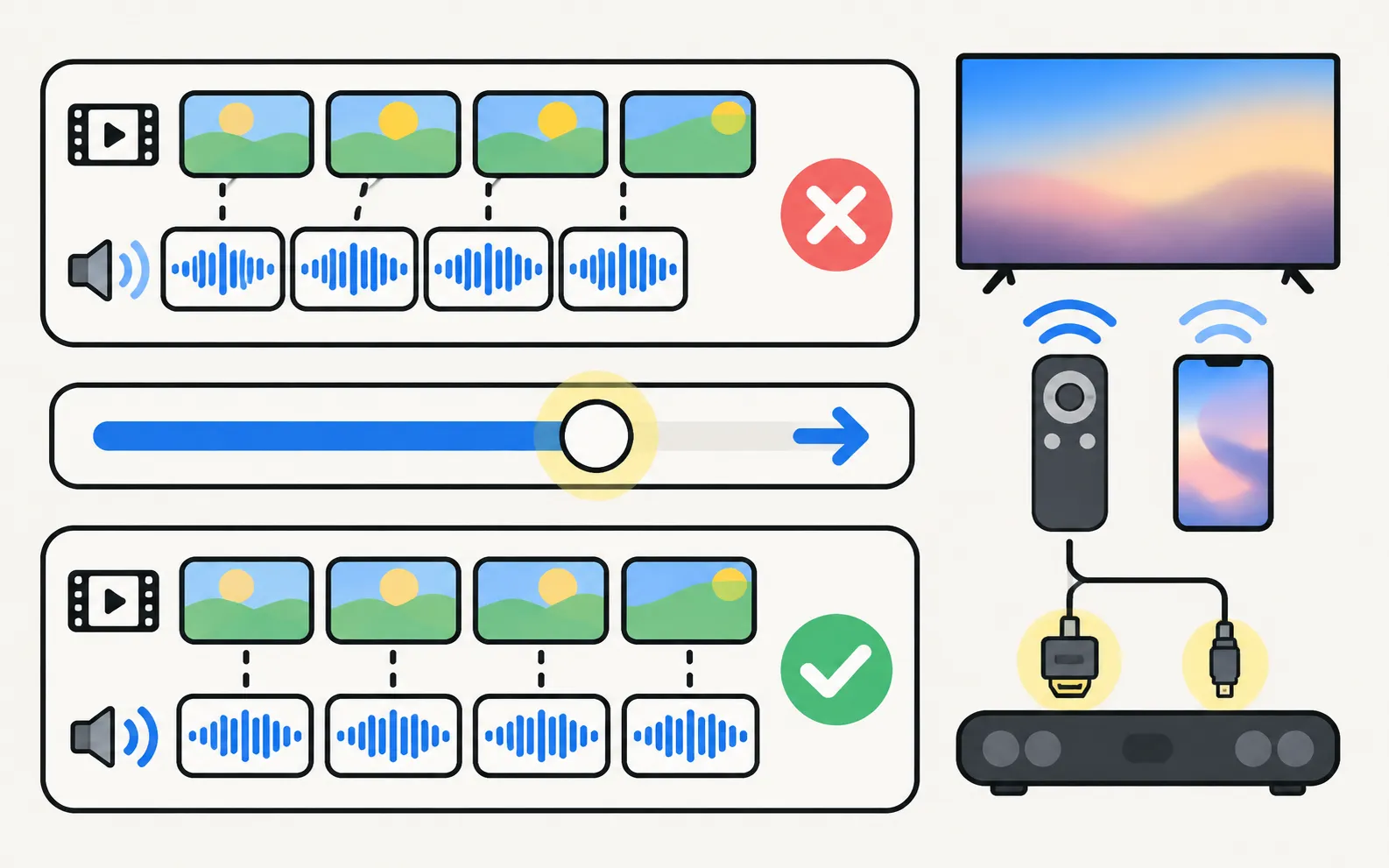
Samsung’s TV setting for this:
- It’s available only when the audio device is connected by HDMI eARC or SPDIF (optical).
- If the sound is ahead of the picture, move the slider right to increase the delay.
Many soundbars have their own sync control (often called Audio Sync or AV Sync) on the remote or in their app; adjust one, not both. Setting Digital Output Audio Format to PCM can also reduce processing delay (soundbar and HDMI ARC).
Step 3: Bluetooth headphones or speakers
Samsung is clear that there are no settings that fix Bluetooth or wireless speaker sync. Options:
- Headphones or speakers with a low-latency mode.
- Wired headphones in the TV’s headphone jack, where available.
- Moving the headphones closer to the TV to avoid drop-outs.
Step 4: reset and update
- Reset the sound settings: .
- Update the TV (software update) — Samsung recommends the latest firmware.
- For downloaded videos, check the file’s codec is supported by your model (the user manual lists formats).
Mirroring
Screen mirroring delays picture and sound together. Mirroring runs about 1–3 seconds behind the phone and isn't suitable for fast games. Apps that block screen capture (for example Netflix or banking apps) show black. On Android 9 there is no sound, and the phone keeps playing the sound too. Casting the file instead avoids the delay (cast photos and videos).
Frequently asked questions
Why is sound out of sync with Bluetooth headphones?
Bluetooth adds delay. Samsung says there are no settings that resolve Bluetooth or wireless speaker sync issues. Headphones with a low-latency mode, or wired headphones, help.
Why does only one channel or app have bad lip-sync?
Then the source is the cause — a broadcast, a stream or a set-top box. Samsung suggests testing with a pre-installed app; if that's fine, look at the source.
Does Game Mode affect lip-sync?
Game Mode reduces video processing delay, which can change the balance between picture and sound. Re-check sync after switching modes.
Is screen mirroring delay the same thing?
Not quite. Mirroring delays both picture and sound behind the phone; app-based mirroring typically runs 1–3 seconds behind.
Sources
- Audio Delays on your TV — Samsung Australia · Samsung · checked November 11, 2026
- What is eARC and how to set on Samsung Smart TV (incl. Anynet+ paths 2014–2026) — Samsung Australia · Samsung · checked November 11, 2026
- How to reset your Samsung TV (ANS10005248) — Samsung US · Samsung · checked November 11, 2026
Related guides
Troubleshooting
Soundbar and HDMI ARC
No sound from a soundbar on HDMI ARC or eARC? Use the ARC port, turn on Anynet+, set Sound Output and Digital Output Audio Format, enable eARC and fix dropouts.

How-to
Bluetooth headphones
Pair Bluetooth headphones, earbuds or AirPods with a Samsung TV: pairing mode, the Bluetooth Speaker List path by year since 2015, two at once, lip-sync fixes.

Troubleshooting
Volume and sound problems
Samsung TV volume jumping up or down, too quiet, or crackling? Check the remote, Anynet+ and auto-volume features, run the Sound Test and reset the sound.
How-to
Game Mode
Turn on Game Mode on a Samsung TV (paths 2016–2025), make it switch on automatically, open the Game Bar and cut input lag without ruining the picture.
Troubleshooting
Mirroring not working
Samsung TV not showing up for screen mirroring, connection drops, black screen or no sound? Fixes for Smart View, AirPlay and mirroring apps, by symptom.