
Troubleshooting
Screen mirroring not working on a Samsung TV: fixes
Find your symptom — TV missing from the list, connection refused, black picture, no sound or stutter — and fix the cause behind it.
Quick answer
Put the phone and the TV on the same Wi-Fi (no guest network or VPN), turn the TV fully on, and restart both. If the TV is listed but refuses, allow the phone in the TV's Device Connection Manager. A black screen in Netflix or banking apps is copy protection, not a fault. No sound usually means low phone media volume or, with app-based mirroring, Android 9. Update the TV and phone software if it still fails.
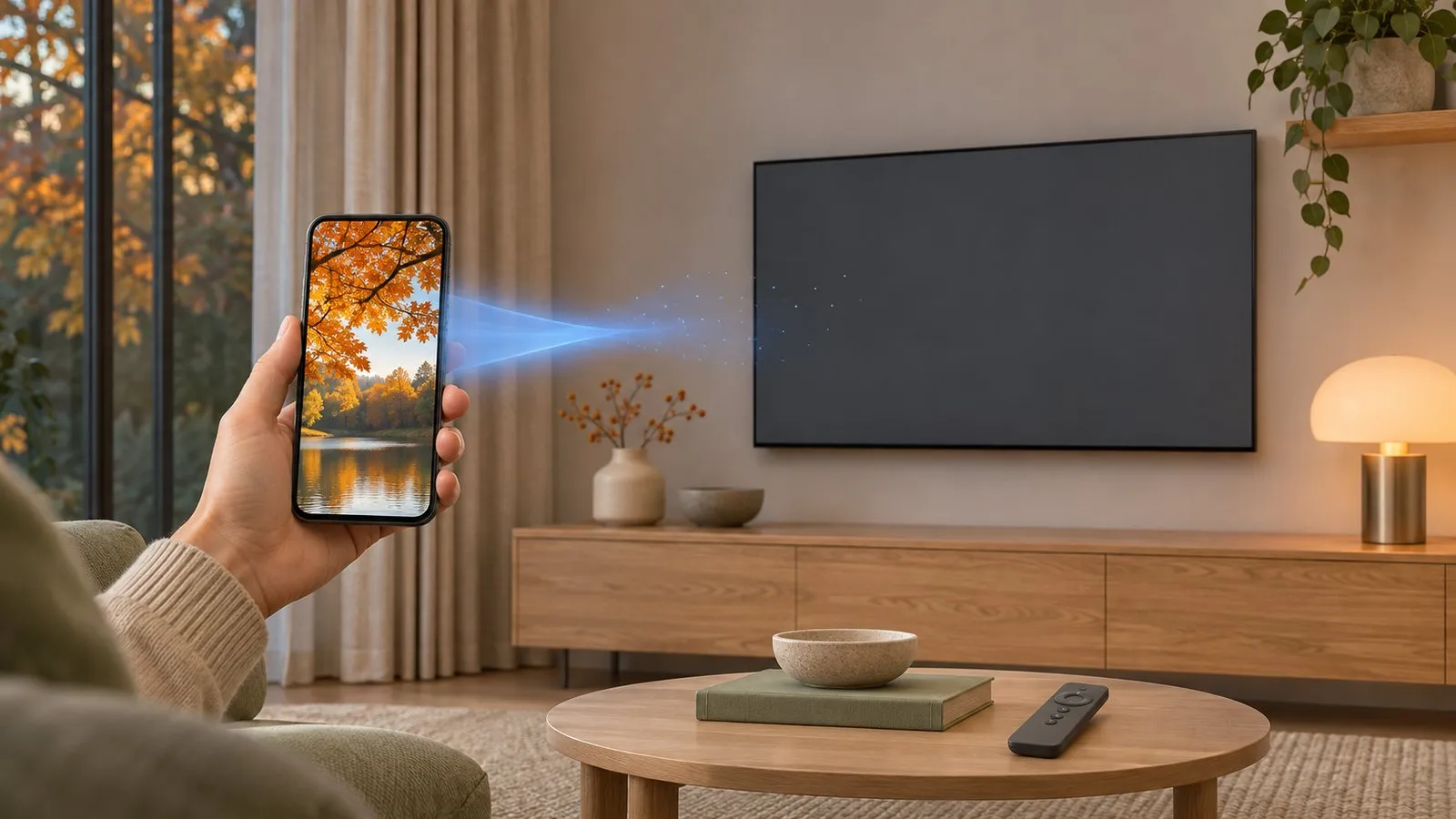
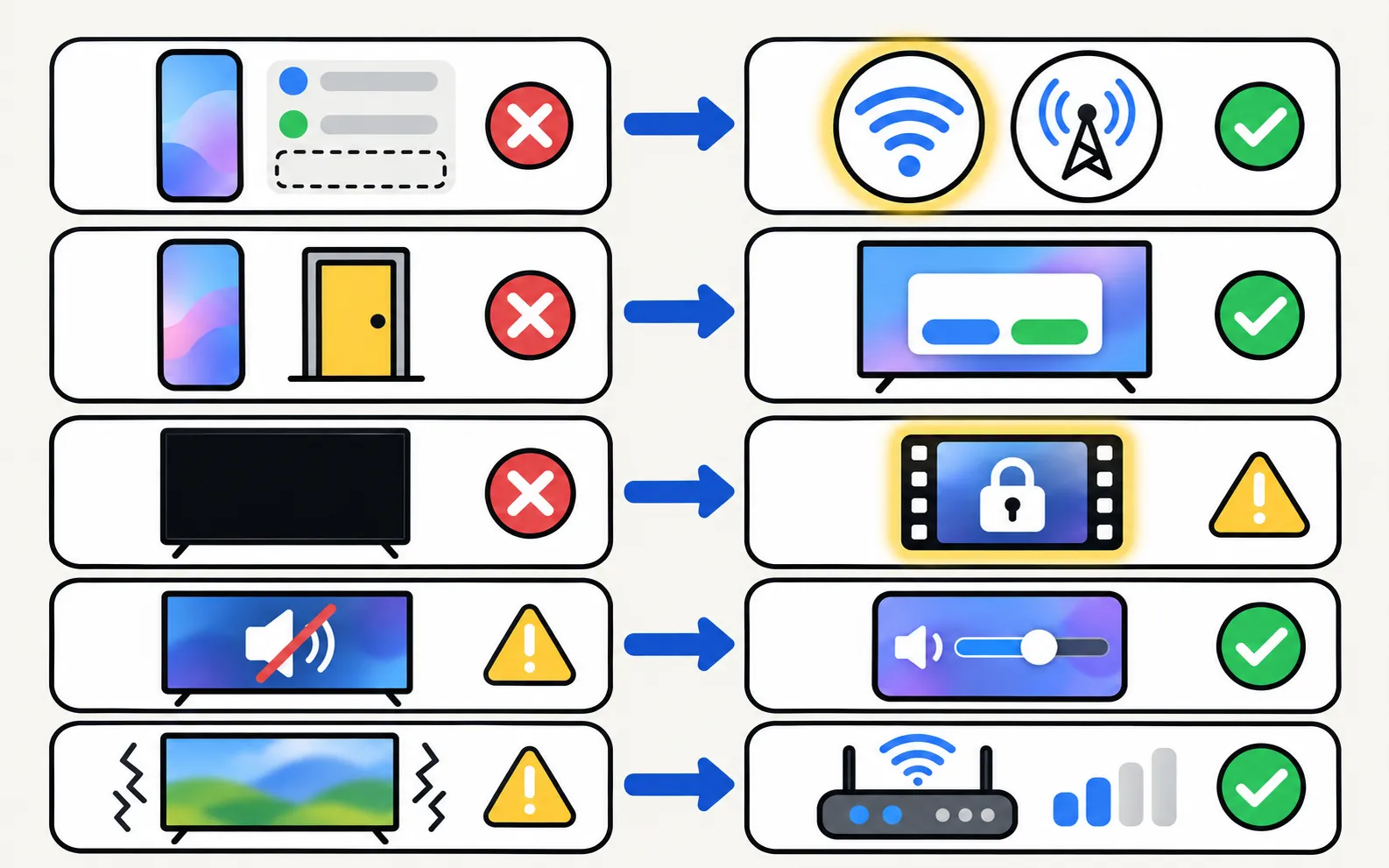
The TV doesn’t appear in the list
Every wireless mirroring method — Smart View, AirPlay, wireless display or an app — finds the TV over your local network.
-
Turn the TV fully on
A TV in standby may not answer. Wait for the home screen. -
Same network, no VPN
The phone must be on the same Wi-Fi as the TV, not on mobile data, a guest network or a VPN. Guest, public or business Wi-Fi, AP or client isolation, a phone VPN and extenders that create a separate network can block the connection. -
Restart both devices
Samsung’s first advice for Smart View problems: restart the phone and the TV. Unplug the TV for 30 seconds for a full restart. -
Check the TV supports your method
AirPlay needs a 2018 or newer Samsung TV with Apple AirPlay Settings in its menu. Smart View needs a TV that supports Miracast or Samsung’s own protocol.
The detailed network checklist (bands, mesh systems, client isolation, local network permission) is in Samsung TV not showing up on your phone. If the TV itself has no network connection, start with Samsung TV won’t connect to Wi-Fi.
From an iPhone or iPad, the steps that matter are in AirPlay not working on a Samsung TV and mirror an iPhone with AirPlay. Casting from YouTube or other Android apps uses Google Cast, which many Samsung TVs lack — check whether yours has it.
The TV is listed but refuses to connect
- Watch the TV for the Allow prompt and select it — Samsung lists this as a step.
- If you once chose Deny, change the phone to Allow in Device Connection Manager: (on 2017–2021 TVs under General instead of Connection). Full guide: the Allow prompt explained.
- AirPlay asks for a code shown on the TV; if you missed it, start again. You can change the code behaviour in Apple AirPlay Settings on the TV.
The picture is black
If everything is black, end the session, restart the phone and try again; also check that the TV is set to the right input (mirroring opens on the TV’s own screen, not an HDMI input).
There’s no sound
-
Turn up the phone's media volume
With many mirroring methods the TV’s volume follows the phone’s media volume. -
Check the TV isn't muted or on a soundbar that's off
If audio goes to a soundbar, see soundbar not working with a Samsung TV. -
App-based mirroring: Android version and permission
Mirroring with sound needs Android 10 or newer; on Android 9 mirroring shows the picture only. The audio-recording permission is used only to capture app sound during mirroring; the microphone is never used. -
Disconnect Bluetooth headphones from the phone
Audio can follow the phone’s headphones instead of the TV.
The picture is too small, has black bars or is cropped
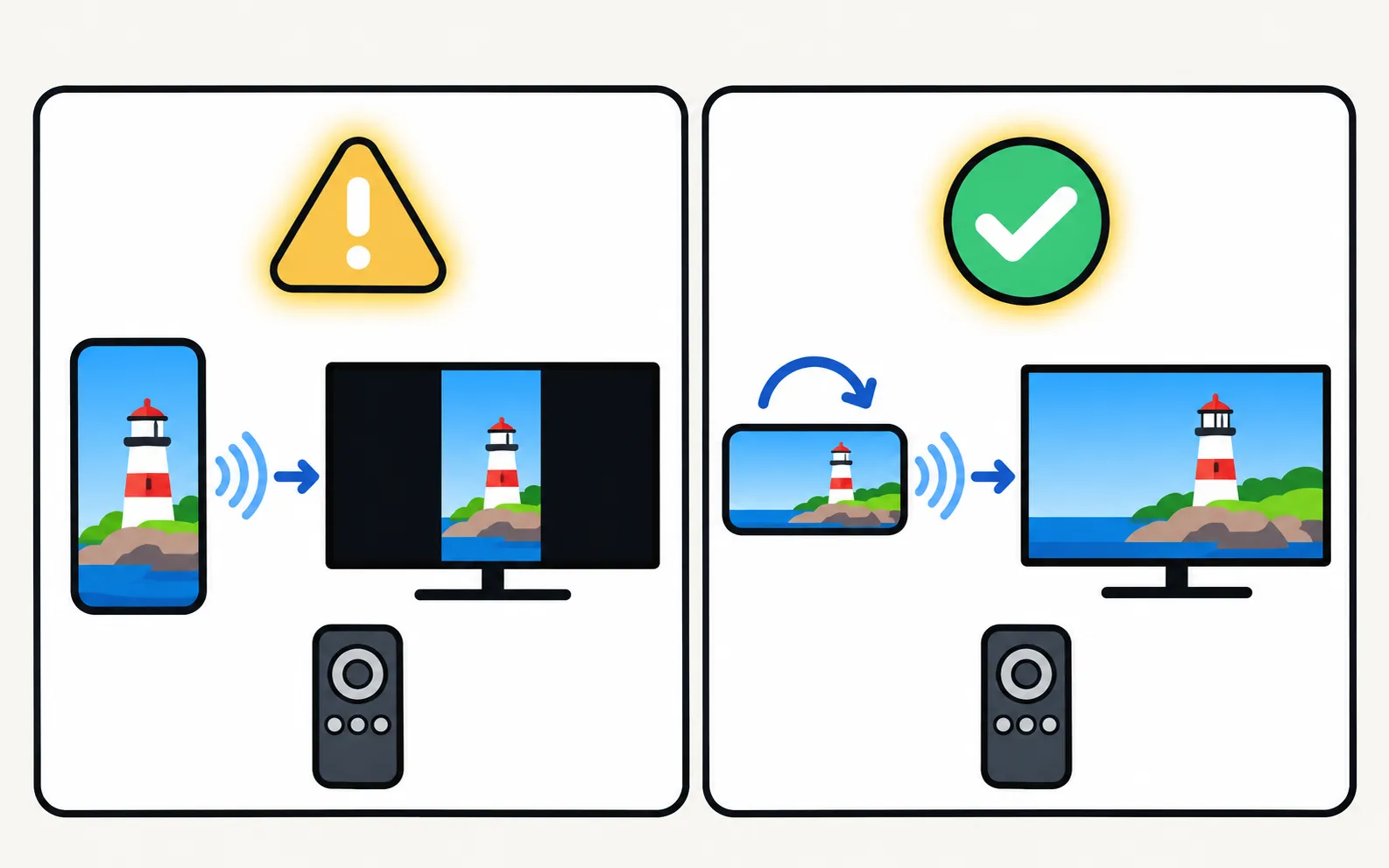
Portrait apps show with bars on a landscape TV — turn the phone sideways. On Galaxy phones, Samsung suggests tapping the Smart View icon on the phone and choosing the phone aspect-ratio option. On the TV, check the picture size settings.
It stutters, lags or drops
- Delay is normal: wireless mirroring always trails the phone; app-based mirroring typically 1–3 seconds. For fast games, use a cable.
- Weak Wi-Fi: move the router closer, use the 5 GHz band, or connect the TV by Ethernet; mirroring is a continuous video stream. See Samsung TV Wi-Fi keeps disconnecting.
- Phone power saving: battery savers can throttle screen sharing; turn them off while mirroring.
- For videos, cast instead: sending the file lets the TV play it without lag — cast photos and videos.
Update the software
Samsung’s Smart View guide recommends updating both devices:
- TV: → Software Update → Update Now. Don’t switch the TV off during the update. More in update a Samsung TV.
- Phone: install system updates and update your mirroring app.
Older Samsung TVs
On 2010–2015 Samsung TVs, Smart View, AirPlay and most mirroring apps are limited or unavailable. App-based mirroring needs a 2016 or newer TV to work reliably. An HDMI cable is the dependable route for older sets.
With Samsung TV Remote
Screen mirroring with sound, using the TV's own media player — nothing is installed on the TV.
If the app can’t find your TV, its search screen links to the same network checks as this page. Problems specific to the app are answered on the app help page; first-time setup is in getting started, and the compatibility page shows mirroring support by TV generation.
Frequently asked questions
Where did the Smart View app go?
On Galaxy phones Smart View is built into Quick Settings. On other phones, use the phone's own screen-sharing option or a mirroring app.
Why does mirroring work on one phone and not another?
Phones use different methods — Smart View, Miracast-based wireless display, AirPlay or an app — and each depends on the TV supporting it. The TV's model year and software matter too.
Does a factory reset of the TV fix mirroring?
It rarely helps and erases your settings. Try every step on this page and a software update first.
Mirroring stops when the screen locks. Why?
Many phones pause or end screen sharing when the screen turns off. Keep the phone awake while mirroring, or cast the video instead so the TV plays it by itself.
Sources
- How to fix Smart View connection and casting issues — Samsung UAE · Samsung · checked November 11, 2026
- How to connect TV and mobile device with Smart View — Samsung UAE · Samsung · checked November 11, 2026
- Samsung Hong Kong support: connect a mobile device and TV with Smart View — Samsung Hong Kong · Samsung · checked November 10, 2026
- How to stream to your TV using AirPlay — Samsung Ireland · Samsung · checked November 11, 2026
- Samsung TV Remote product documentation (developer-supplied facts) — Smart App Craft · Developer · checked November 10, 2026
Related guides
How-to
Mirror Android
Mirror an Android phone to a Samsung TV: Smart View on Galaxy, Cast or Wireless display on other brands, a mirroring app with sound, or a USB-C to HDMI cable.
Troubleshooting
AirPlay not working
Samsung TV not showing in AirPlay, asking for a code every time or dropping out? Check support and the AirPlay switch, Wi-Fi, the code setting and updates.
Troubleshooting
TV not showing up on your phone
Phone can't find your Samsung TV? Turn the TV fully on, put both on the same home Wi-Fi, switch off VPN and guest networks, and allow local network access.
Troubleshooting
Allow prompt keeps appearing
Why your Samsung TV keeps asking to Allow a phone, how to stop it, and how to undo a Deny — with the Device Connection Manager settings by TV year.

How-to
Cast photos and videos
Show phone photos and videos on a Samsung TV at full quality: cast from an app, use Smart View, a casting app or a USB stick — and fix videos that won't play.
Troubleshooting
Wi-Fi keeps disconnecting
Samsung TV dropping Wi-Fi every few minutes or after standby? Improve the signal, fix band steering and address changes, reset the network, or use a cable.