
Troubleshooting
Samsung TV volume changes by itself, too quiet or crackling: fixes
Three annoying sound problems with different causes: a volume that moves on its own, dialogue that's too quiet, and crackle or distortion.
Quick answer
If the volume changes by itself, check for a stuck remote button, wipe the TV's touch controls and look at Anynet+ devices sharing volume control. If dialogue is too quiet, check the sound mode and try an adaptive or voice-enhancing setting. For crackling, run the Sound Test (Support, Device Care, Self Diagnosis): crackle in the test means service; clean test sound means the source or cable.
The volume changes by itself
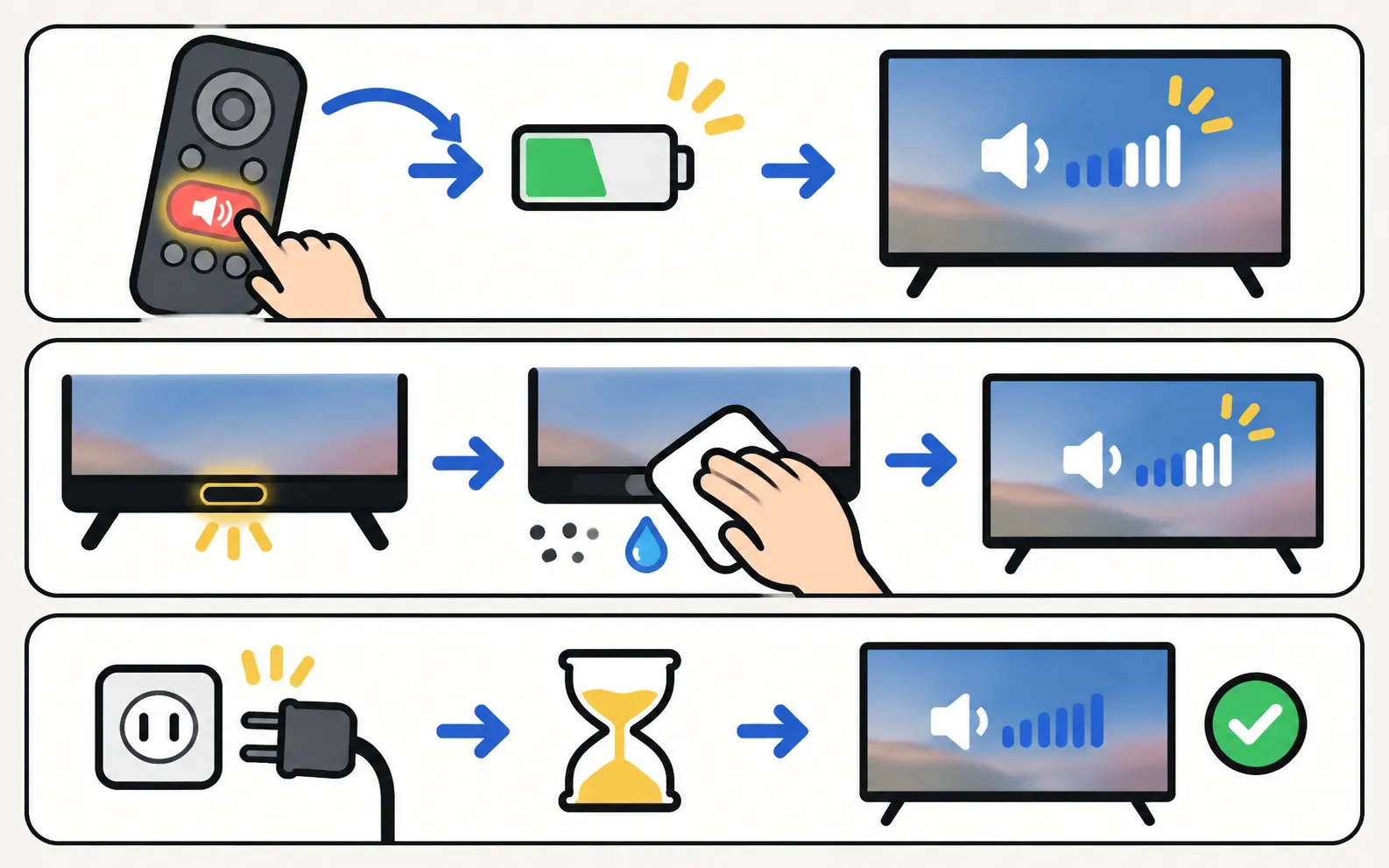
Samsung’s troubleshooting for a TV that changes source or volume on its own:
-
Check the remote
A stuck button sends commands over and over. Take the batteries out (or move a SolarCell remote to another room) and watch whether it stops. -
Unplug the TV
With the TV on, unplug it — and the One Connect box, if any. -
Wipe the touch controls
Wipe the TV’s bezel touch controls with a microfibre cloth; moisture or dust can trigger them. -
Plug in and test
Turn the TV on with its own controls. If the problem continues, Samsung advises requesting service.
Also check:
- Anynet+ (HDMI-CEC): a soundbar, receiver or set-top box can change the TV’s volume through HDMI (Anynet+ explained).
- Smart-home devices: Alexa, Google Home or SmartThings routines can change volume.
- Phone apps: a phone remote left open in a pocket can send volume presses.
Sound too quiet (especially dialogue)
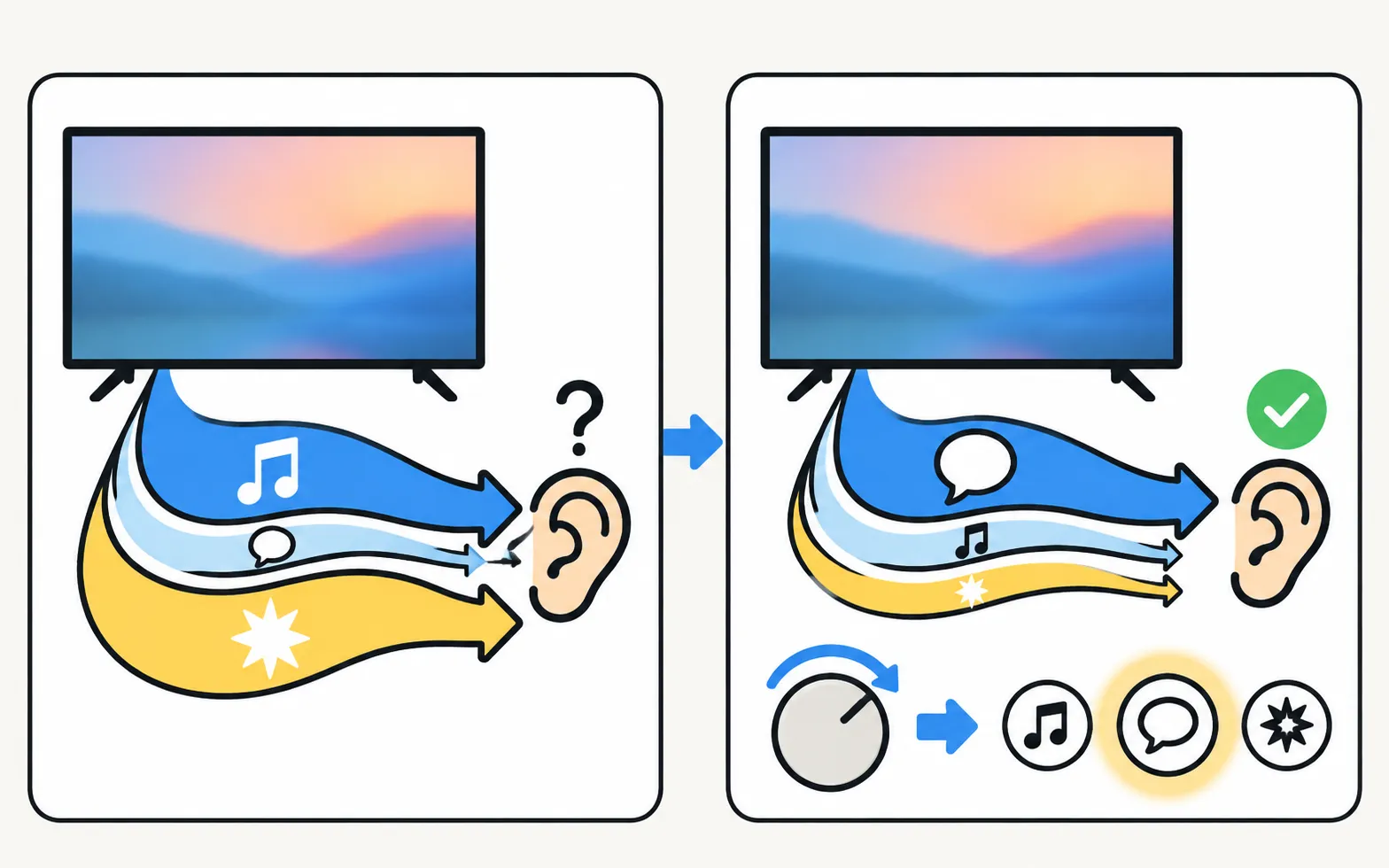
- Sound mode: try a voice-focused or standard sound mode instead of a cinematic one.
- Adaptive features: some models offer Adaptive Sound or similar features that analyse content (Samsung lists Adaptive Sound on models such as the AU7000) — try it on and off.
- Source level: set-top boxes and streaming sticks have their own volume and audio-output settings; check them.
- Soundbar: if sound goes to a soundbar, use its voice or dialogue mode (connect a soundbar).
Crackling, buzzing or distorted sound
-
Run the Sound Test
Samsung: . If you hear crackle in the test tone, request service. -
If the test is clean
Reseat or replace the HDMI cable, try another port and another device (no sound has the full source checks). -
Reset the sound
Samsung’s US guide: . -
Update the software
See software update.
At high volume, small built-in speakers can distort on bass-heavy content; a lower volume or a soundbar fixes that.
Frequently asked questions
Why does the volume go up when the adverts start?
Adverts are often mixed louder. Some Samsung TVs offer an auto volume or adaptive sound setting that evens out level jumps; look in the sound settings.
Why does my TV volume change when I use the soundbar remote?
With Anynet+ (HDMI-CEC), the TV and soundbar share volume control. That's expected; turning Anynet+ off separates them.
Can a TV volume problem be the remote?
Yes. Samsung's troubleshooting lists stuck remote buttons as a cause of the TV changing source or volume by itself. Remove the batteries to test.
Sources
- Samsung US troubleshooting: remote is not working (TSG10002214) — Samsung US · Samsung · checked November 10, 2026
- Samsung TV has very low or no audio (TSG10002215) — Samsung US · Samsung · checked November 11, 2026
- How to reset your Samsung TV (ANS10005248) — Samsung US · Samsung · checked November 11, 2026
- 55-inch Crystal UHD 4K AU7000 (UN55AU7000PXPA) specifications — Samsung Caribbean · Samsung · checked November 11, 2026
Related guides

Troubleshooting
No sound
Samsung TV picture but no sound? Check mute and Sound Output, run the built-in Sound Test, rule out Bluetooth and soundbars, reseat HDMI and cold-boot the TV.

Troubleshooting
Audio delay
Voices out of sync on a Samsung TV? Find out if the source, a soundbar or Bluetooth causes it, then use Audio Delay, the soundbar's sync setting or a cable.

Troubleshooting
Soundbar and HDMI ARC
No sound from a soundbar on HDMI ARC or eARC? Use the ARC port, turn on Anynet+, set Sound Output and Digital Output Audio Format, enable eARC and fix dropouts.

Explainer
Anynet+ (HDMI-CEC)
Anynet+ is Samsung's HDMI-CEC: one remote for TV, soundbar and console — and why TVs switch on by themselves. Where to find it by year and when to turn it off.

Troubleshooting
Remote not working
Samsung TV remote not working? Reset it, do the 10-second phone-camera test, change or charge the battery, re-pair a Smart Remote and clear the TV's sensor.