
Troubleshooting
Vertical or horizontal lines on a Samsung TV: causes and fixes
Moving lines usually come from the signal; lines that stay in the same place on the TV's own menus usually mean hardware. Samsung's Picture Test tells you which.
Quick answer
If the lines move or appear only on one input, reconnect or replace the HDMI or antenna cable and test another source. If they also appear on the TV's own menu, run the Picture Test (on 2023–2025 TVs: Settings, All Settings, Support, Self Diagnosis, Picture Test). Lines in the test image mean a hardware fault — usually the panel or its connections — which needs a technician.
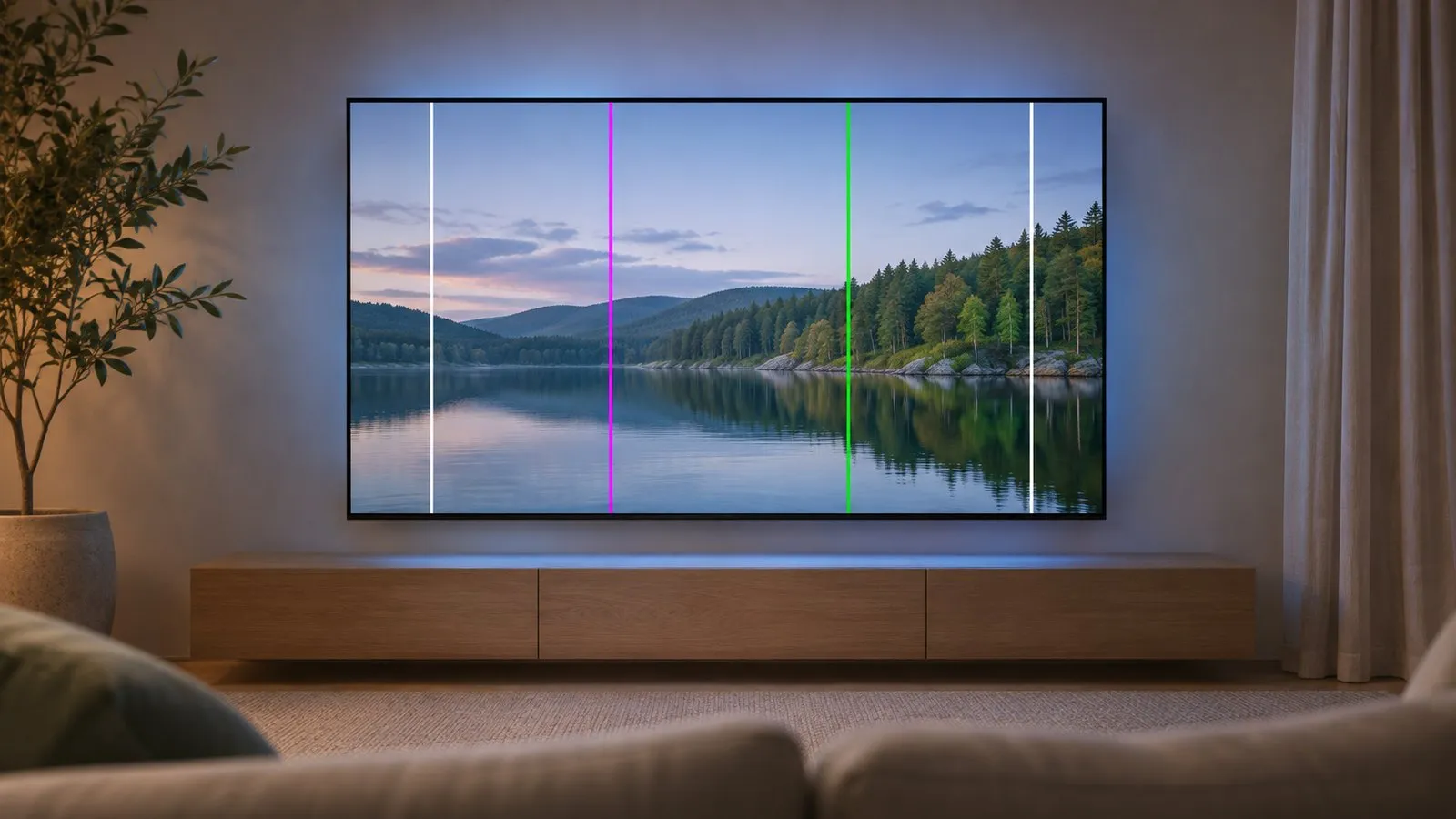
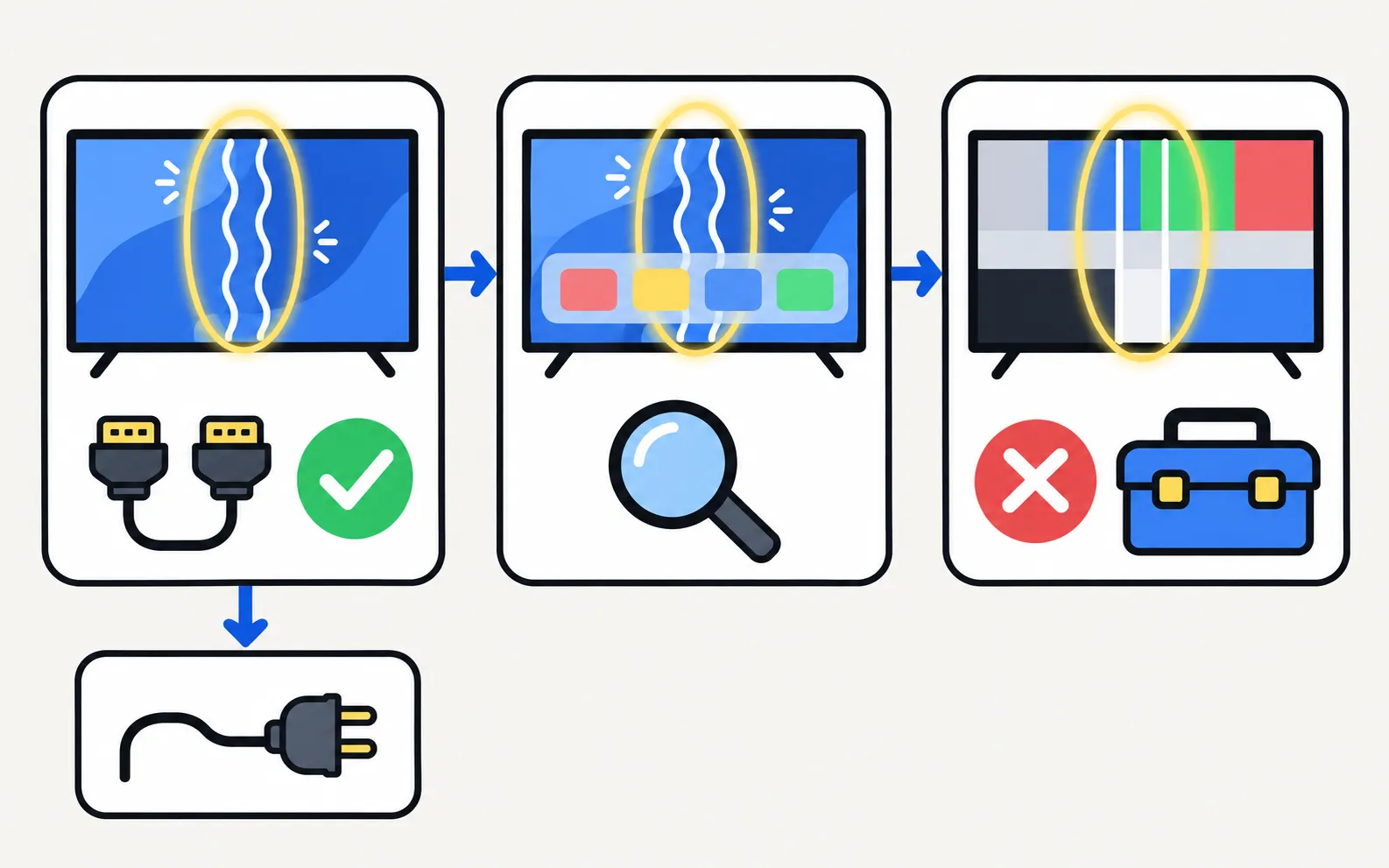
Step 1: do the lines move?
Samsung’s own troubleshooting starts here:
- Moving or flickering lines usually come from the signal: check the input source, reseat or replace the HDMI or antenna cable, and power-cycle the connected device.
- Fixed lines in the same place on every picture point towards the panel.
Step 2: look at the TV’s own menu
Open the Home screen or Settings. If the lines appear over the TV’s own menus, the source isn’t the cause. If they appear only on one input, swap the cable, port and device (HDMI no signal covers the cable checks).
Step 3: run the Picture Test
The path depends on the model year — find your TV’s year from its model code if you don’t know it.
The Picture Test shows a test image stored in the TV itself. Samsung lists these paths:
TVs from 2026
TVs from 2023–2025
TVs from 2022
TVs from 2020–2021
TVs from 2016–2019
TVs from 2015
If Self Diagnosis is greyed out, close any app running in the background and try again.
| Result | What it means | Next step |
|---|---|---|
| The test image is clean | The panel works; the problem is the source or signal | Change cable, input and device |
| Lines appear in the test image | A hardware fault in the TV | Contact Samsung support or a repairer |
| The test doesn’t appear | Possible fault | Contact Samsung support |
Step 4: update and power-cycle
Install the latest software (software update) and unplug the TV for 30 seconds. This won’t fix a failed panel, but it rules out the rare software causes before you pay for a repair.
What a hardware fault means
Lines that appear in the Picture Test usually come from the display panel or the connections and boards that drive it. These aren’t DIY repairs: the parts are fragile and some carry high voltage. Power board, main board or T-Con? explains the symptoms in general terms, and is a Samsung TV worth repairing? helps you decide. Check the warranty first.
Other panel symptoms: dark patches or a half-dark screen · flickering
Frequently asked questions
Can a software update fix lines on the screen?
Only if the cause is software, which is rare for lines that appear in the Picture Test. It's still worth installing updates before calling for service.
Is it safe to press on the screen or tap the TV to make the lines go away?
No. Pressing or tapping can damage the panel further and won't fix a failed connection permanently.
Is a TV with lines worth repairing?
Line faults often trace to the panel or its internal connections, and a panel replacement can cost a large share of a new TV. Check the warranty first, then get a quote.
What if the Picture Test doesn't show the lines but programmes do?
Then the TV's panel is likely fine and the problem is the source, cable or signal. Try another cable, input and device.
Sources
- Lines on Samsung TV screen (Picture Test paths 2015–2026) — Samsung Australia · Samsung · checked November 11, 2026
- Samsung TV has no picture or shows a black screen (TSG10002233) — Samsung US · Samsung · checked November 11, 2026
- My TV doesn't detect a device connected via HDMI — Samsung UK · Samsung · checked November 11, 2026
Related guides
Troubleshooting
Dark patches and half-dark screen
Half the Samsung TV screen darker, dark spots or stuck pixels? Use the Picture Test to tell a source problem from a panel or backlight fault, then fix it.

Troubleshooting
Screen flickering
Samsung TV flickering? Turn off auto-brightness features and LED Clear Motion, check the HDMI cable and source, run the Picture Test and spot backlight faults.
Explainer
Board and panel symptoms
What a Samsung TV's power board, main board, T-Con board and panel do, which symptoms point where, safe outside checks, and why repairs need a technician.
Explainer
Repair or replace?
Repair or replace a faulty Samsung TV? Check the warranty, rule out software, then weigh the fault, the quote against a new TV, the TV's age and update support.
How-to
Warranty
Check a Samsung TV warranty: find the model and serial number, use Samsung's checker for your country, request service, and what Care+ and retailer plans add.
Troubleshooting
Black screen
Samsung TV on but the screen is black? Check if the menu appears, the input and cable, energy-saving and screen-off settings, then do the torch test.