
Troubleshooting
Dark patches, a half-dark screen or dead pixels on a Samsung TV
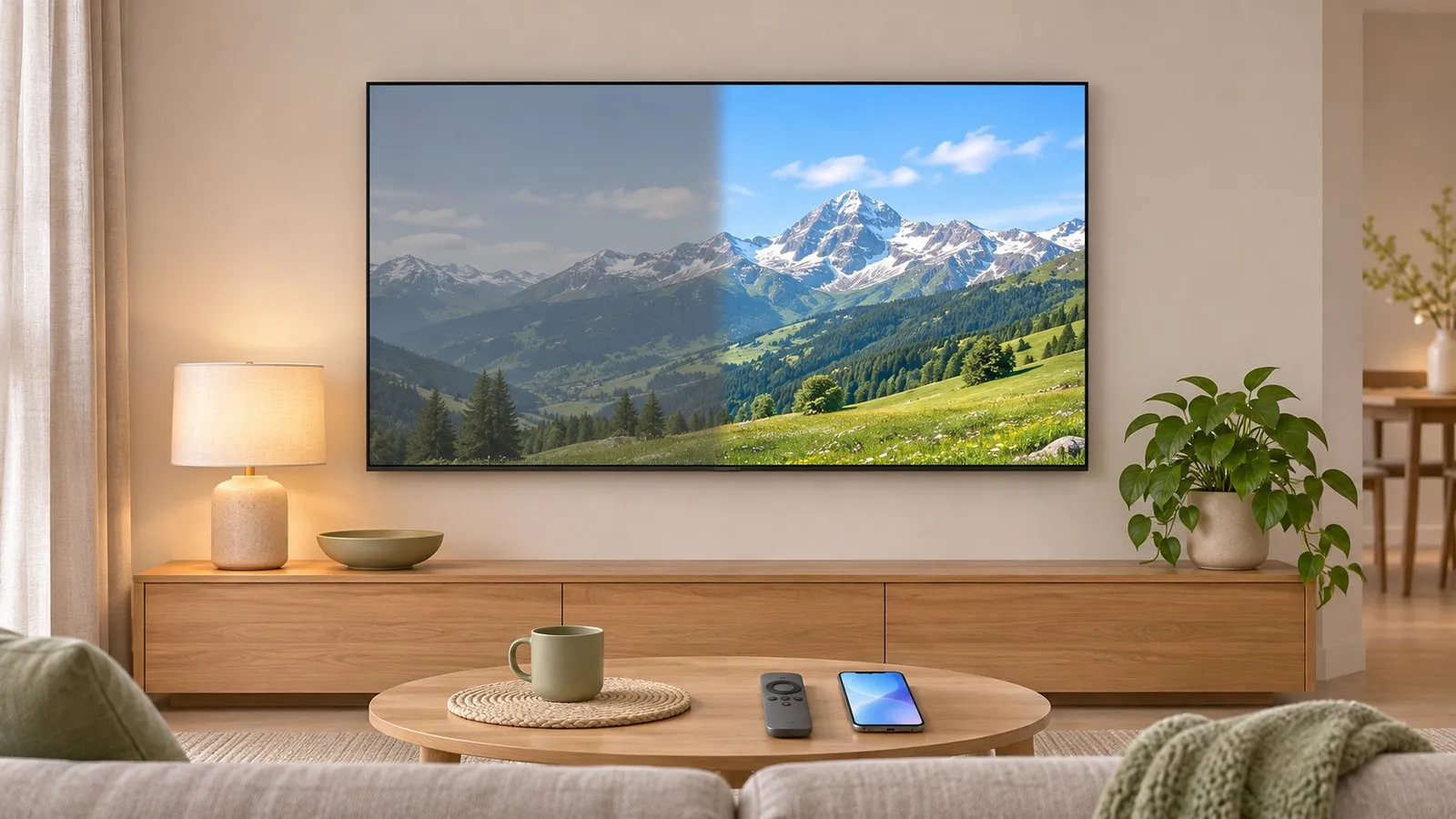
One test answers the big question: is the dark area in the picture coming in, or in the screen itself? Everything else follows from that.
Quick answer
Run the Picture Test in Self Diagnosis. If the dark half, patch or spot doesn't appear in the test, the TV is fine and the cause is the source, cable or picture settings — swap the HDMI cable and port and update the TV. If it does appear in the test, it's the screen: Samsung says a split or half-dark screen typically indicates a damaged panel or a faulty backlight, which needs service.
1. Run the Picture Test
The Picture Test shows a built-in image, bypassing your HDMI devices and apps.
| Year | Path |
|---|---|
| 2026 | |
| 2023–2025 | |
| 2022 | |
| 2016–2021 |
Then choose Picture Test. More on the tools: Self Diagnosis and Device Care.
- Not in the test → the screen is fine. Go to step 2.
- Also in the test → the screen itself is affected. Go to step 3.
2. Problem only with your source
Samsung’s troubleshooting for a split or half-dark screen covers the outside causes:
-
Soft reset
Hold the power button for about 10 seconds and let the TV restart. -
Disconnect devices
Unplug streaming sticks and consoles; plug the TV straight into the wall socket. -
Try another HDMI cable and port
Faulty cables can cause display anomalies. -
Update the TV
— see software update.
Also check picture features that dim parts of the screen on purpose: energy-saving settings (power consumption and saving) and the picture mode (picture settings). If the whole picture is simply too dark, see picture too dark.
3. Problem in the Picture Test too
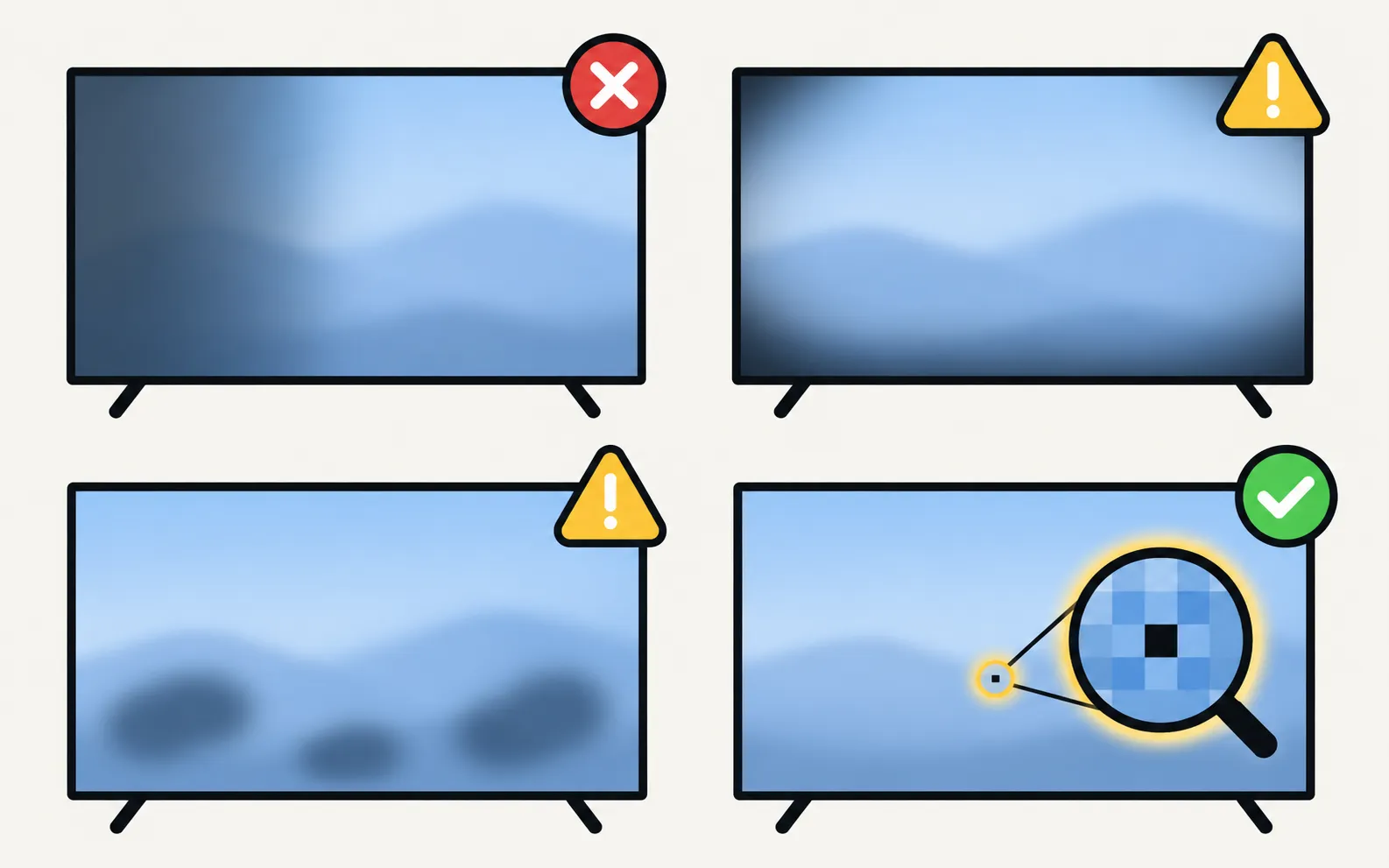
Then it’s hardware. Samsung’s guidance on a split screen points to a damaged panel or a faulty backlight. Typical patterns:
- One half or side darker, or dark vertical bands: consistent with the faulty backlight Samsung names as a typical cause on LCD-based TVs.
- Dark blotches that don’t move: the panel or backlight.
- A single black or coloured dot: a dead or stuck pixel.
None of these have a settings fix. Samsung advises contacting support when the Picture Test confirms a display fault or the problem continues after the steps above. See is it worth repairing?, warranty and board and panel symptoms before you decide.
Burn-in is different
A faint, fixed shadow of a logo or ticker on an OLED TV isn’t a dark patch — see OLED burn-in.
Frequently asked questions
Can a software update fix a half-dark screen?
Only if the cause is software. Samsung lists corrupted firmware or display driver errors as a possible cause, so updating is worth one try — but a dark area that shows in the Picture Test is a hardware fault.
Is a half-dark screen covered by warranty?
A hardware fault within the warranty period is normally a warranty matter; check your region's terms and contact Samsung Support with your model and serial number.
Can I fix dead or stuck pixels myself?
There's no Samsung setting that repairs pixels. Note the position and how many there are, and ask Samsung Support whether your warranty covers it.
The dark area moves or changes with the picture. Is that the panel?
Probably not. Dimming that follows the content is often a picture feature such as local dimming or an energy-saving mode — try the Picture Test and the settings below.
Sources
- Why is one side of my Samsung TV screen darker? — Samsung Gulf · Samsung · checked November 11, 2026
- Lines on Samsung TV screen (Picture Test paths 2015–2026) — Samsung Australia · Samsung · checked November 11, 2026
Related guides
Troubleshooting
Lines on the screen
Lines on a Samsung TV screen? Find out in two minutes if it's a cable or a panel fault: see if the lines move, check the TV's own menu and run the Picture Test.
Troubleshooting
Black screen
Samsung TV on but the screen is black? Check if the menu appears, the input and cable, energy-saving and screen-off settings, then do the torch test.

Explainer
Diagnostics and service menu
What Samsung TV Self Diagnosis and Device Care test (picture, sound, HDMI, signal, storage), where they are by year, and why to avoid the hidden service menu.
Explainer
Board and panel symptoms
What a Samsung TV's power board, main board, T-Con board and panel do, which symptoms point where, safe outside checks, and why repairs need a technician.
Explainer
Repair or replace?
Repair or replace a faulty Samsung TV? Check the warranty, rule out software, then weigh the fault, the quote against a new TV, the TV's age and update support.