
How-to
How to connect a Samsung TV to Wi-Fi, Ethernet or a hotspot
Three ways to get a Samsung Smart TV online, and which one to choose for streaming, phone remotes and casting.
Quick answer
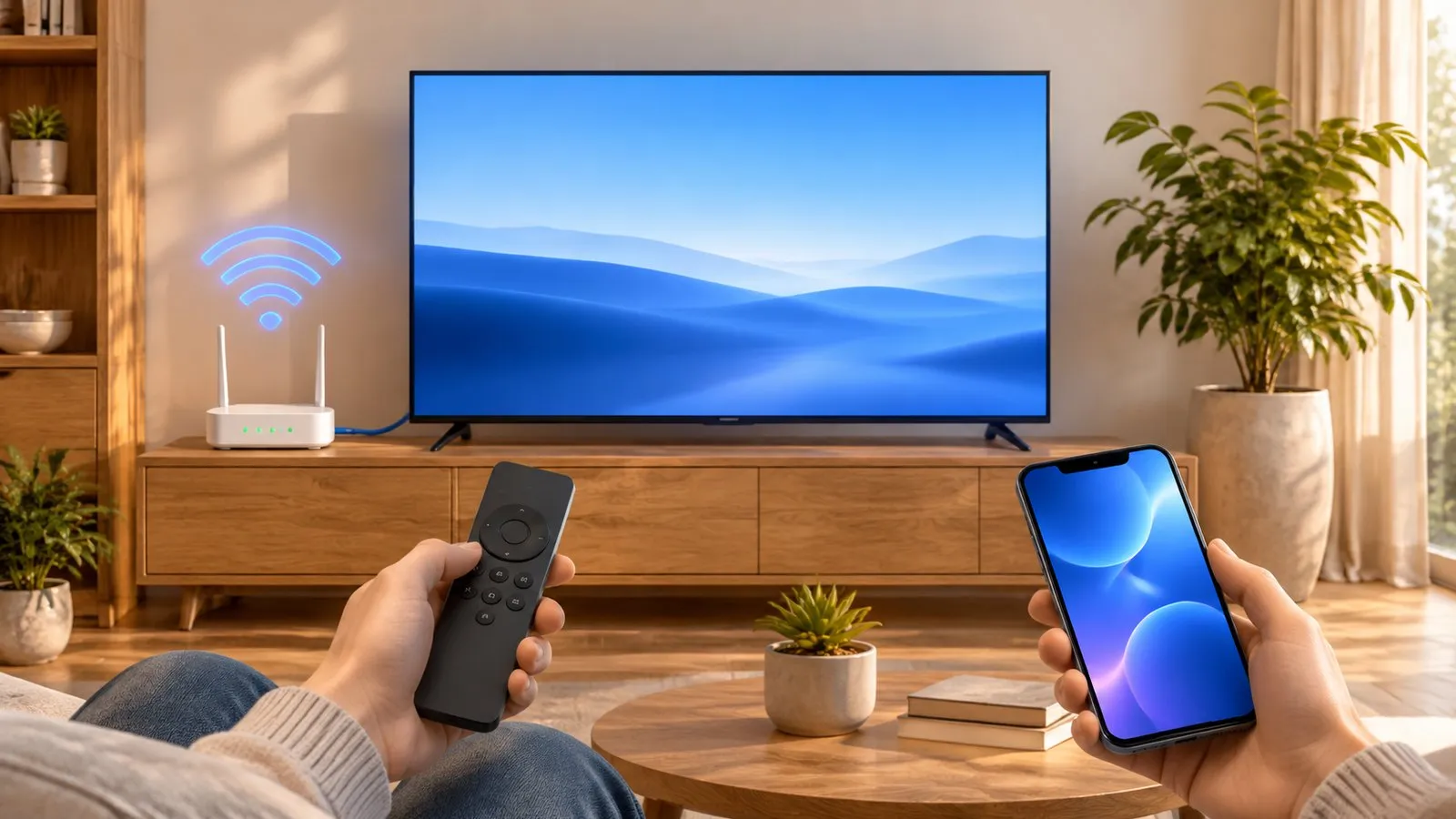
Open the TV's network settings (Settings, All Settings, Connection, Network, Open Network Settings on 2022–2026 TVs; Settings, General, Network on 2017–2021 TVs), choose Wireless, pick your Wi-Fi network and enter the password. For the most stable streaming, choose Wired and plug an Ethernet cable from the router into the TV's LAN port. A phone hotspot works like any Wi-Fi network but uses mobile data.
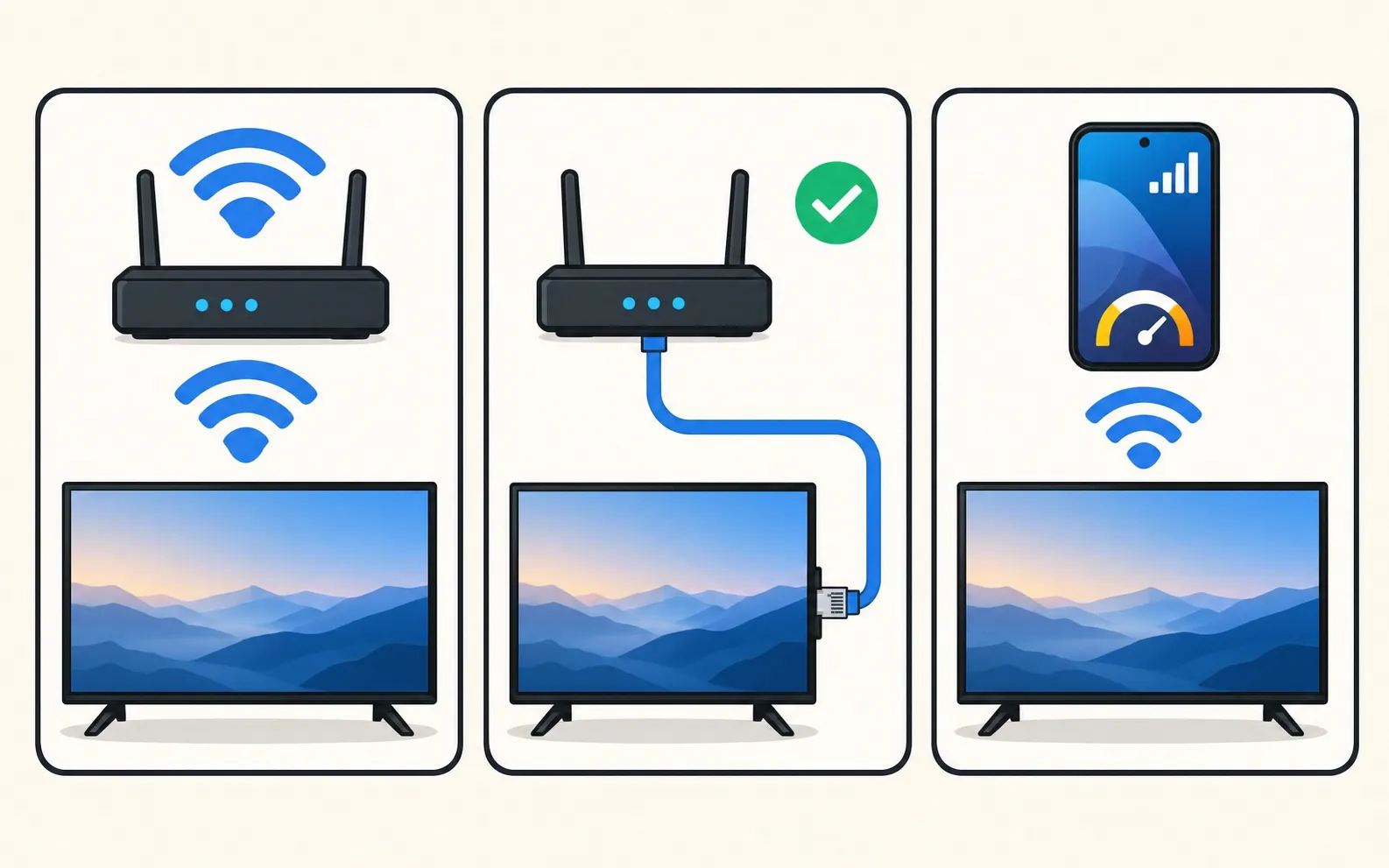
Which connection?
| Wi-Fi | Ethernet | Phone hotspot | |
|---|---|---|---|
| Setup | Network name + password | Plug in a cable | Turn on the hotspot, then like Wi-Fi |
| Stability | Depends on signal | Best | Depends on mobile signal |
| Good for | Most homes | 4K streaming, gaming, TVs far from the router | Holiday homes, temporary setups |
| Watch out for | Weak signal through walls | Cable length and router position | Data usage |
Connect to Wi-Fi
-
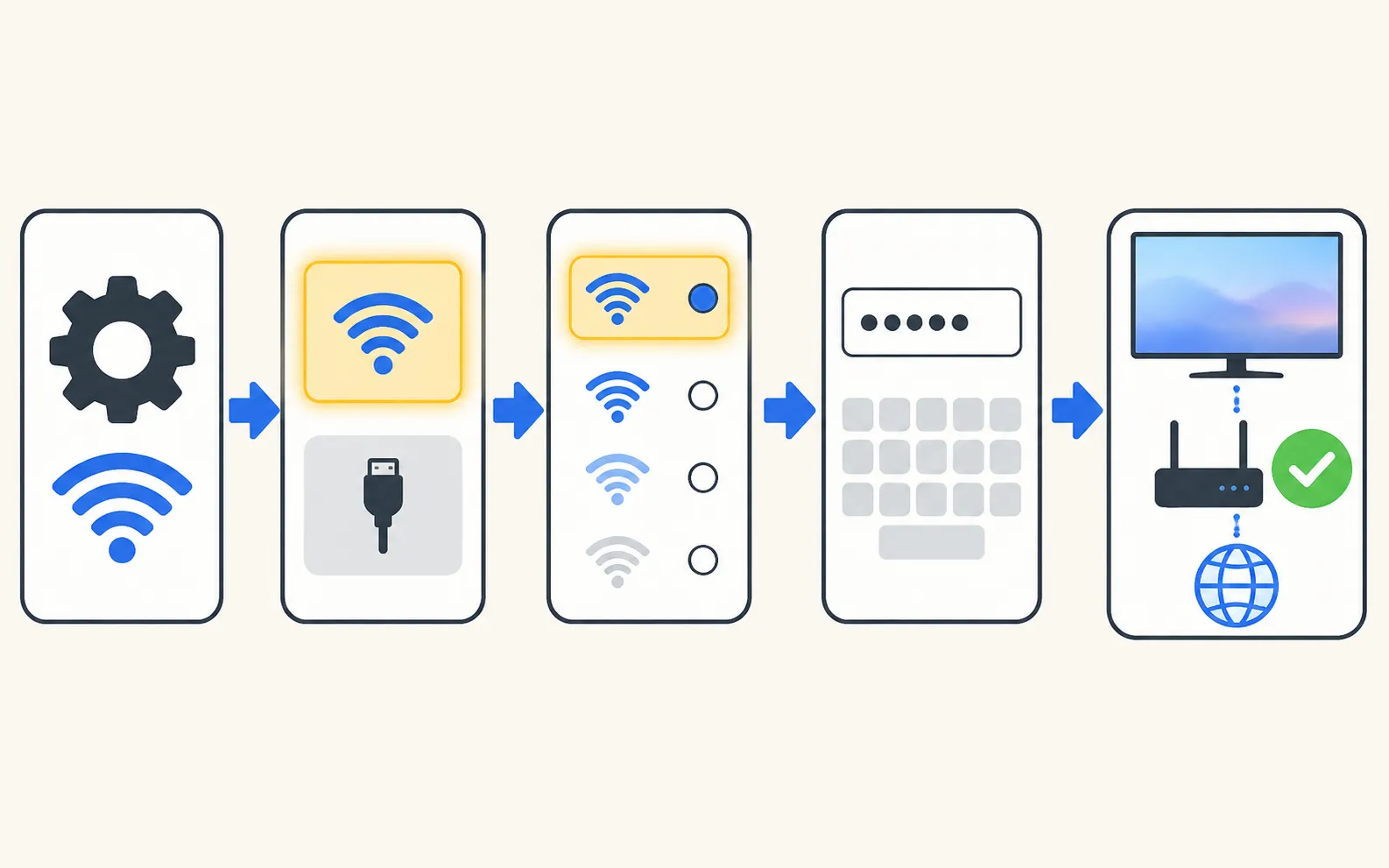
Open the network settings
On 2022–2026 TVs: . On 2017–2021 TVs, Network sits under General. -
Choose Wireless
The TV searches and lists nearby networks. -
Pick your network
Some 2018 models (NU6, NU71, NU72, NU73 series) only see 2.4 GHz networks, Samsung notes. -
Enter the password
Passwords are case-sensitive. A USB keyboard makes long passwords easier (keyboard and mouse). -
Wait for the test
The TV checks the router and internet connection and reports success.
New TV? The first-time setup wizard offers the same steps — see set up a new Samsung TV.
Connect with an Ethernet cable
-
Plug in the cable
From a free port on your router (or a powerline adapter or mesh node) to the TV’s LAN port. -
Choose Wired
In the same network settings, choose Wired. Samsung’s guide uses this to check a wired connection. -
Let the TV test it
If it fails, swap in a cable you know works.
TVs with a One Connect box have the LAN port on the box.
Connect to a phone hotspot
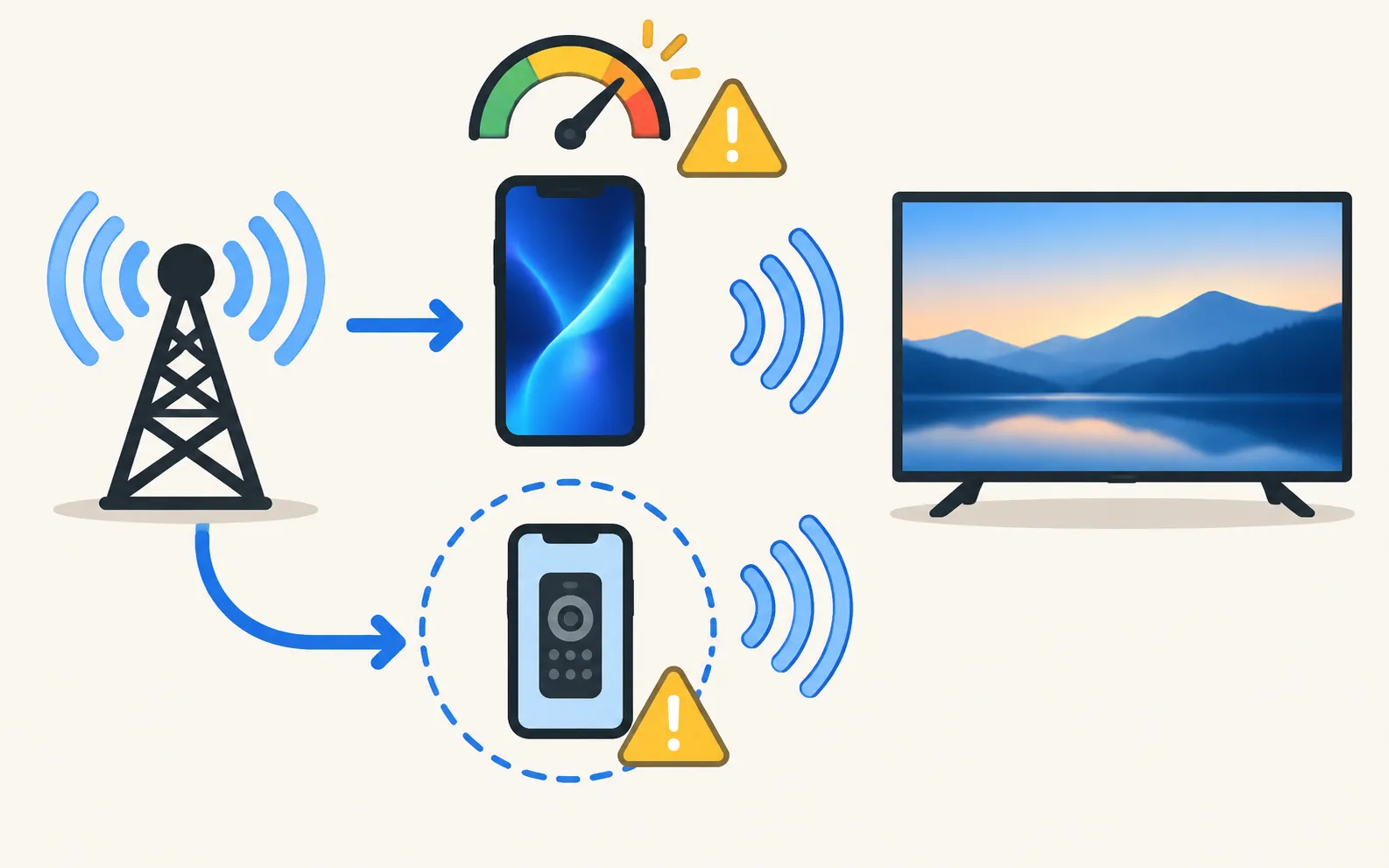
Turn on the hotspot on your phone, then connect the TV to it like any other Wi-Fi network. Keep in mind:
- Streaming uses mobile data — HD video can use several gigabytes per hour.
- Some mobile plans limit hotspot speed or data.
- Phone remotes and casting work only when the TV and the controlling phone are on the same network; a hotspot setup is a special case, so test before you rely on it.
Phone and TV must be on the same home network (not a guest network). The phone uses Wi-Fi; the TV can use Wi-Fi or Ethernet. No internet is needed, and mobile data can't be used.
Check it works
- Open a streaming app — if it plays, you’re online.
- The network status screen shows whether the TV reaches the router and the internet.
Problems?
- Won’t connect or can’t find the network: Samsung TV won’t connect to Wi-Fi
- Connected but no internet: connected but no internet
- Keeps dropping: Wi-Fi keeps disconnecting
- Hotel, dorm or campus Wi-Fi with a sign-in web page: TVs often can’t complete that sign-in — see connected but no internet
- No remote to type the password: connect to Wi-Fi without a remote
If a phone remote can’t find the TV afterwards, the phone may be on a different network: Guest, public or business Wi-Fi, AP or client isolation, a phone VPN and extenders that create a separate network can block the connection.
Frequently asked questions
Is Wi-Fi or Ethernet better for a Samsung TV?
Ethernet is more stable and not affected by walls or neighbours' networks, which helps 4K streaming. Wi-Fi is fine when the signal is strong; use the 5 GHz band if the TV supports it.
Can I connect a Samsung TV to a phone hotspot?
Yes — the TV treats a hotspot like any Wi-Fi network. Streaming uses your mobile data, which adds up fast in HD or 4K.
Do I need the internet for a phone remote app?
Phone and TV must be on the same home network (not a guest network). The phone uses Wi-Fi; the TV can use Wi-Fi or Ethernet. No internet is needed, and mobile data can't be used.
How do I find my TV's IP address after connecting?
The network status screen shows it, under IP Settings. A separate guide covers the IP and MAC address.
Sources
- Samsung TV won't connect to Wi-Fi (TSG10002209) — Samsung US · Samsung · checked November 11, 2026
Related guides
Troubleshooting
Won't connect to Wi-Fi
Samsung TV won't connect to Wi-Fi or can't find your network? Check signal and band, run Network Status, reset the network, set DNS, restart the router, update.
How-to
IP and MAC address
Find a Samsung TV's IP address (Network Status, IP Settings) and MAC address (About This TV), why you might need them, and how to reserve the IP in your router.
How-to
Wi-Fi without a remote
No remote and the TV isn't online yet? Get a Samsung TV online with an Ethernet cable, a USB keyboard or mouse, or its control button, then use your phone.
Troubleshooting
TV not showing up on your phone
Phone can't find your Samsung TV? Turn the TV fully on, put both on the same home Wi-Fi, switch off VPN and guest networks, and allow local network access.
How-to
First-time setup
Set up a new Samsung Smart TV: pair the remote, pick language and network, decide on terms and privacy, scan channels or connect a box, then update.