
How-to
Turn on your Samsung TV with your phone (Power On with Mobile)
Turning a TV off from a phone is easy. Turning it on is the hard part — the TV must be listening while it sleeps. One setting makes that possible.
Quick answer
A phone can turn on a 2016 or newer Samsung Smart TV only if Power On with Mobile is enabled and the TV stays plugged in. On 2022–2026 TVs the switch is in Settings, All Settings, Connection, Network, Expert Settings; on 2017–2021 TVs it is in Settings, General, Network, Expert Settings. The phone must be on the same home network.
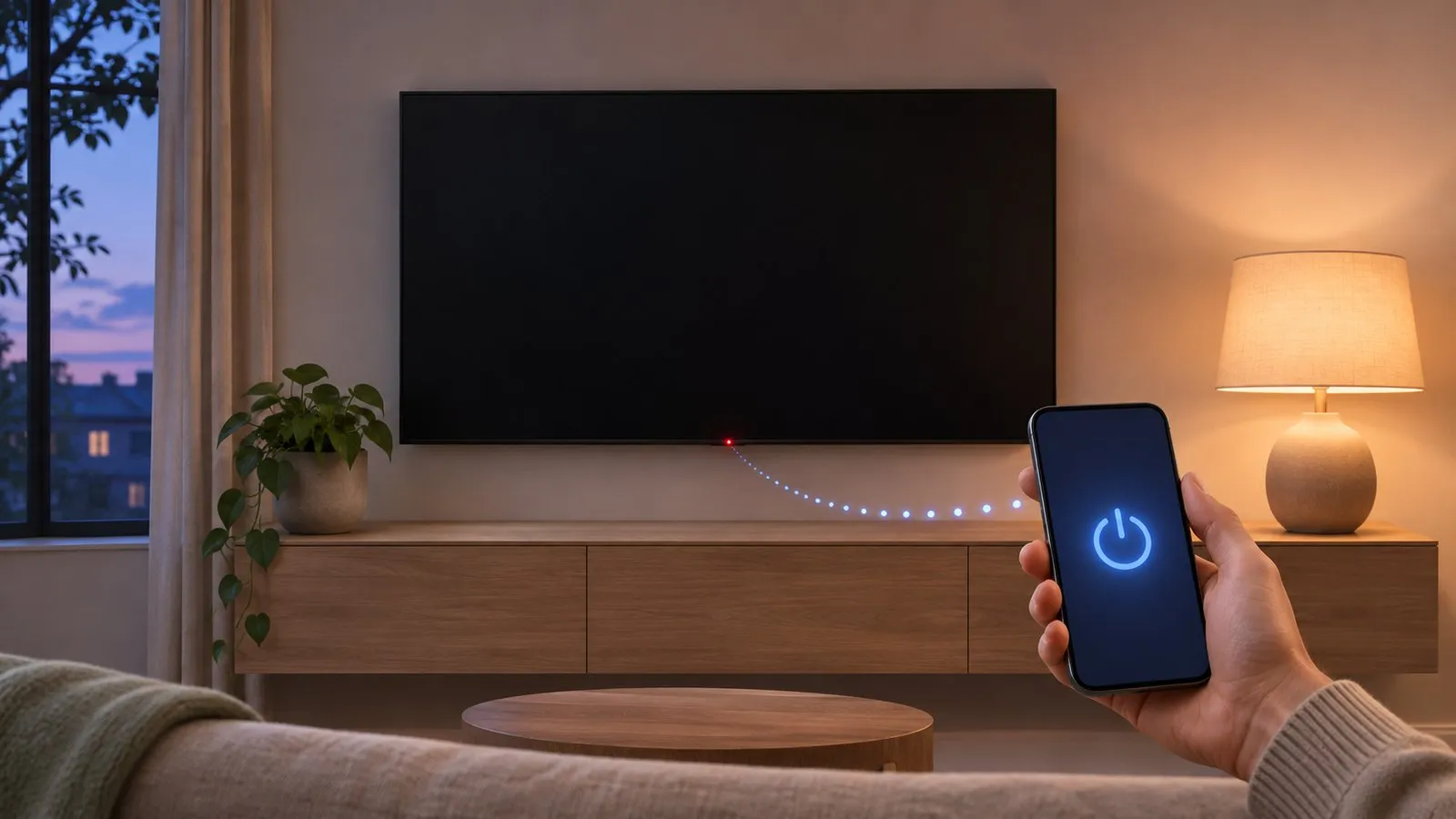
Switching a TV off from a phone works on almost any connected Samsung Smart TV: the TV is awake and simply obeys a command. Switching it on is different. A TV in standby has to keep a small part of its network hardware listening for a wake-up message. Samsung calls the setting that allows this Power On with Mobile.
What you need
- A Samsung Smart TV from 2016 or newer
- Power On with Mobile turned on in the TV’s settings
- The TV in standby — switched off with the remote or a phone, not at the wall
- The phone on the same home network as the TV
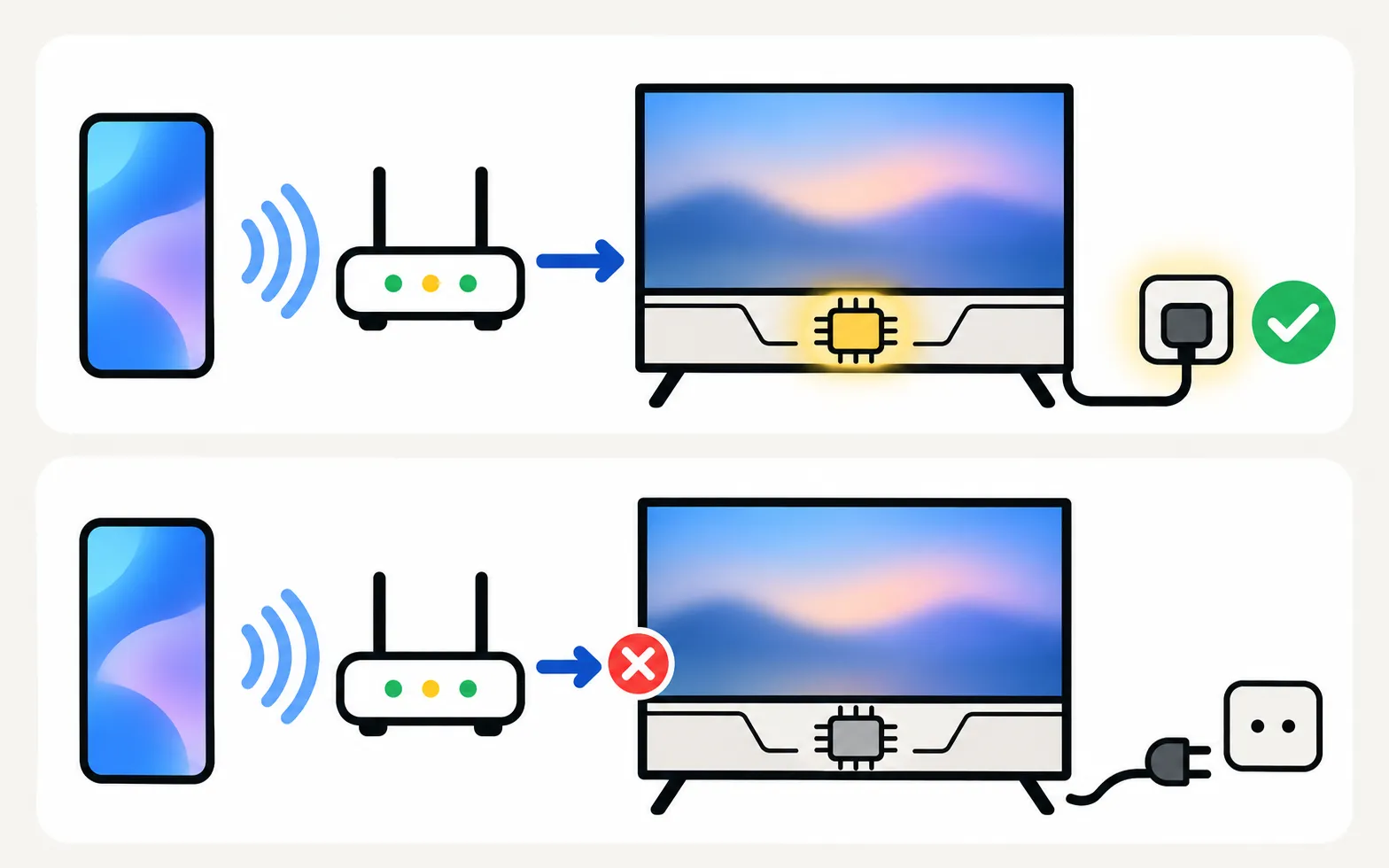
Turning the TV on from the phone needs a 2016 or newer TV with Power On with Mobile enabled, and the TV must stay plugged in (standby).
Turn on Power On with Mobile
Do this once, with the TV on.
Menu names depend on the model year. Not sure which year your TV is? Decode your model number first.
TVs from 2022 and newer
Select Power On with Mobile so the switch shows on.
TVs from 2017–2021
Highlight Power On with Mobile and switch it on.
TVs from 2016
2016 TVs support waking from a phone, but we could not find a Samsung-documented menu path for this year. Look under the TV’s Network settings (often in an Expert Settings submenu), or search the TV’s e-Manual for “Power On with Mobile”.
Samsung notes that menu names and steps can vary by model, software version and region. If you can’t find the option, update the TV’s software first (how to update a Samsung TV).
Turn the TV on from your phone
-
Switch the TV off normally
Use the remote, the phone app or the TV’s button, so the TV goes into standby with the plug still in. -
Open your phone remote
Make sure the phone is on the home Wi-Fi, not mobile data. -
Press power and wait a few seconds
The phone sends a wake signal; the TV starts within a few seconds.
With Samsung TV Remote
Power on over Wi-Fi with a wake-up signal (Wake-on-LAN) for 2016 or newer TVs with Power On with Mobile enabled.
The app’s device information also tells you whether the connected TV can be turned on from the app. If it can’t, the most common reason is that Power On with Mobile is off. The compatibility page shows which TV generations support power-on, and getting started covers the first connection.
With SmartThings
Samsung’s SmartThings app can also turn on a TV that has Power On with Mobile enabled. It needs a Samsung account, the TV added to SmartThings, and — according to Samsung — a 2017 or later SmartThings-compatible TV. Because SmartThings works through Samsung’s cloud, it can sometimes reach the TV when you are away from home. Compare the options in use your phone as a Samsung TV remote.
When the TV won’t wake
-
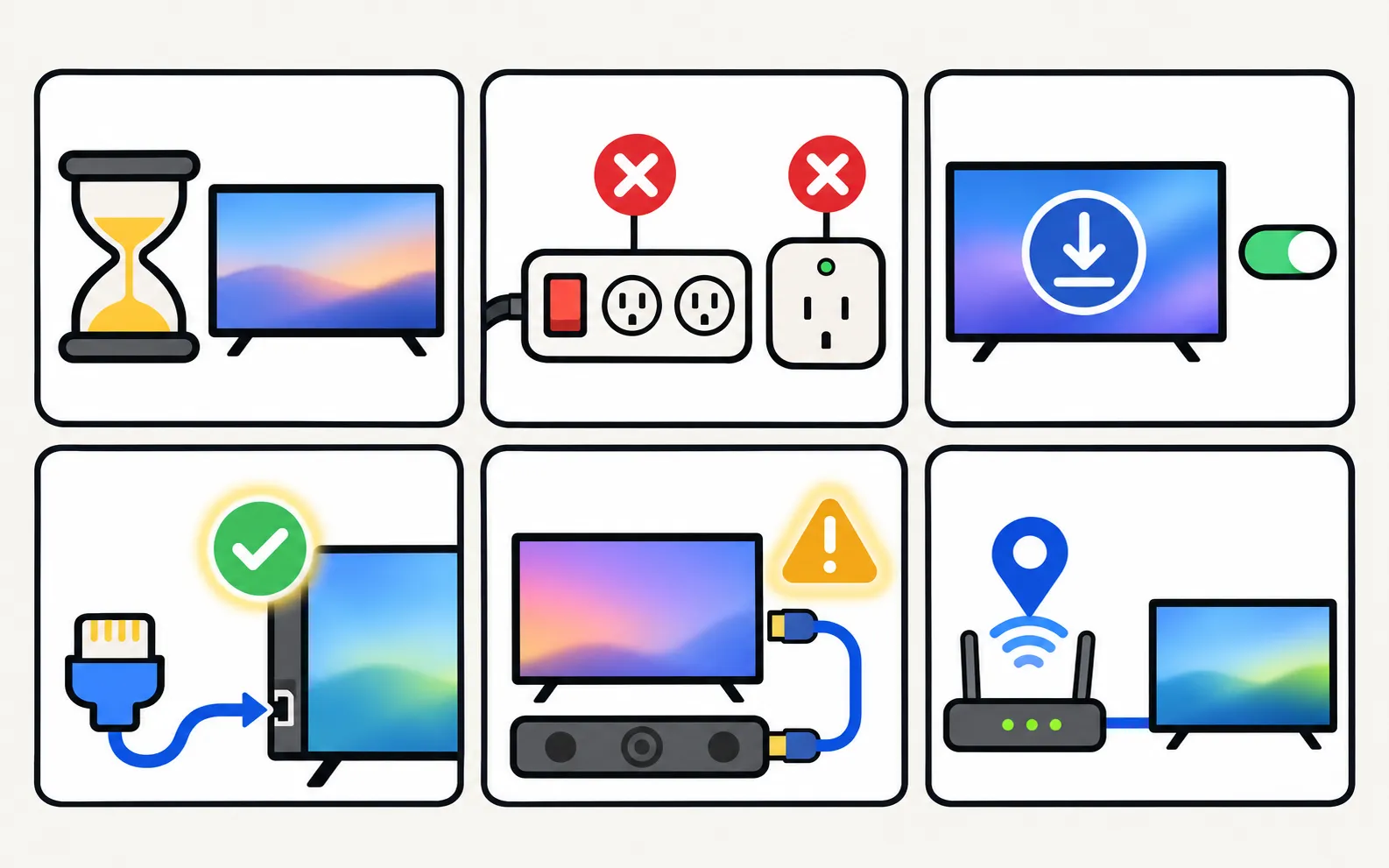
Wait a minute after switching off
A TV that has just been switched off may ignore wake signals for up to about a minute while it shuts down. Good apps keep trying; if yours gives up, try again. -
Check the power source
A smart plug, a power strip with a switch or a timer cuts the TV’s standby power, and with it the network chip. -
Recheck the setting after updates
A software update or a reset can turn Power On with Mobile off again. -
Try a wired connection
Wi-Fi in deep standby is less dependable on some models than Ethernet. If you can, connect the TV with a cable to the same router. -
Mind the soundbar
A wired TV with a soundbar on HDMI ARC may not wake reliably from a phone. If this is your setup and waking fails, test once with the soundbar unplugged from HDMI to confirm the cause; Anynet+ (HDMI-CEC) settings can also play a part — see Anynet+ explained. -
Reserve the TV's address
If waking works for a while and then stops, your router may be handing the TV a new IP address. Reserving a fixed address for the TV in the router (DHCP reservation) helps; the TV’s address is shown in its network status (find your TV’s IP address).
Is leaving it on safe — and what does it cost?
Power On with Mobile keeps a small network circuit active in standby, so standby consumption can be slightly higher than with the feature off. Samsung publishes standby figures per model; see Samsung TV power consumption for where to find them. If the TV starts turning itself on, a device on your network may be sending wake signals: Samsung TV turns on by itself walks through the causes.
Frequently asked questions
Can my phone turn on a Samsung TV that is unplugged or switched off at the wall?
No. The TV must be in standby with mains power, because a sleeping TV listens for the wake signal through its network chip. A TV on a switched-off power strip receives nothing.
Why does it work right after I switch off, but not a few hours later?
Usually the TV's network connection went to sleep or the router gave the TV a new address. A wired (Ethernet) connection is often more reliable for waking. Also check that Power On with Mobile is still enabled after a software update.
Can I turn my TV on from work or another house?
Not with a local phone remote — the wake signal works on your home network only. Samsung's SmartThings app can send commands through Samsung's cloud when the TV and phone are registered to the same Samsung account.
Does Power On with Mobile make the TV switch on by itself?
It can, if another device on the network sends a wake signal. If your TV turns on unexpectedly, see the guide on a Samsung TV that turns on by itself.
Can an older Samsung TV (2015 or earlier) be turned on from a phone?
Not over the network with phone remote apps: waking from a phone needs a 2016 or newer TV. A phone with an infrared blaster, the TV's own button or a replacement remote is the alternative.
Sources
- Samsung Australia support: power on the TV with the SmartThings app (Power On with Mobile) — Samsung Australia · Samsung · checked November 10, 2026
- Control your Samsung TV or projector with your phone using SmartThings — Samsung US · Samsung · checked November 11, 2026
- Samsung TV Remote product documentation (developer-supplied facts) — Smart App Craft · Developer · checked November 10, 2026
Related guides
Guide
Phone as a remote
Control a Samsung TV from your phone: Android remote apps, SmartThings, Samsung's 2025 Mobile Remote, IR-blaster phones and iPhone — what each needs and does.
Troubleshooting
TV not showing up on your phone
Phone can't find your Samsung TV? Turn the TV fully on, put both on the same home Wi-Fi, switch off VPN and guest networks, and allow local network access.

Troubleshooting
TV turns on by itself
Samsung TV switching itself on at night or in the morning? Read the Event Log's power-on reason, then turn off Anynet+, Power On with Mobile or the trigger.
Explainer
Anynet+ (HDMI-CEC)
Anynet+ is Samsung's HDMI-CEC: one remote for TV, soundbar and console — and why TVs switch on by themselves. Where to find it by year and when to turn it off.

How-to
Lost remote
Lost the Samsung TV remote? Where to look first, how to keep watching tonight with the TV's button or your phone, and how to get the right replacement.
Troubleshooting
Soundbar and HDMI ARC
No sound from a soundbar on HDMI ARC or eARC? Use the ARC port, turn on Anynet+, set Sound Output and Digital Output Audio Format, enable eARC and fix dropouts.