
How-to
How to factory reset a Samsung TV (also without a remote or PIN)
A factory reset is the last resort, not the first. Here is how to do it on any Samsung TV — and the smaller resets that often fix the problem without wiping everything.
Quick answer
On 2022 and newer Samsung TVs, open Settings, All Settings, General & Privacy, Reset, enter the PIN (0000 unless you changed it) and confirm. On 2020–2021 TVs the path is Settings, General, Reset; on 2016–2019 TVs, Settings, Support, Self Diagnosis, Reset. A reset restores all TV settings except network settings. Without a remote, use the TV's control button or a USB keyboard.
Try a lighter reset first
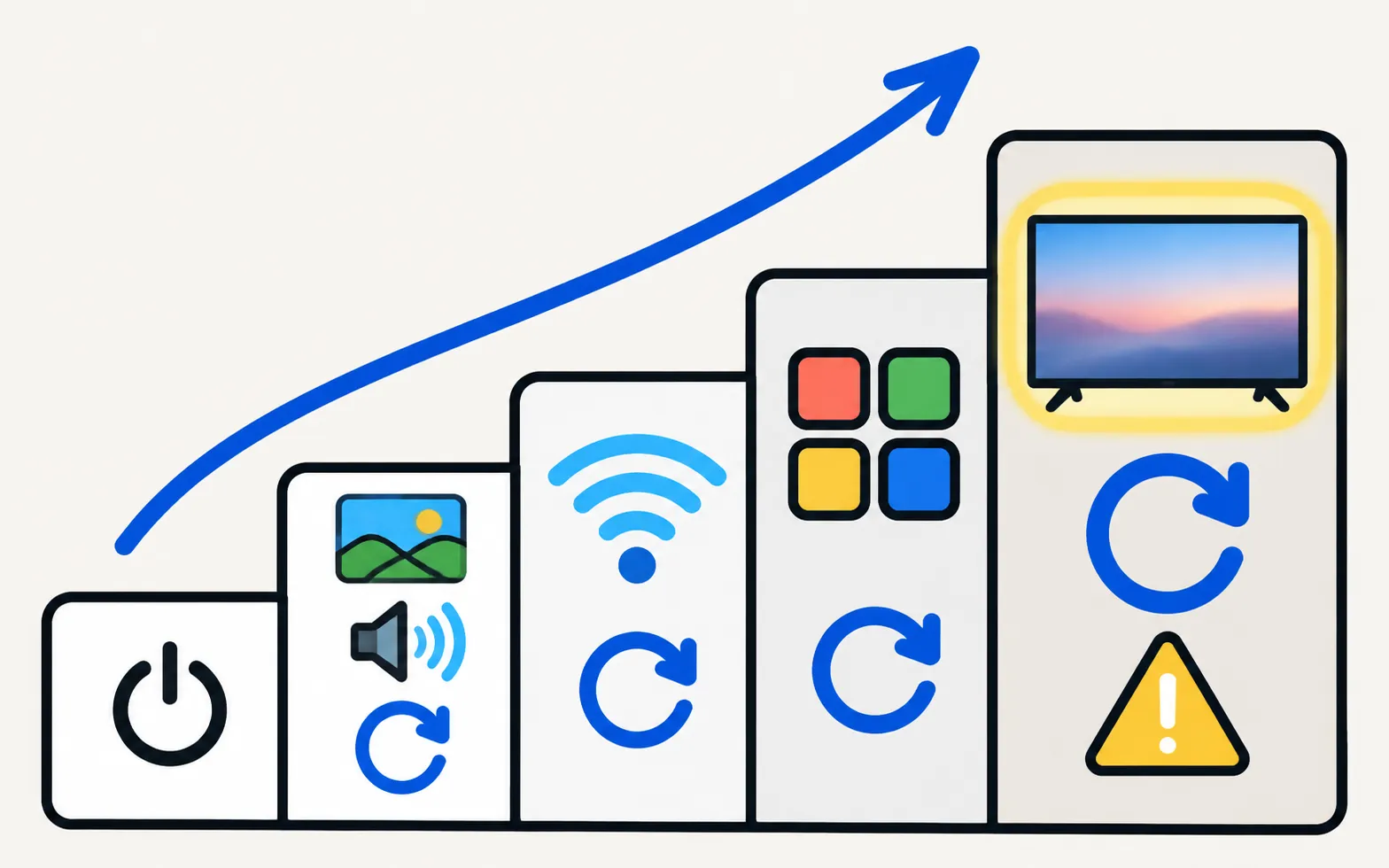
| Problem | Lighter fix | Guide |
|---|---|---|
| Glitchy, slow, frozen | Restart (unplug 30 s) | Restart a Samsung TV |
| Picture or sound settings messed up | Reset Picture (Picture › Expert Settings) or Reset Sound (Sound › Expert Settings) | Picture settings |
| Wi-Fi problems | Reset Network | Won’t connect to Wi-Fi |
| Apps failing | Reset Smart Hub | Apps not working |
| Picture settings keep changing back, adverts loop | Switch the TV from store demo mode to Home Mode | Store demo or hotel mode |
| Everything else, or selling/giving away the TV | Factory reset | This page |
Before you reset
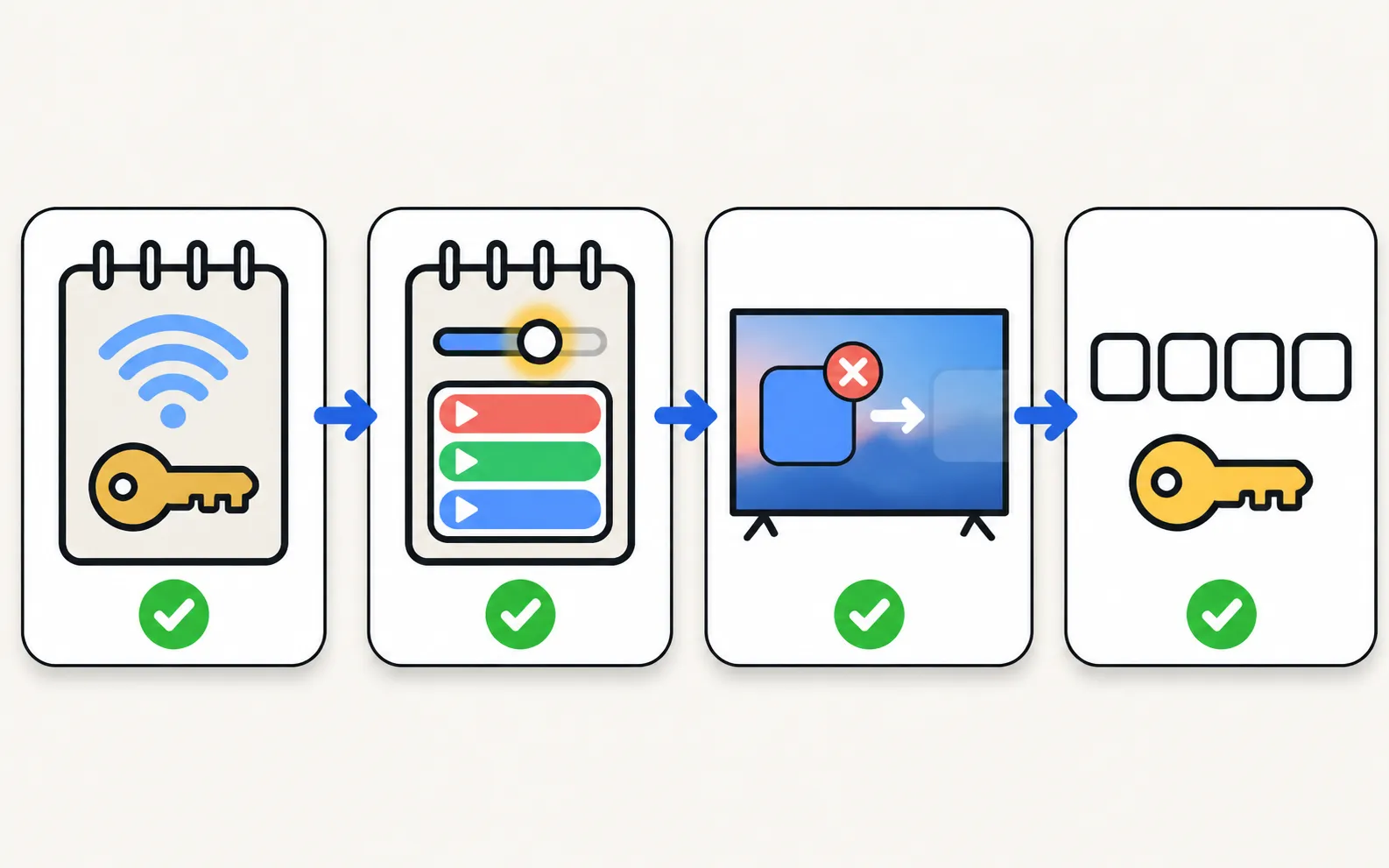
- Note your Wi-Fi password and app logins — you’ll sign in again.
- Write down settings you like (picture mode, sound, channel order).
- Close any streaming app: Samsung notes Reset isn’t available while an app like Netflix or YouTube is running.
- Have the PIN ready: 0000 unless you changed it.
Factory reset: menu path by year
TVs from 2022 and newer
Enter the PIN, then select Reset. If your menu differs, Samsung’s US guide suggests looking under Support › Self Diagnosis.
TVs from 2020–2021
TVs from 2016–2019
Samsung Australia lists for 2017–2021 TVs; if one path isn’t there, try the other.
TVs from 2013–2015
- 2015 (J series):
- 2014 (H series):
- 2013 (F series):
Not sure of your TV’s year? The model code tells you: decode your Samsung model number.
The TV restarts and opens the first-time setup. Choose your language and network, accept or decline the terms, and you’re done — set up a Samsung TV step by step walks through it.
Reset without a remote
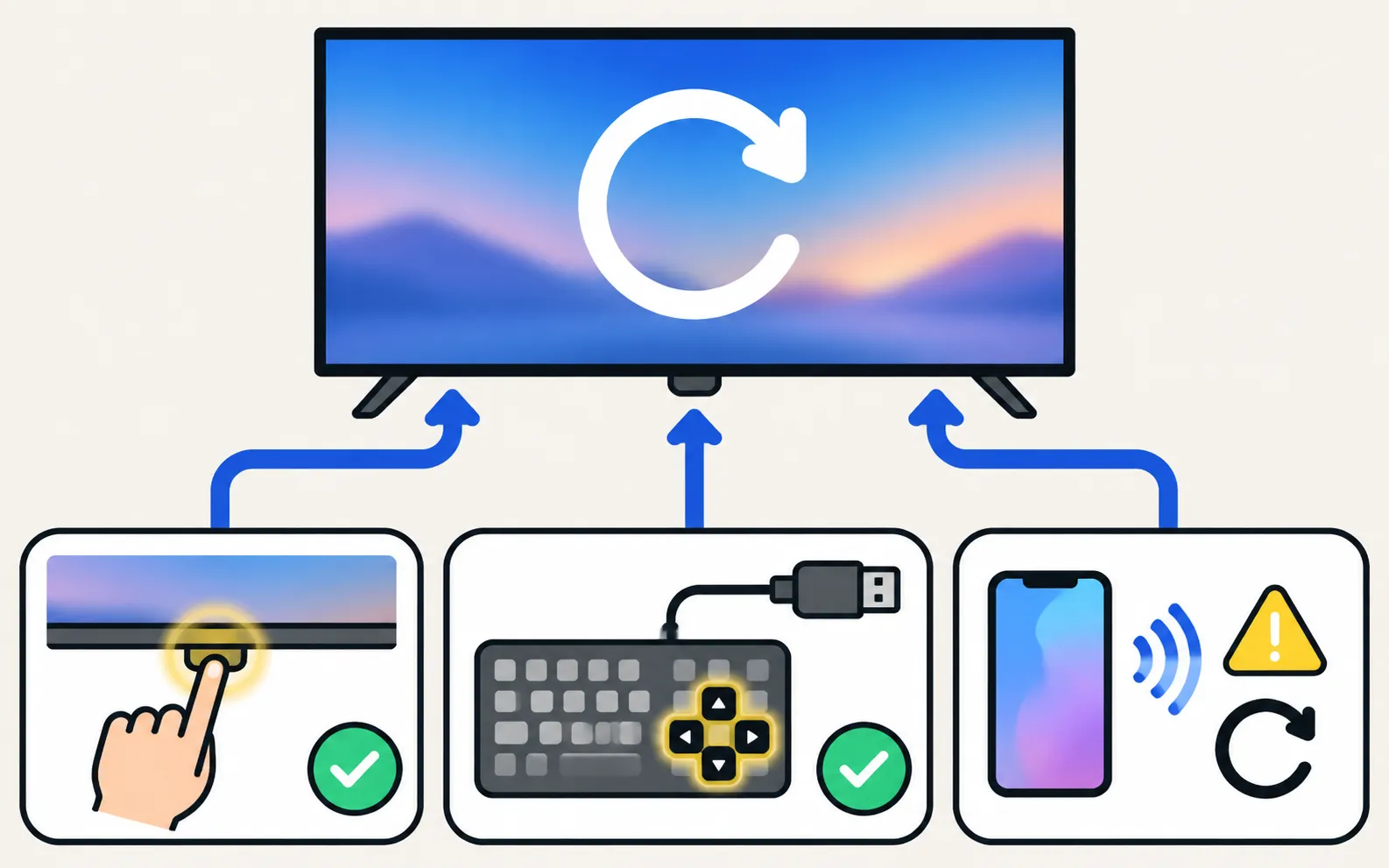
You can reach the Reset menu without the remote:
- The TV’s control button: short presses move through the on-screen control menu and a long press selects — slow, but it works. See where the power button is.
- A USB keyboard: arrow keys and Enter navigate the menus, and you can type the PIN directly (keyboard and mouse on a Samsung TV).
- A phone remote: if the TV is on your Wi-Fi, a phone remote app works until the reset — then it must be allowed again.
Forgot the PIN?
If you changed the PIN and can’t remember it, Samsung’s UK support advises contacting Samsung Support, who can help reset it. More in Samsung TV PIN: default code, change it, forgot it. Avoid “service menu” tricks you find online: they change factory settings that can affect picture, power and warranty.
After the reset
- Connect to Wi-Fi again and update the TV’s software (update a Samsung TV).
- Pair the Smart Remote if the TV asks (pair a Smart Remote).
- Allow your phone again when you first connect a phone remote: The TV must be fully on for the first connection. Select Allow on the TV, or type the PIN shown on 2014–2015 TVs.
Frequently asked questions
What does a factory reset erase?
Samsung says it restores all TV settings, except network settings, to factory defaults. In practice expect to redo picture and sound settings, channels, sign-ins and the apps you added; phones and remotes must be connected again.
What's the PIN for a factory reset?
Samsung's default PIN is 0000. If you changed it and forgot it, Samsung support can help you reset it.
Why is the Reset option greyed out?
Samsung notes that Reset isn't available while an app such as Netflix or YouTube is running. Return to the home screen or a TV input first.
Do I need to pair my phone again after a reset?
Yes. The reset clears the TV's list of allowed devices, so phone apps and smart-home systems ask to be allowed again.
Is there a secret reset button or code?
Samsung doesn't document a hidden reset button. We don't recommend service-menu codes: they can change factory settings that are hard to restore.
Sources
- How to reset your Samsung TV (ANS10005248) — Samsung US · Samsung · checked November 11, 2026
- How to cold boot, reboot, restart or reset your Samsung Smart TV — Samsung UK · Samsung · checked November 11, 2026
- How do I perform a factory reset on Samsung TV? (paths 2013–2020) — Samsung Philippines · Samsung · checked November 11, 2026
- How to Reset your Samsung TV — Samsung Australia · Samsung · checked November 11, 2026
- Samsung UK support: TV apps won't open — Samsung UK · Samsung · checked November 10, 2026
Related guides
How-to
Samsung TV PIN
The default Samsung TV PIN is 0000. Where the PIN is used (resets, app locks, parental controls), how to change it, and what to do if you forgot your own PIN.

How-to
Software update
Update a Samsung Smart TV: Auto Update, Update Now, or USB with the right file format and folder — plus fixes when the update is greyed out or fails.
Troubleshooting
Apps not working
Samsung TV apps won't open, crash or keep loading? Power-cycle, check the internet, update the TV, reinstall the app, then reset Smart Hub — in Samsung's order.
Troubleshooting
Allow prompt keeps appearing
Why your Samsung TV keeps asking to Allow a phone, how to stop it, and how to undo a Deny — with the Device Connection Manager settings by TV year.
How-to
Power button location
Can't find the power button on your Samsung TV? Check under the bottom centre, the back lower right and the front edge, and learn its short and long presses.
How-to
Restart a Samsung TV
Restart a Samsung TV properly: hold the remote's power button until it reboots, or unplug it for 30 seconds. Why standby isn't a restart, and when to reset.